Navigation Controls
When using the Dashboard interface, you will notice at the top of the default Equipment layout four navigation buttons:

Dashboard Interface - Navigation Buttons
Use these buttons to quickly scroll between equipment that belongs to the current company. The current company is defined as the company that owns the equipment currently in view.
 First (Ctrl+Up) - Scroll to the first piece of equipment alphabetically for the current company.
 Prior (Ctrl+Left) - Scroll to the prior piece of equipment alphabetically for the current company (prior to the asset currently in view)
 Next (Ctrl+Right) - Scroll to the next piece of equipment alphabetically for the current company (next to the asset currently in view)
 Last (Ctrl+Down) - Scroll to the last piece of equipment alphabetically for the current company.
See LayoutBuilder...Equipment Layouts...Hyperlinks for more details.
In version 13 new Field Layouts, the objects to pull into the Equipment View Header are as follows: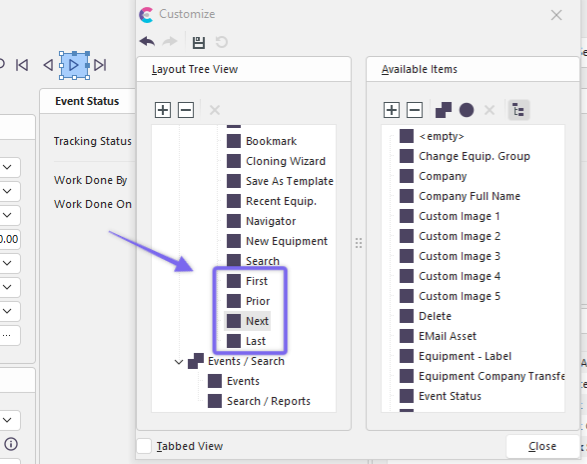
Equip. View Header - Customize Dialog - Navigation Controls |