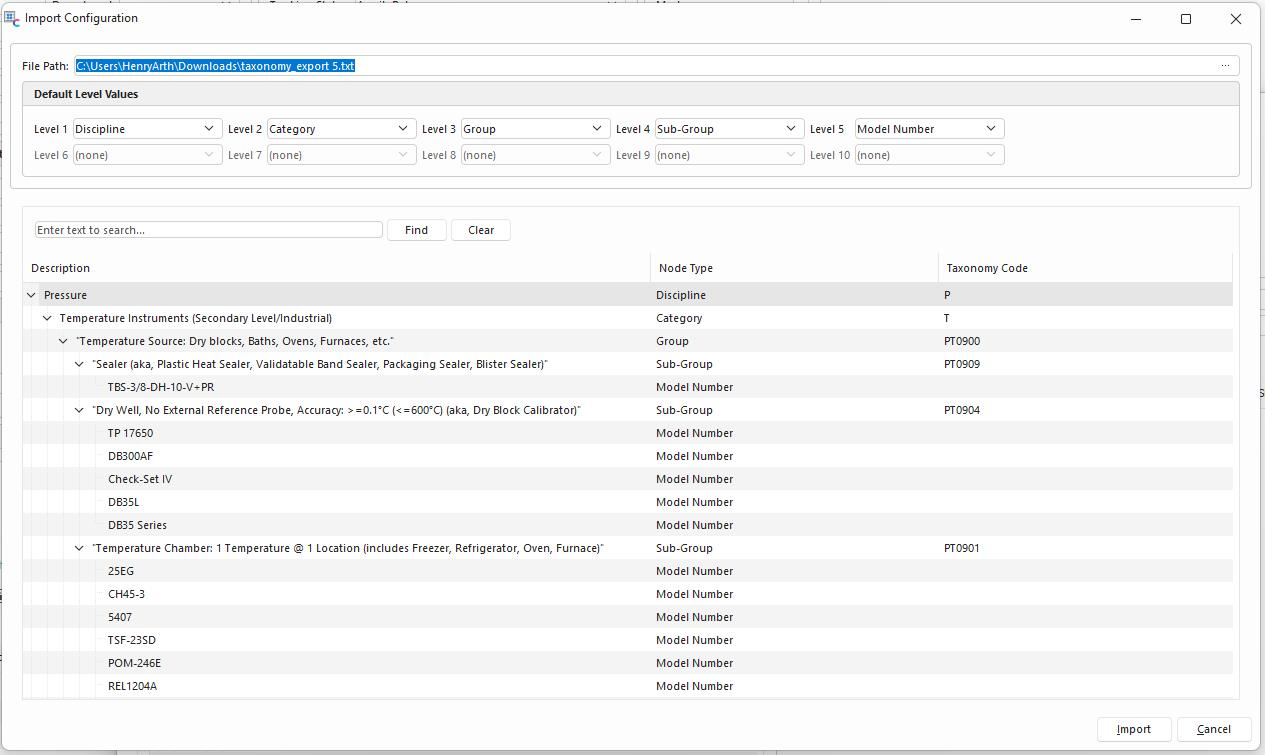
Taxonomy Tree Import Options
System Administrators can Import their Taxonomy Tree from a tab-delimited file in the Taxonomy Manager Interface. The user can first download an example import file and populate it using Excel in that specific Order. The only real required fields for the import are the Description fields for each level. Admins must first create all of their related Node Types and associate them with their desired Level before the import. The Manufacturer, Gage Description, and Can Be Calibration Standard fields will all exist with the most specific Node for that row.
Each import can only import a set number of levels and will be mapped to a specific node type lineage. In other words, every import must follow the same format. An example would be that all items in an import are 5 levels deep, and Type 1 -5 are all the same: Discipline, Category, Group, Sub-Group, and Model Number.
Upon Importing, the user must select the proper txt file, confirm the default level values and then press preview. The preview will allow the user to give an overall glance at what is being imported. If all looks well, then the user simply presses Import.