Configuration Elements of the Pipette Module
The Pipette Module is, ultimately, just a configuration of your client. The items that have been loaded by the Export/Import utility run by the installer are the following:
Sample Pipettes:
PIPETTE001
PIPETTE002
PIPETTE003
PIPETTE004
These just represent a basic idea of what your pipettes might be configured to look like and let you start playing around quickly.
Pipette Cal Event:
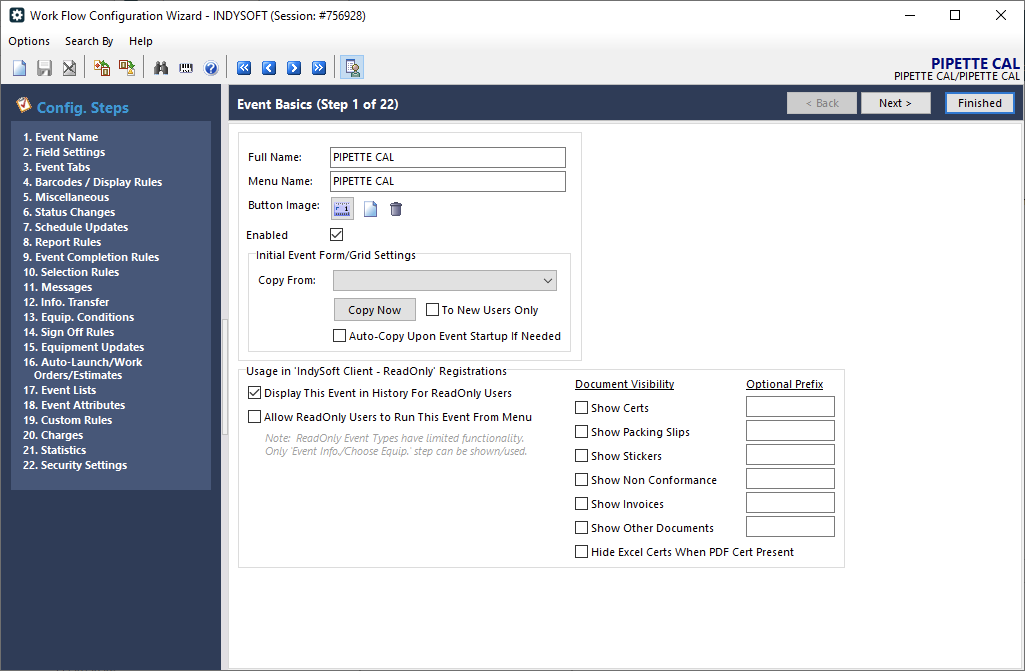
The Pipette Cal event is a modified version of our standard Calibration event, with several elements specific to pipettes. This includes a custom rule to launch a project script to collect pipette data.
Pipette Certs:

Because the Pipette Cal event stores the test point data in a format that isn't convenient for reporting, there are two specialized certs that can be used as a basis for reporting your Pipette Cal results.
Project Scripts:
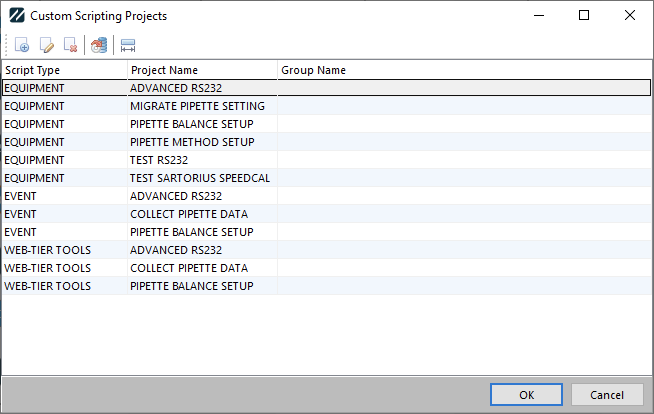
There are several equipment project scripts, three event project scripts, and three web-tier tools project scripts used for configuring equipment/templates, and collecting data in the Pipette Cal event.
Tolerance Formulas:
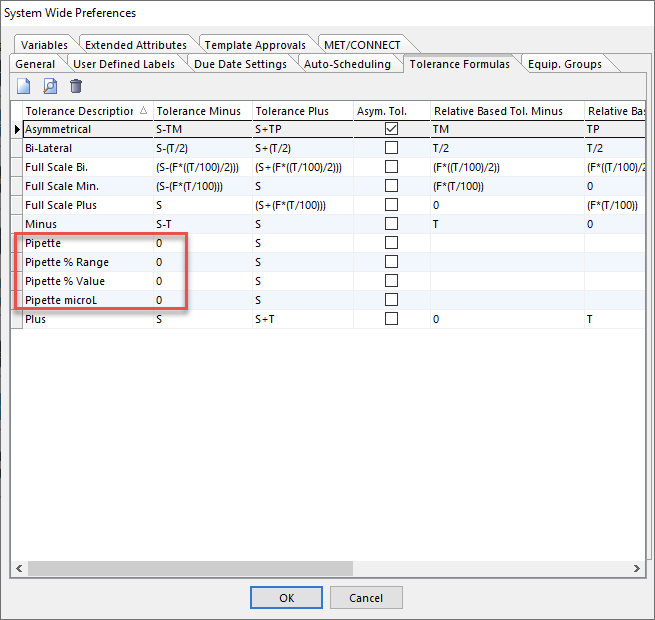
There are four Tolerance formulas. These are used to mark a gage as a pipette (in the Test Points tab), and to control how tolerances are interpreted. Pipette is present for legacy purposes and is the equivalent of using Pipette % Value.
Test Point Setup and Result Grids:

Because a number of test point columns are used in special ways, Setup and Result Grids named PIPETTE are provided.
Additionally, the sample pipettes illustrate examples of how Test Points can be set up, and what the Specifications (Uncertainty Attributes) data looks like:
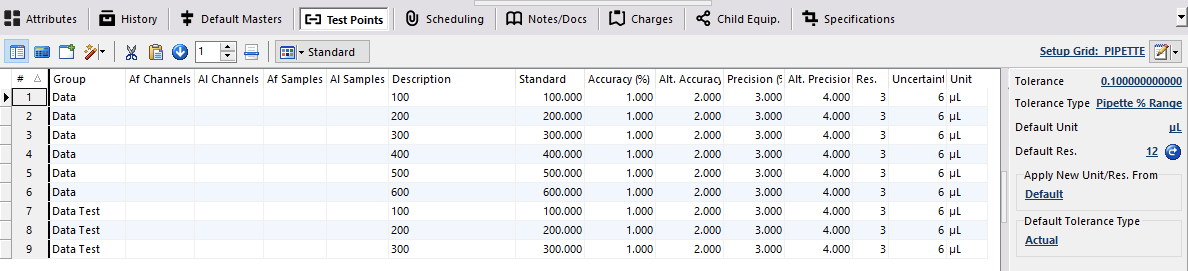
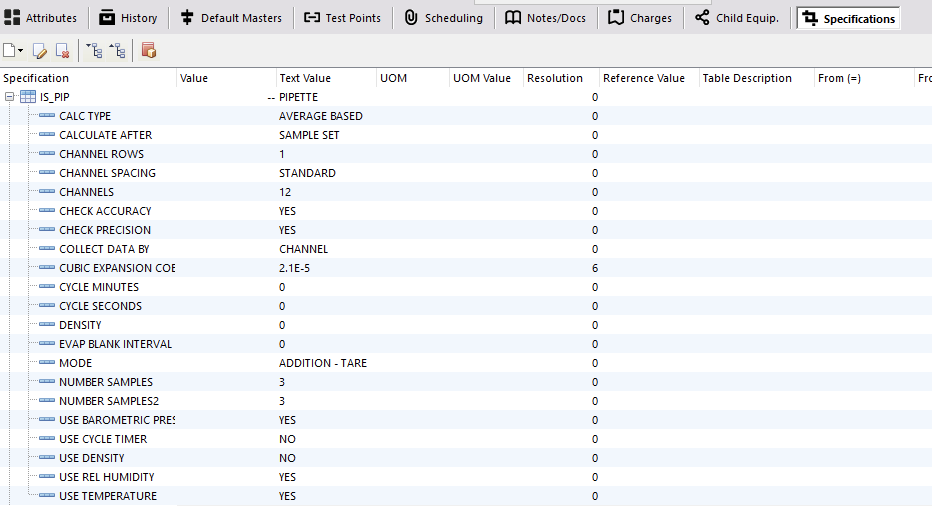
The Specifications tab is also used to store configuration of balances.