Getting Started
Licensing and Setup
Licensing is consumed per device/workstation. Once you have purchased your licenses, the following items must be in place to use them.
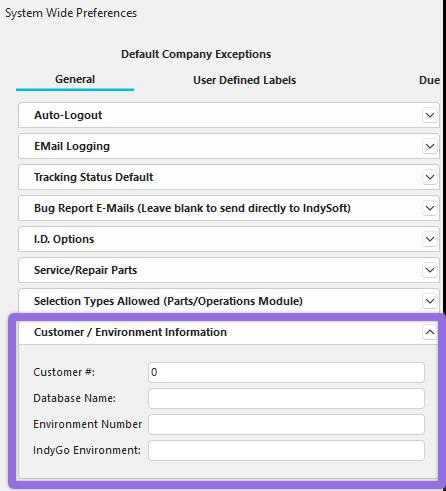
- Ensure the Customer #, Environment Number, and IndyGo Environment are correctly populated in the IndySoft Database in System-Wide Preferences. These values will be provided by sales or support. The Database name is just a user-friendly name for that environment.
 2. Install your IndySoft 3-Tier REST service on the server and confirm this server has access to IndySoft's registration environment (portalcrm.indysoft.com). IndyGo should also use https to connect to the server from your mobile device or workstation. If on the cloud, and your devices can connect outside of your network, then this will be taken care of by the cloud services team. If the devices can only connect to your internal network, then the 3-Tier REST Service must be installed on that local network and have access to portalcrm.indysoft.com to confirm licensing upon login.