Calc Tab - Objects
The Objects sub-tab is in the bottom right of the Calc tab. This tab shows a comprehensive listing of all objects in the report in outline form, starting from the main Report object on the top:
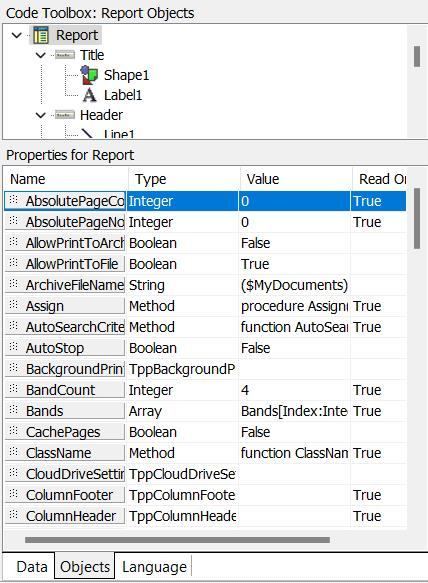
Calc Tab - Objects
As an object is selected in the Objects, outline tree, that object's properties are displayed below. These properties are read-only - for reference. If you want to modify properties, use the 'Design' tab. Select the object in the 'Design' tab and modify properties from the appropriate header controls, right-mouse click options, or 'Properties' object inspector. The Properties section on the Calc Tab - Objects tab is helpful because it allows properties to be dragged/dropped into the Calc tab code. Note the small dots to the left of each property - drag from this property title into the appropriate position in the Calc tab code:
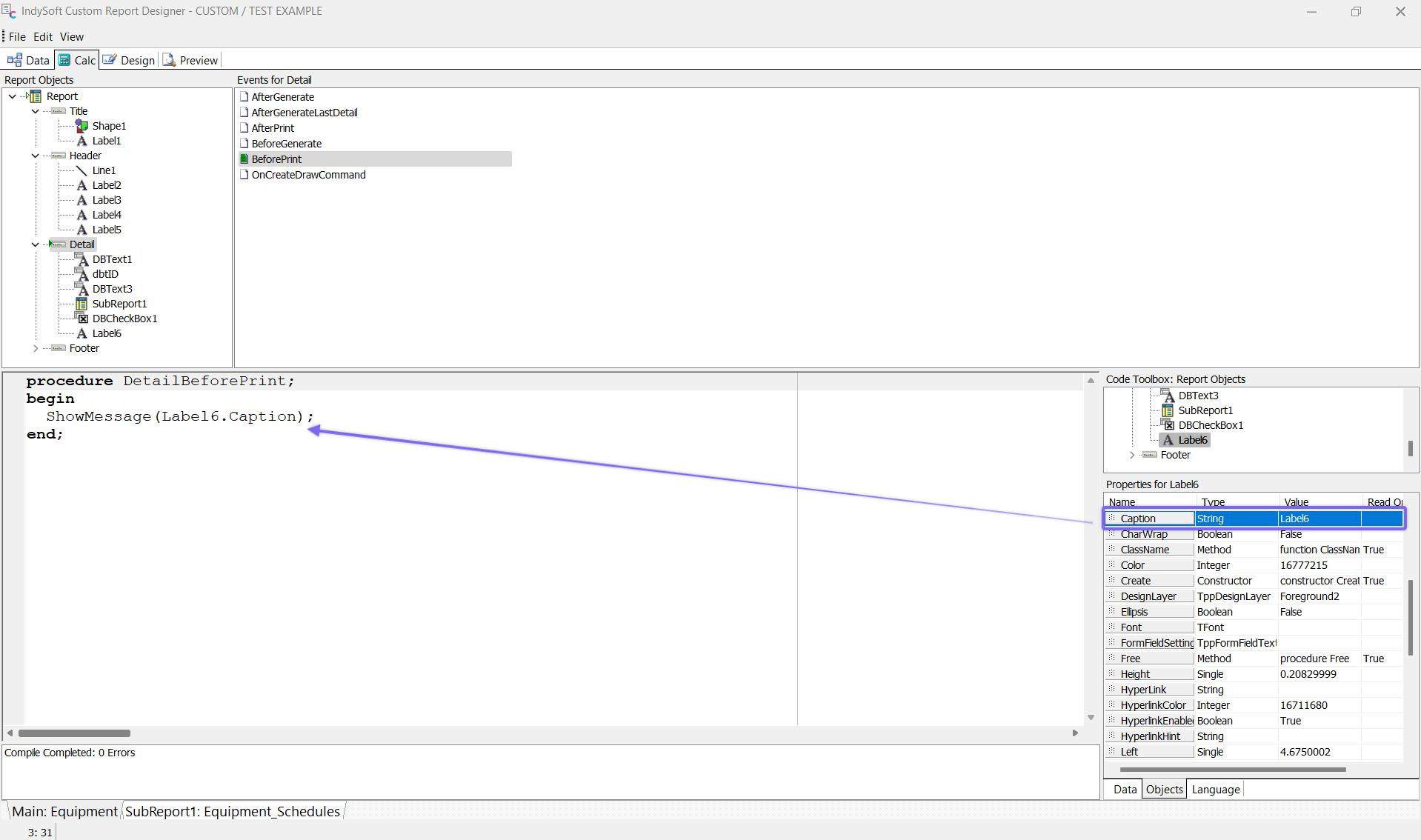
Drag/Drop of Properties into Calc tab Code |