Add/Edit...Companies...Parent/Billing Companies
Parent/Billing companies are used to track billing for multiple companies under one address. Companies in the Add/Edit...Companies...Companies list can point back to a parent company (optional) on the first tab of the company wizard:
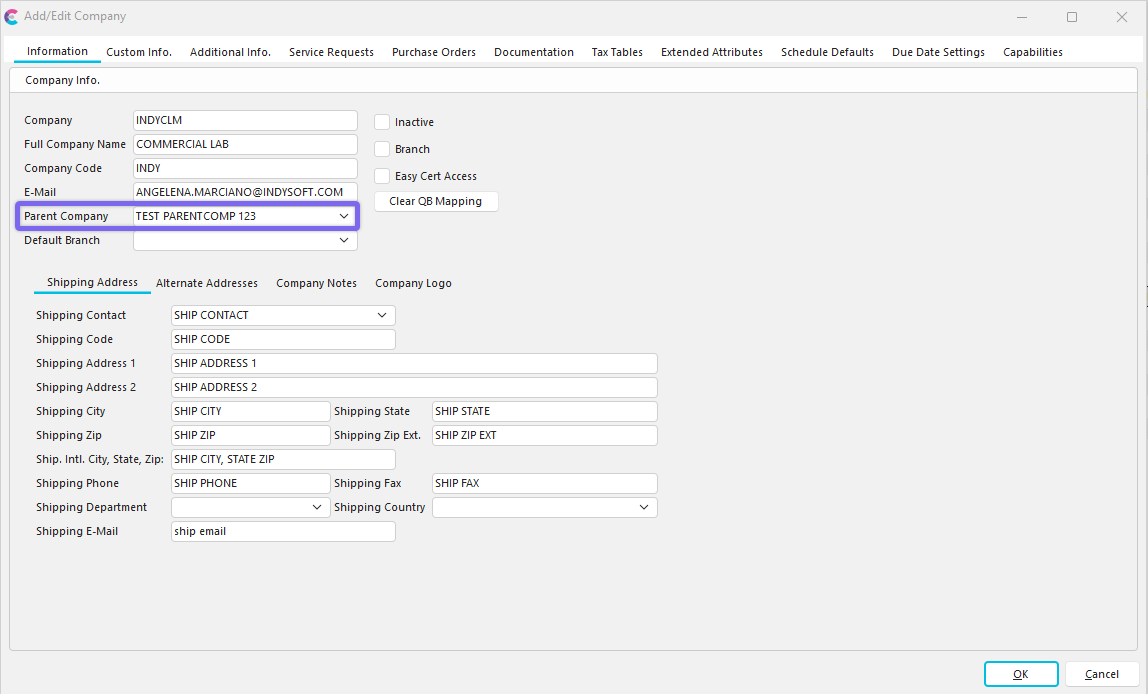
Specify Parent Company - Add/Edit Companies
Notice that if you select a Parent Company from this drop-down in the Add/Edit Companies, the Billing Address sub-tab will hide - since the billing address will now follow the fields set up in the Parent/Billing Company add/edit. To clear the Parent Company, select the empty text in the drop-down.
Parent/Billing Company - Step 1
To add to or manage the Parent Billing Companies, in the IndySoft side panel, navigate to the Add/Edit tab and choose Companies...Parent/Billing Companies from the drop-down menu.

Add/Edit Parent Companies Wizard
Click the 'New' icon  or the 'View/Edit' icon
  to edit the highlighted company.
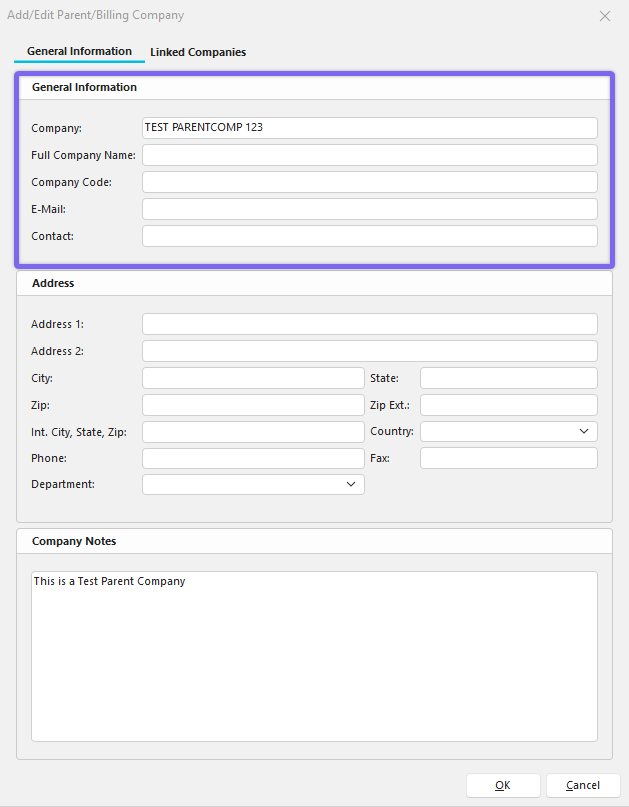
Parent/Billing Company - Step 1 of 3
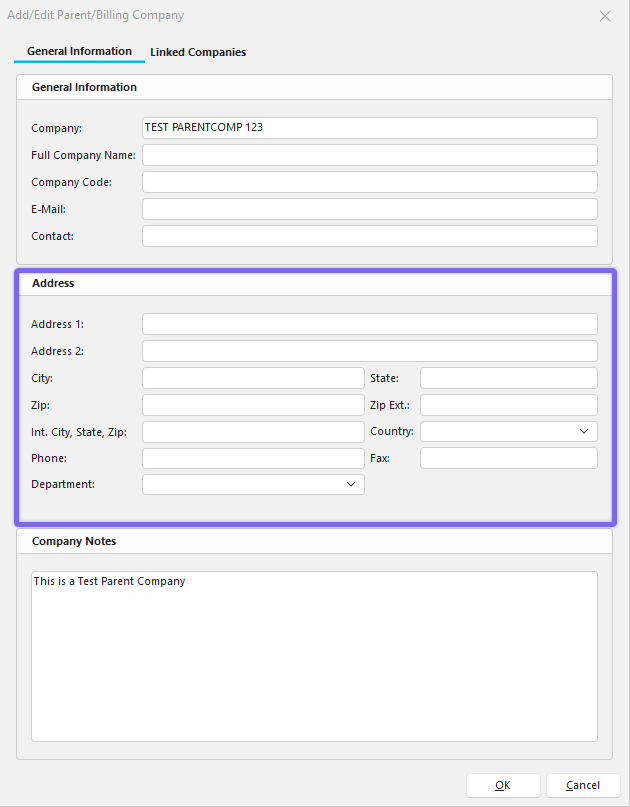
The first step in the Add/Edit Parent/Billing Companies sets up the demographic fields related to this billing address. The 'Company' field is required. These address fields should correspond to the billing address used (by default) for any new estimates or work orders created for companies with this Parent Company selected in the Add/Edit Companies...Companies.
Parent/Billing Company - Step 2
Clicking 'Next' in step 1 moves you to step 2, which is an area to write notes about the Parent Company you are adding.
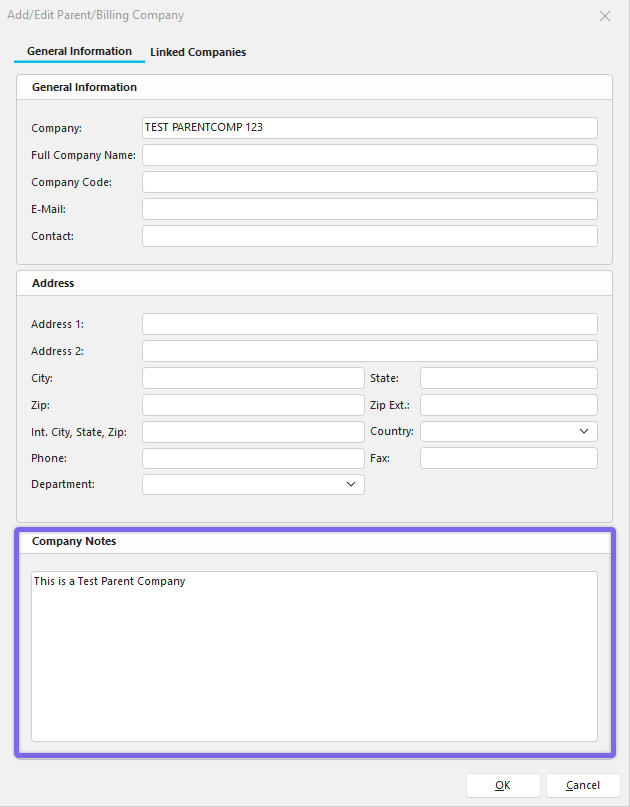
Parent/Billing Company - Step 2 of 3
Parent/Billing Company - Step 3
Clicking 'Next' from Step 2 moves you to Step 3, where you will see a list of linked (child) companies that belong to the Parent Company. If the field is blank, the Parent Company has not yet been linked to a child company. Note**:** If you are creating a brand new Parent Company, by default, all child companies will show up, which could take a while if you have an extensive database. The best thing to do is to add the Parent Company name and details before moving to step 3.
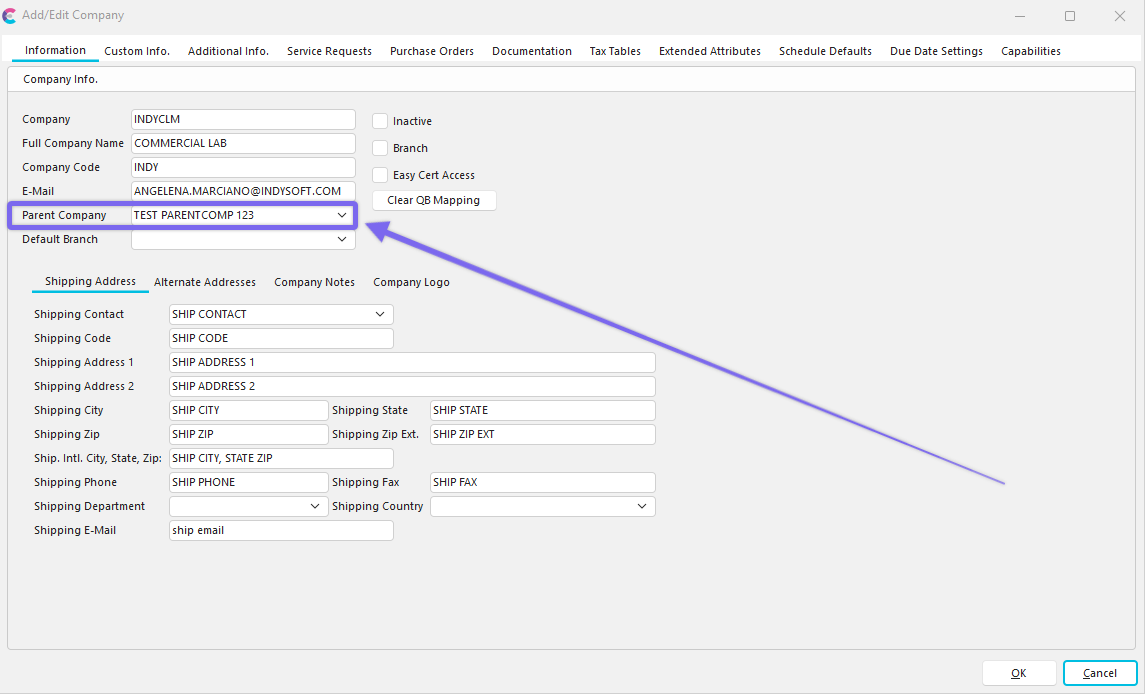
Add/Edit Company - With Parent Company
Note **:**When the parent company is assigned, the 'billing address' tab is also removed since the parent company address takes precedence there.
Parent/Billing Company - Step 3 of 3
 Productivity Tip
The Add/Edit Parent Companies dialog box can be filtered and customized in many ways. See General Interface for more information.
Buttons and Icons are detailed here.