Profile Manager - Overview
The Profile Manager is intended to give you a central place to control how people interact with IndySoft. You can access Profile Manager on the Home Screen within the Admin Panel.
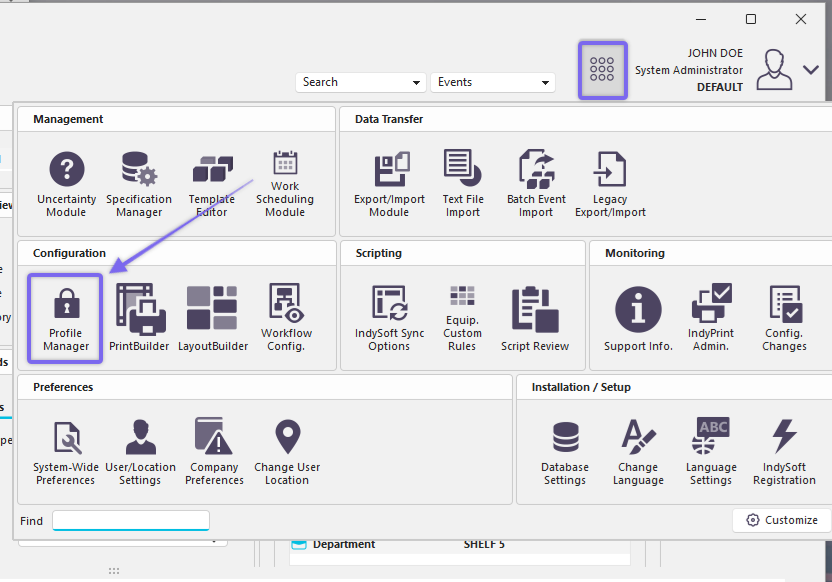
Locate 'Profile Manager' in Dashboard
The Profile Manager main screen has three main sections:
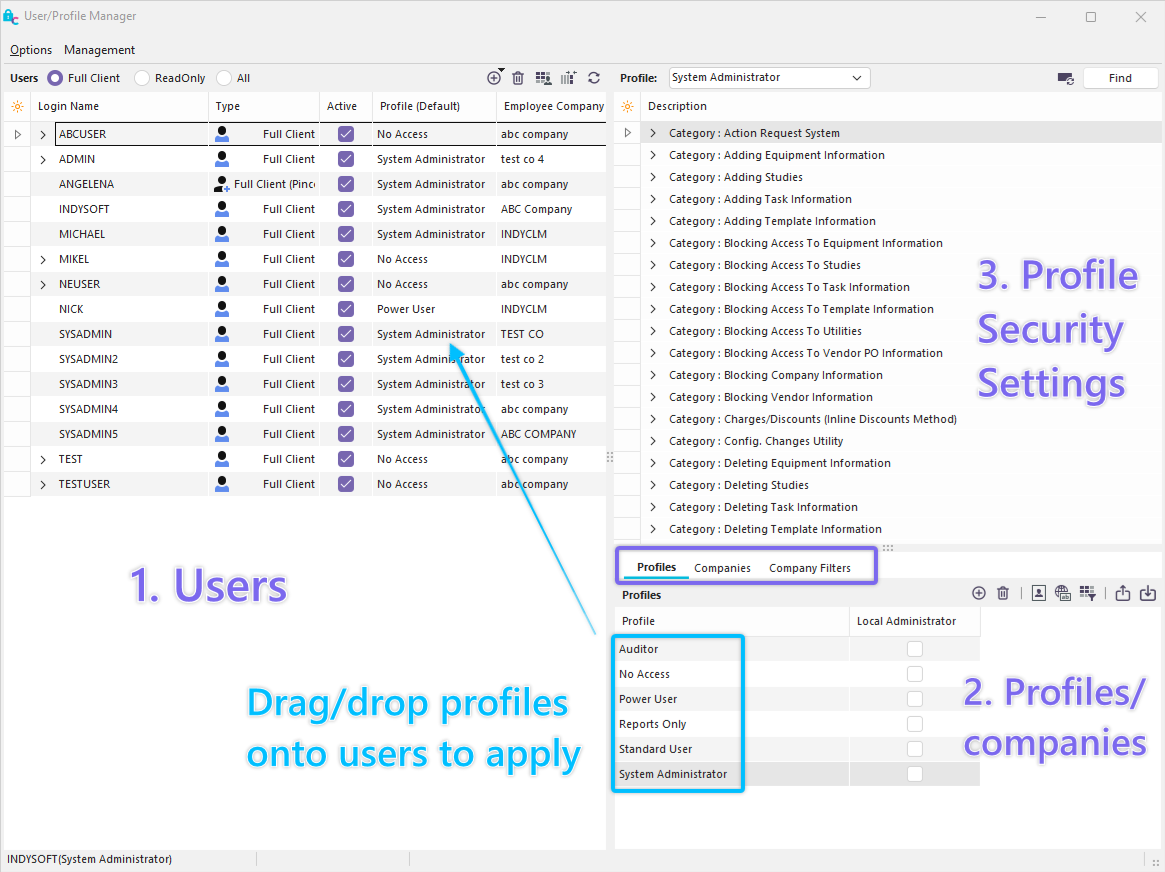
Profile Manager Main Screen
All IndySoft users are shown in the left-hand panel. Available profiles and companies are shown on the right. Each user profile (on the left) has a default security profile. To change this default profile drag/drop a profile from the right-hand panel onto the username. To make an exception for this default profile that is specific to one company, drag that company onto the username. A company exception will be displayed below the username as a 'child node' in the username outline tree.
But first, users have to be created. These are employees who will be allowed to use IndySoft. The user must also be assigned a level of control by assigning a profile. This determines what the user is allowed to do. For example, a technician would only need to be able to run calibration and repair events, while someone working in shipping/receiving would be responsible for those events. Conversely, managers would be responsible for maintaining lists to ensure a consistent feel across all equipment. User/Location Settings can be modified from Profile Manager per user by right-mouse clicking on the user name and selecting 'Edit User/Location Settings.'
Second, company security can be maintained here. Password policies can be configured to ensure no one breaks into the system. There are also system activity logs, so anything unusual can be monitored and dealt with if necessary.
Third, numbering for automatically generated certificates and documents can be set. This allows documents to easily reflect what they are associated with.
Finally, standard SearchBy's and Reports can be pre-configured and made available, both for gages and the Order System.
All these options are designed to give the administrator control over the use of IndySoft as well as presenting appropriate information to each user. |