Charge Templates as Referential Charges
Beginning in Version 14.1.6, IndySoft has provided Charge Template charges to be referential in nature. This means that when looking for charges in events or estimates that if the asset or equipment template is associated to a charge template, that pricing will be looked up directly from the charge template instead of the equipment or equipment template level. Use of this feature requires that the "New Charge Discount Method" be enabled in Order System Preferences.
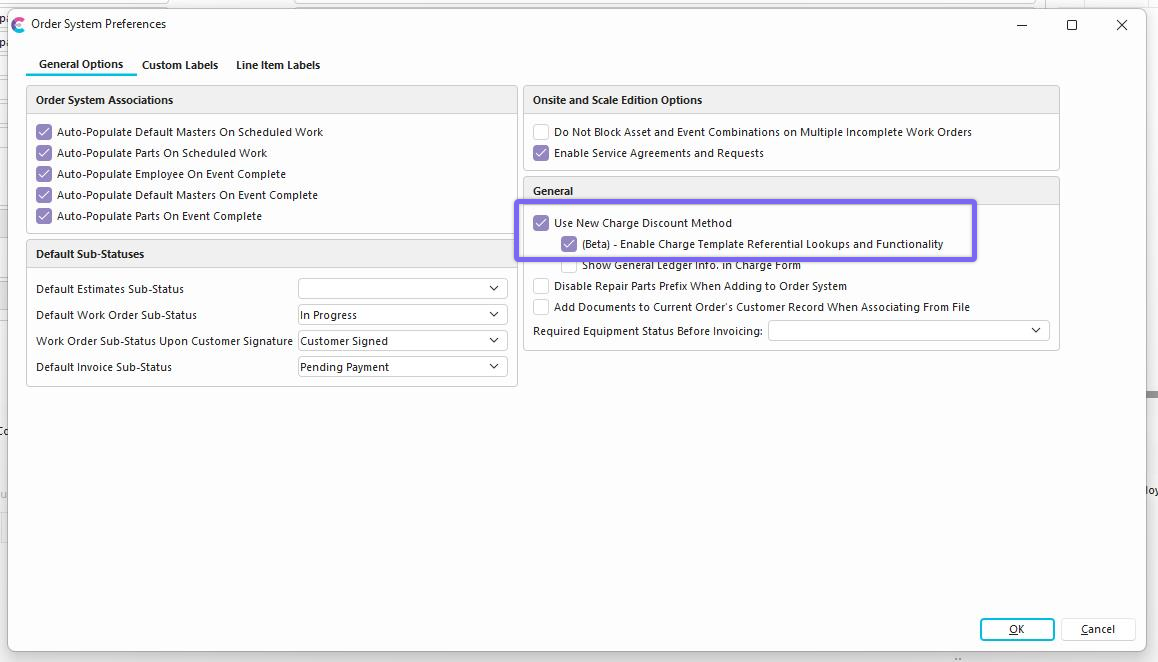
Enabling this feature changes several other behaviors in the software.
-
Speed and Data Improvements. Equipment and Equipment Template Charges are no longer deleted, inserted, or updated upon a related Charge Template being updated or associated to the entity. This means that no data is moved around and gets rid of lag times with updates to charges which are linked to thousands of assets and equipment templates.
-
Interface Changes. The Equipment and Equipment Template "Charges" tab shows the inherited relationship to the Charge template and no longer any charges stored at the asset or template level. In other words, in the referential mode, if there are charges store at the asset or Equipment Template, then upon association to a Charge template; Charges are no longer overwritten at the asset level. They will appear from the inheritance. The term "Inherited" is visible in these scenarios.

-
Changes in Events and Estimates in Pricing Lookups When grabbing a charge in an event or in an Estimate (from an asset or from an equipment template) the system will look to the Charge Template for a related charge as opposed to looking at the asset or Equipment Template
-
Exporting and Importing Updates for Charge Template Charges As the referential mode no longer needs to push charges to the asset or Equipment Template level, it is now possible and efficient to have a Charge Template update option in the Set Charges Utility.
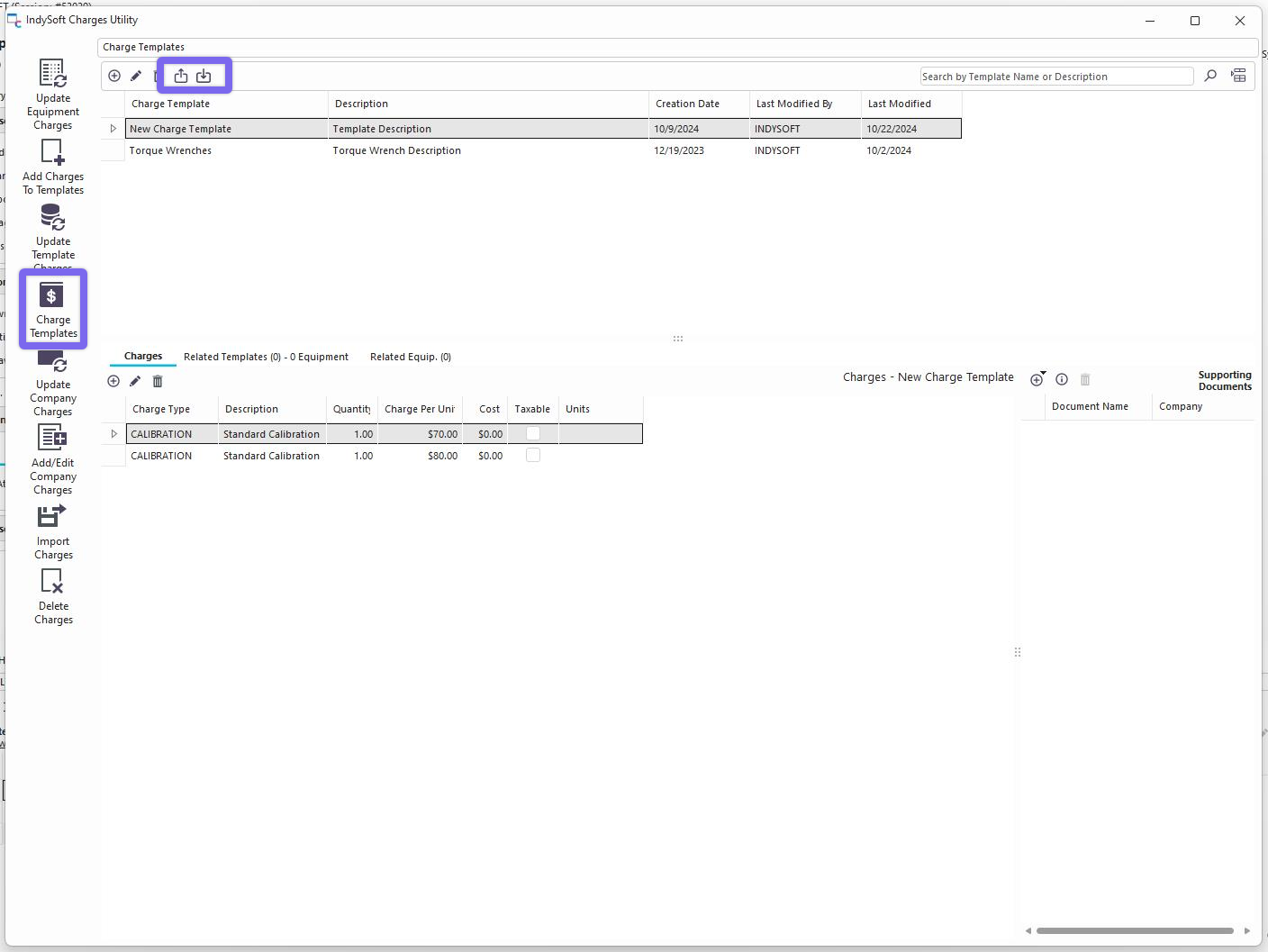
Exporting Charge Template Charges Allows the user to dump Charge Template Charges to an xlsx file. Upon pressing the export icon in the Set Charges Utility, the user can select the Charge Templates they want to export with a "Select All" option and the related charge types which they would like to export as well. Upon pressing the export button, all data will be pushed to an xlsx file in a specific format.
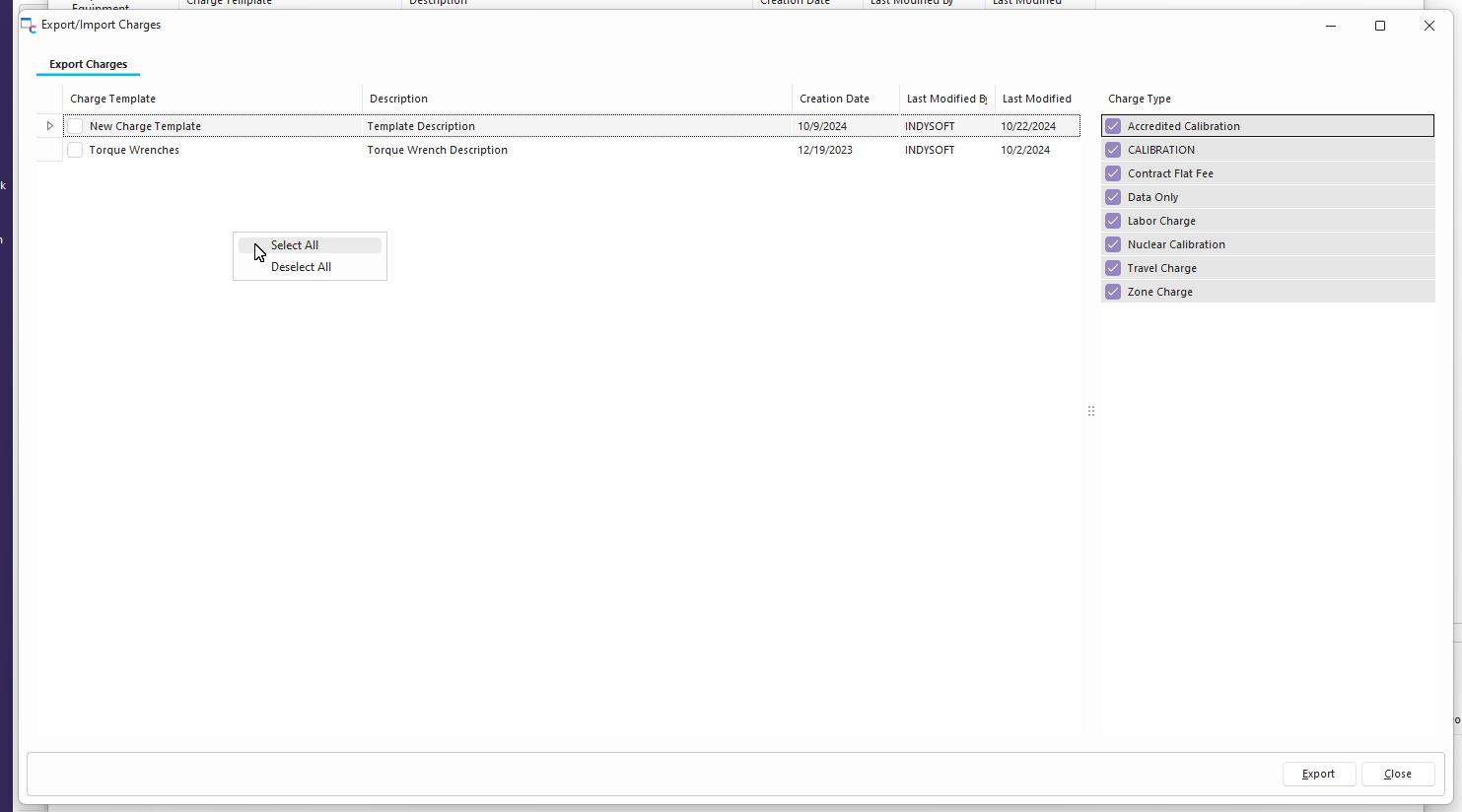
Update Charge Template Charges in Import Option
After exporting Charge Template Charges, the file format should be preserved for the purposes of import. The first 3 fields outlined in red are the identifiers of the charges and should not be altered. The last 5 fields can be edited and will update the charge appropriately upon import. This import is only for updating and will not create new charges for charge templates.
