Add/Edit...Locations...Sub-Locations
When a piece of equipment is out on the floor or has been moved as a result of an event, generally, the 'Location' and 'Sub-Location' fields are used to track the equipment until it is eventually returned to its storage Crib and Bin. A Sub-Location is a more specified area with the Location.
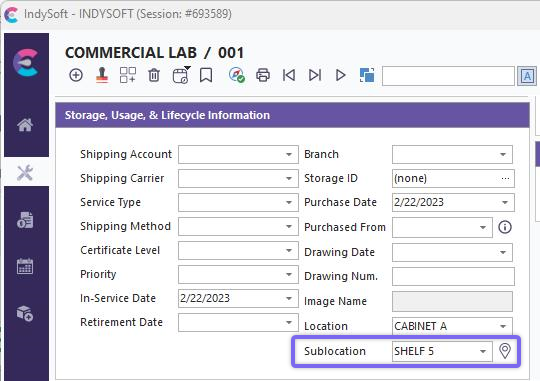
Equip View - Sub-Location field
Auto Numbering can be selected in Equipment View by clicking the  icon next to Sub-Location (Bin Number) in Dashboard.
Add/Edit Sub-Locations
To add to or manage the Sub-Locations list, in the IndySoft left-hand panel, click Add/Edit and select Locations...Sub-Locations from the drop-down menu.
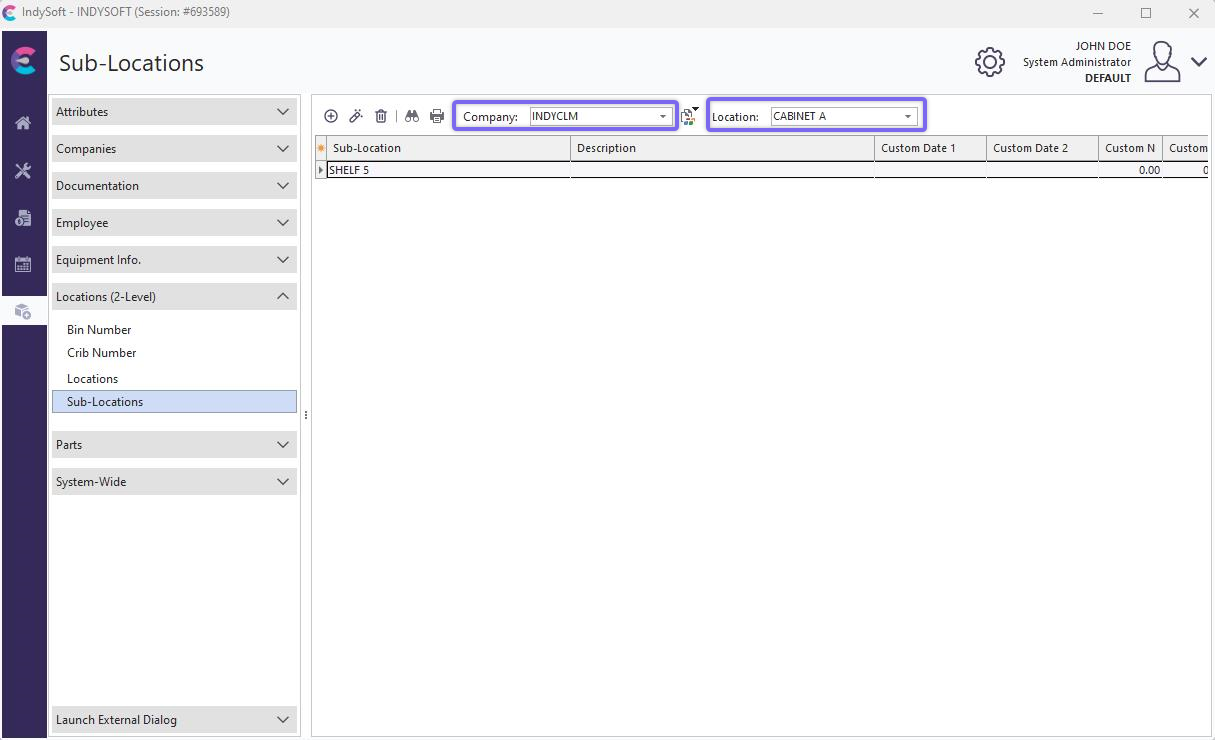
Add/Edit Sub-Locations Dialog
Be sure you're adding Sub-Locations into the right 'Company' AND 'Location.' Click  'New Item' to add a new Sub-Location or
  to 'View/Edit Item.' (Sort by clicking the header above the column).
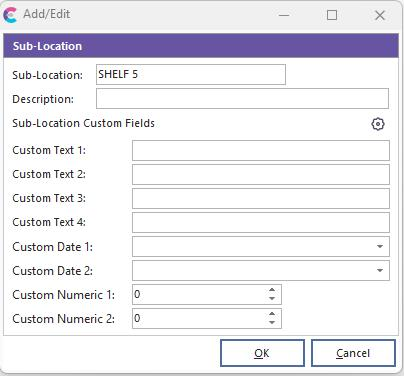
Add New Sub-Location
Add a new Sub-Location and Description of that location.
 Productivity Tip
The Add/Edit Sub-Location dialog box can be filtered and customized in many ways. See General Interface for more information.
Buttons and Icons are detailed here.