Add/Edit...Parts...Manufactured Parts
The Add/Edit Parts feature allows you to store and track parts, revisions, and characteristic information.
Add/Edit Manufactured Parts
To add to or manage the Manufactured Parts list, in the IndySoft header, click Add/Edit on the right side and select Parts...Manufactured Parts from the drop-down menu.
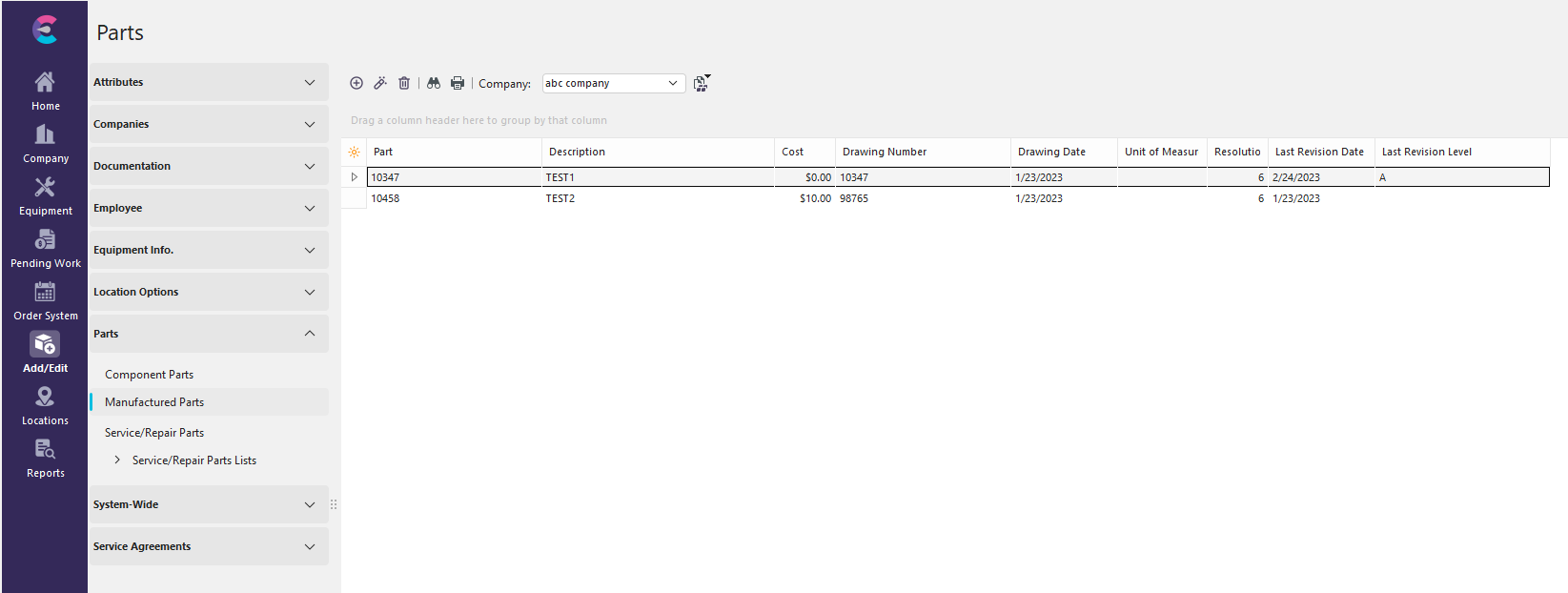
Add/Edit - Manufactured Parts
Ensure you're in the correct Company before adding Manufactured Parts. Click  'New Item' to add a new Sub-Location or
  to 'View/Edit Item.' (Sort by clicking the header above the column). A 3-Step Wizard will launch.
General Information
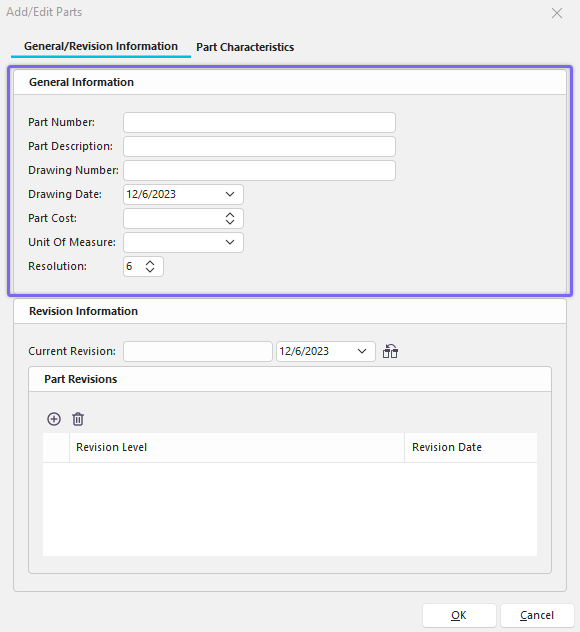
Add/Edit Manufactured Parts Step 1
·Part Number - Unique identifier for each part.
·Part Description - Full description of the part.
·Drawing Number - Optional drawing number for the part.
·Drawing Date - Optional drawing date for the part.
·Part Cost - Cost for the part.
·Unit of Measure - Default Unit of Measure used when measuring the part.
·Resolution - Default Resolution used when measuring the part.
Revision Information

Add/Edit Manufactured Parts Step 2
](/pt/Storage/indysoft-help-publication/bw_clip0325.png)
·Revision Level - Revision Level Identifier.
·Revision Date - Date Revision was implemented.
· This button will designate the highlighted revision as the current one.
To Add a new Part Revision, click 'New'

Insert New Revision
Enter a Revision Number and Date. Click the box to make this revision the current one.
Part Characteristics

Add/Edit Manufactured Parts Step 3
](/pt/Storage/indysoft-help-publication/bw_clip0324.png)
To Add a new Part Characteristic, click 'New' or to 'View/Edit Item.'

Part Characteristic
](/pt/Storage/indysoft-help-publication/bw_clip0323.png)
·Characteristic: A feature or quality that identifies the part.
·Mean: The mean is the arithmetic average of values or distributions.
·Tolerance - : The lowest number acceptable for this equipment to pass standard by. The tolerance may be specified by a note or published standard.
·Tolerance + : The highest number acceptable for this equipment to pass the standard. The tolerance may be specified by a note or published standard.
·Unit of Measure: A standardized quantity of physical property, such as an inch or millimeter.
·Resolution: How many decimal places the number may have. |