Add/Edit...System-Wide...Units of Measure
The units of measure you add here will populate the drop-down list when setting your test points for each piece of equipment.
Adding Units of Measure
IndySoft comes pre-loaded with a list of default units of measure. To add to or manage the Units of Measure list, in the IndySoft header, click Add/Edit and select System-Wide...Units of Measure from the drop-down menu.
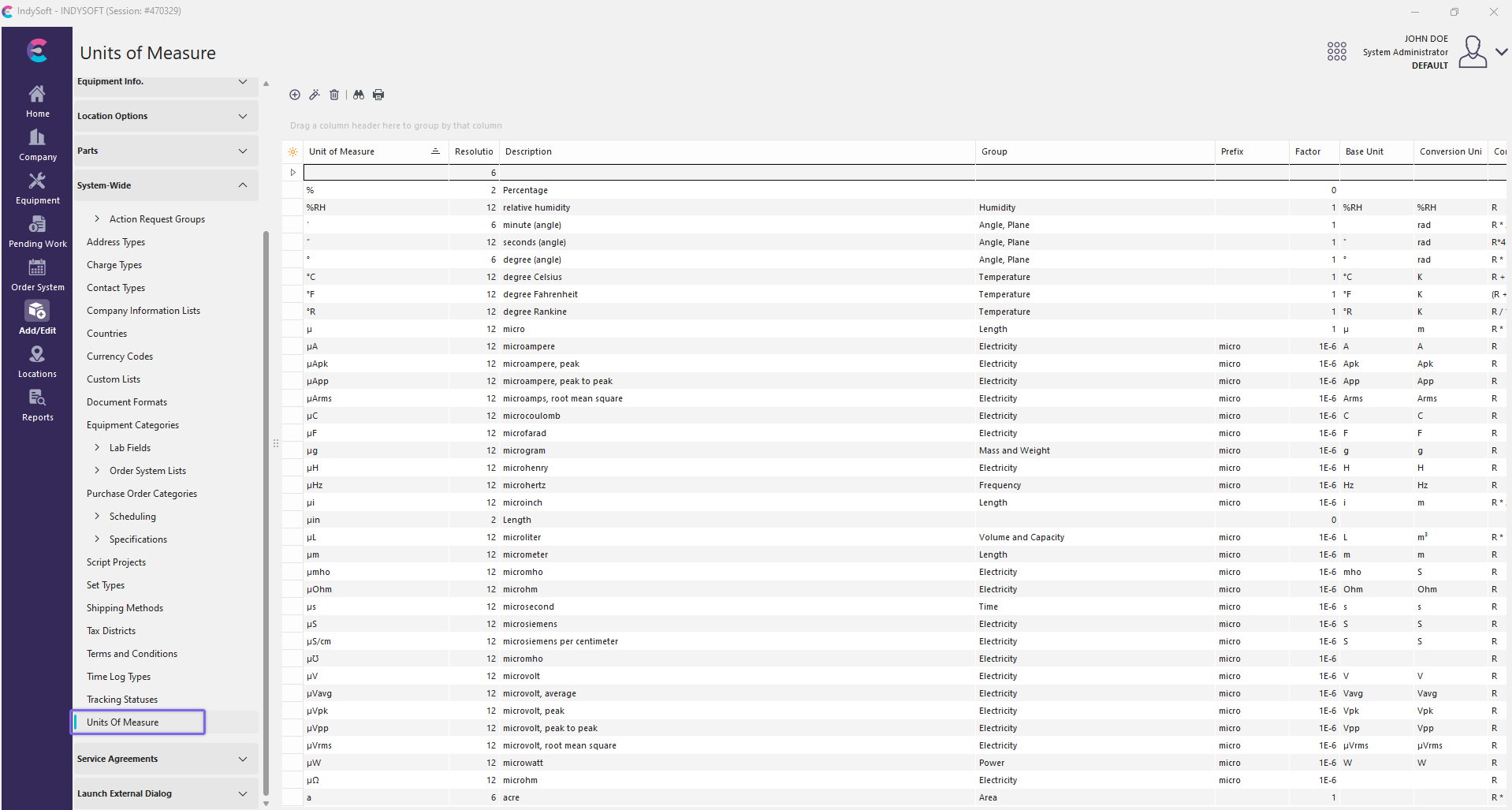
Add/Edit - Units of Measure
Be sure you're adding 'Type' into the right 'Company.' Click  'New Item' to add a new 'Type' or
  to 'View/Edit Item.'
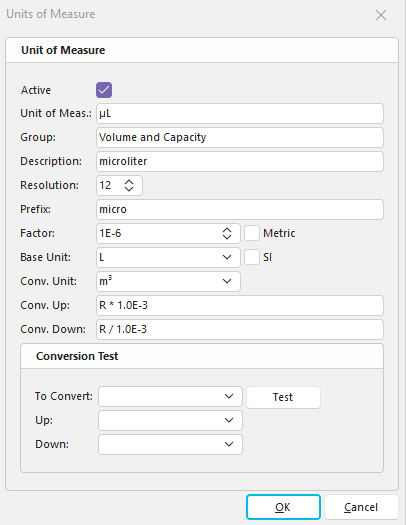
'New' Unit of Measure
Unit of Measure
All possible units of measure for this particular piece of equipment
Description
Short description of the unit of measure
Resolution
How many decimal places are in the number
Click 'OK.' Repeat this as many times as necessary.
 Productivity Tip
The Add/Edit Units of Measure dialog box can be filtered and customized in many ways. See General Interface for more information.
Buttons and Icons are detailed here.