Taxonomy Capability Loss Workflow
The Taxonomy Capability Loss Workflow allows Lab Managers and other users with privileges to be able to report that a service level for specific types of equipment cannot be performed at their Vendor/Branch. If the option is enabled in Taxonomy Setup, then upon moving a capability (Group) from Full Capability to No Capability or Partial, then the user will be presented with the following Screen.
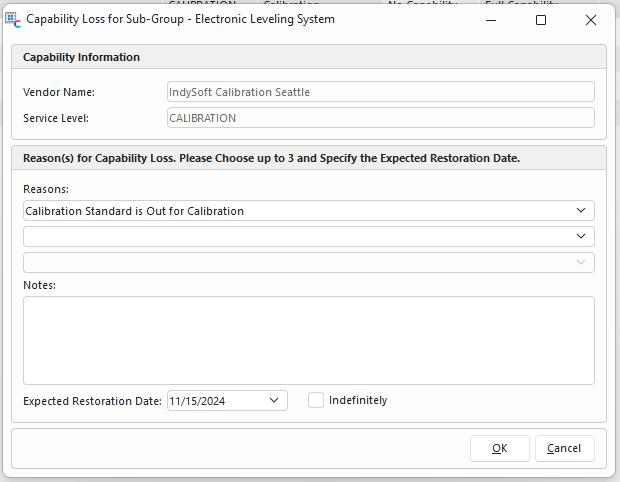
A user must enter at least one reason and either a date when they expect the capability to be restored or check "Indefinitely." If the reason is exactly the word "Other" then some kind of note will be required in the "Notes" section.
Once a capability loss record exists, it can be seen in the grid in the Taxonomy Manager interface.
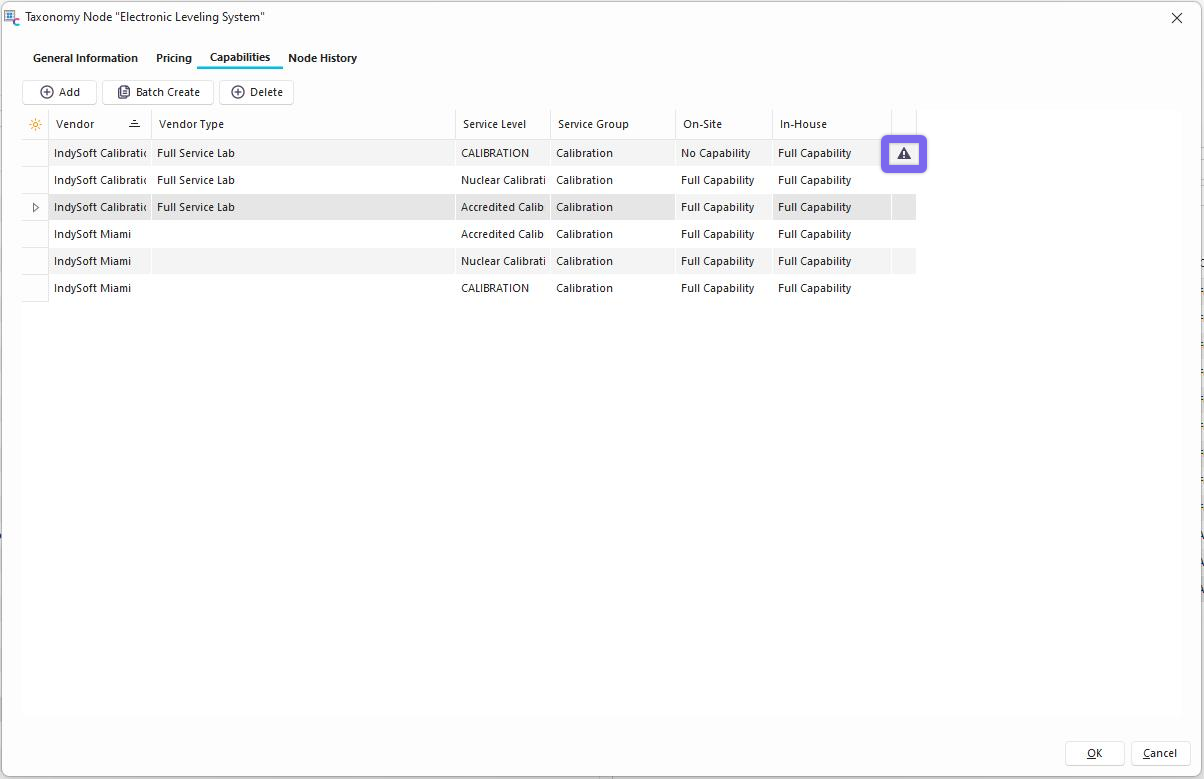
Clicking on this icon allows the user to be able to see the loss record directly. If a loss record exists for both: the On-Site and In-House Service Sites, then they can both be viewed from the same modal.
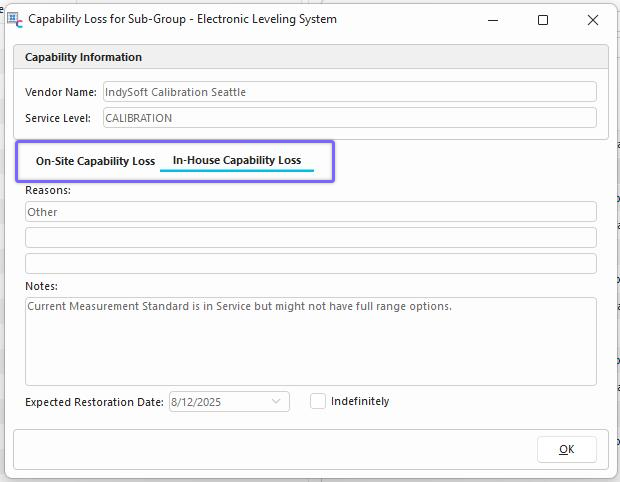
Changing from "Partial" or "No Capability" groups will clear the record for Capability loss. Capability loss will still be logged in the Taxonomy Tree Audit Log.