Using RS-232 Devices
Choose the RS-232 device system from the right mouse popup option to access it. You will set up RS-232 equipment just like in the standard IndySoft client. Once data is collected, it will be sent to the calibration results screen in the Web-Tier Client.


RS-232 Interface dialog
To start the calibration process listening for RS-232 results, press the following button.
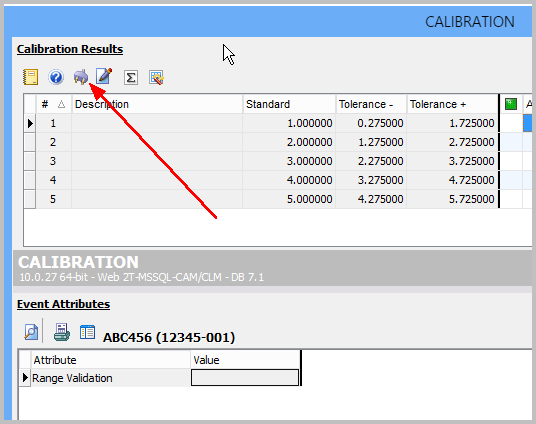
Calibration Event - RS-232 Option for Web-Tier Tools
You will be presented initially with a dialog stating that RS-232 data from the Web-Tier Tools client will now be pulled over until you restart the IndySoft client application.

RS-232 / Web-Tier Tools Dialog
If you do not have a device handy and want to test data pushing to the IndySoft Web-Tier Client, right-mouse-click the Send Result To text label and choose "Send Test Data of 1.123456".

Sending Test Data when Device is not handy |