Globally Linking Gages to Templates
Note: Recommended for System Administrators only. Proceed with Caution.
To link current equipment from a system-wide perspective to a Template, you will have to perform a Global Equipment Change.
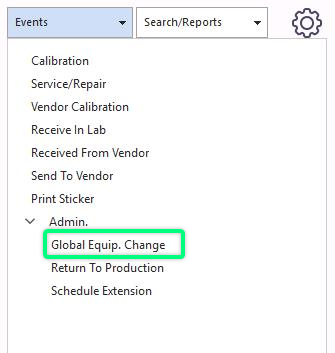
Start by clicking the "Events" option on the main screen menu. Select "Admin," then "Global Equipment Change."
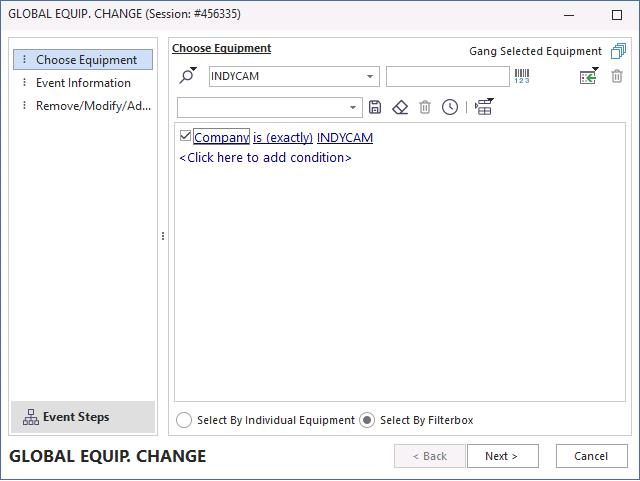
After the Global event launches, Select the gage information based on how you want to include all the equipment that applies. In this example, the type has been chosen so that all Caliper Types will be linked to the Template chosen in the event's last step. You could go further into the filter and use the sub-type or manufacturer. It is really up to you as to how you want to describe the equipment to be linked.
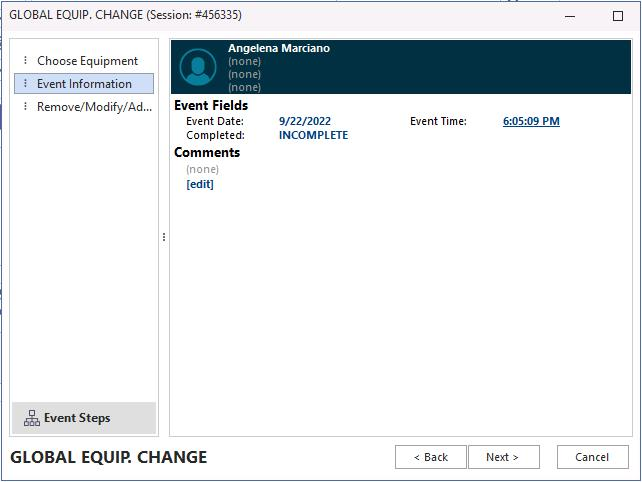
Click "Next." The date and time are automatically added to the event. Click "Next."
In this case, the "Equipment" is already selected. Select "Modify" and use the new icon to add criteria  .
.
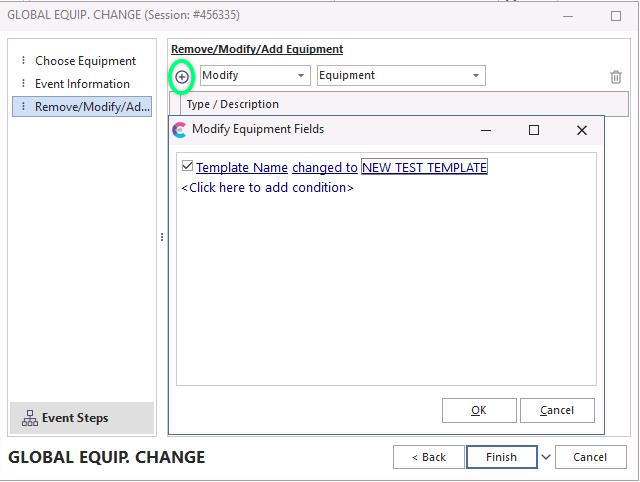
The "Modify Equipment Fields" dialog box will pop up. Here is where you will select the Template you want all the equipment to be linked to.
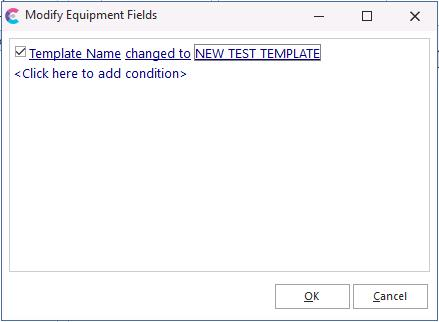
Click "OK" then "Finish," the equipment is now linked to this Template. |