Template Layouts...Setup Dialogs
Use this dialog to modify the dialogs that will be visible on the right side of the Template View in the 'Details' section:
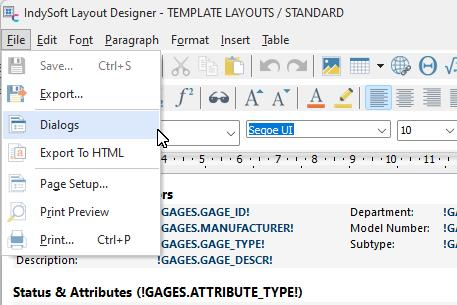
Layout Designer - Template Layout, dialogs
The interface for selecting the visible detail dialogs, specifying their order (top to bottom in the list), and modifying their captions is shown below:
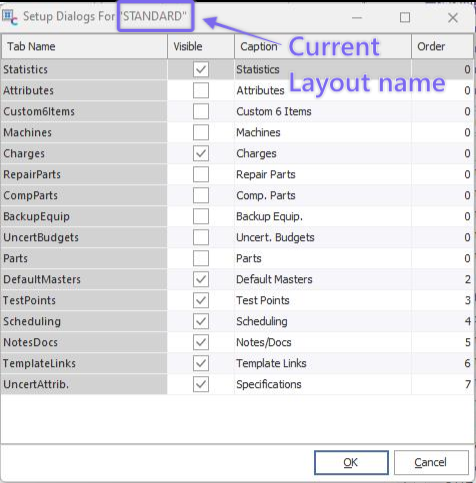
Setup Dialogs
The second column for 'Caption' can be modified with your own custom captions. Turn on 'Visible' to make a dialog appear as an option. Specify the order in the last column.
For more information, see Equipment Layouts...Setup Dialogs. |