Initial Setup
Two tasks must be accomplished when getting started with your Read Only product. The first task is to ensure that your licenses are registered for Read-Only. Please get in touch with support if this has not been completed. The second task can be done during the installation of IndySoft. However, if you already have IndySoft installed, you must do this manually.
Read-Only Registration
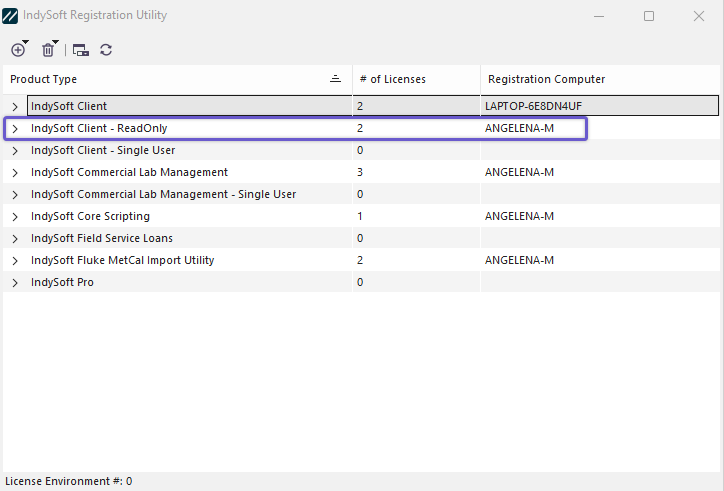
Note: Many aspects of Read-Only will not function until there are Read-Only Licenses registered on IndySoft.
Read-Only Default Configuration
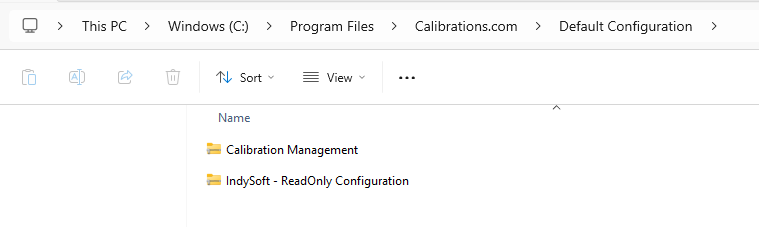
Take the IndySoft-ReadOnly Configuration zip to the export/import module and import the file. You can now edit LayoutBuilder templates, a Flowchart template, PrintBuilder templates, and Events.
Note: The ReadOnly Configuration zip file contains all the default configurations used to set up Read-Only.
ReadOnly Client - Initial Setup