Profile Manager
Adding a New User
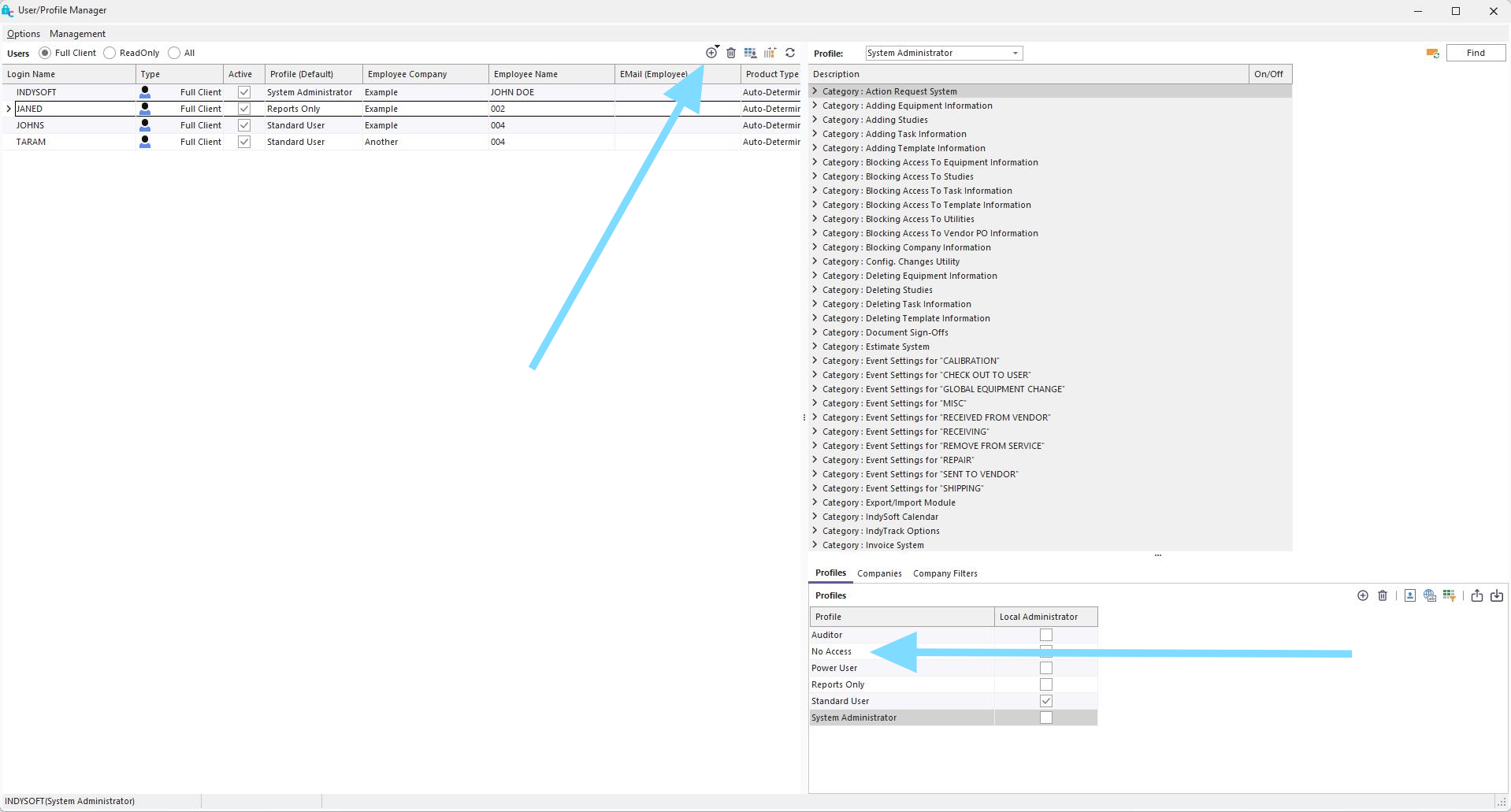
The top icon allows you to create a new user. You will want to assign No Access to them initially. You will then take the respective company that you wish to give them access to and drag that company onto their name. You can then drag the desired Read Only Profile onto their company. This will ensure that your customers only see their company and no one else's.
The next step is ensuring your user only points to a Read-Only license. This will ensure that your customers are not using your other licenses. Right-click on the username and select Edit User/Location Settings...
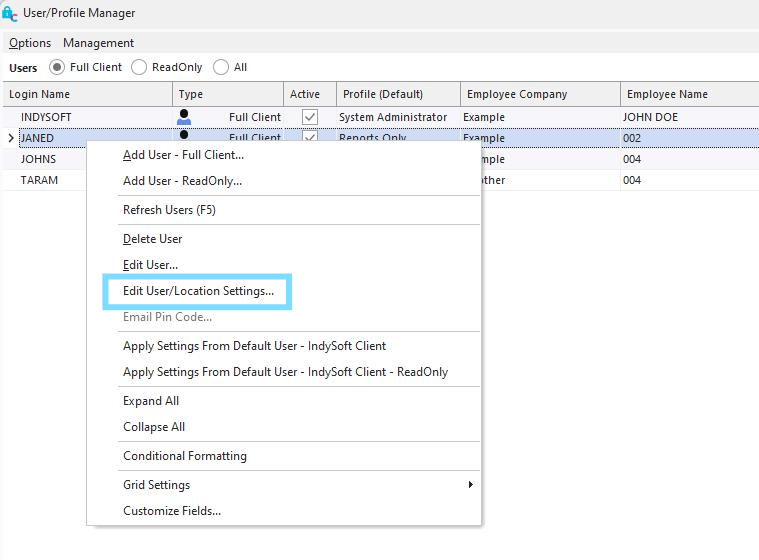
The Application Settings under Product Type should point to IndySoft Client - ReadOnly.
 |
|