Registering Your License of IndySoft
To start registration, start IndySoft for the first time. You will be asked to register the software. Choose 'Yes' to begin the registration process.
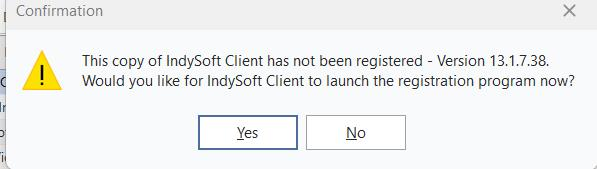
Registration Prompt
The following log-in dialog will appear:
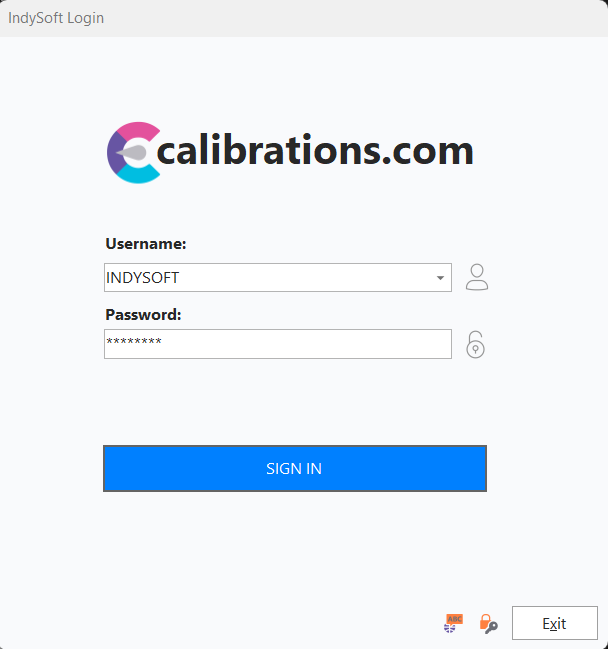
Registration Log-In
Log in with a System Administrator Username (If this is your first time, use INDYSOFT as the User Name & password as the Password). Press the Next button to continue. The Registration Utility main screen will appear:
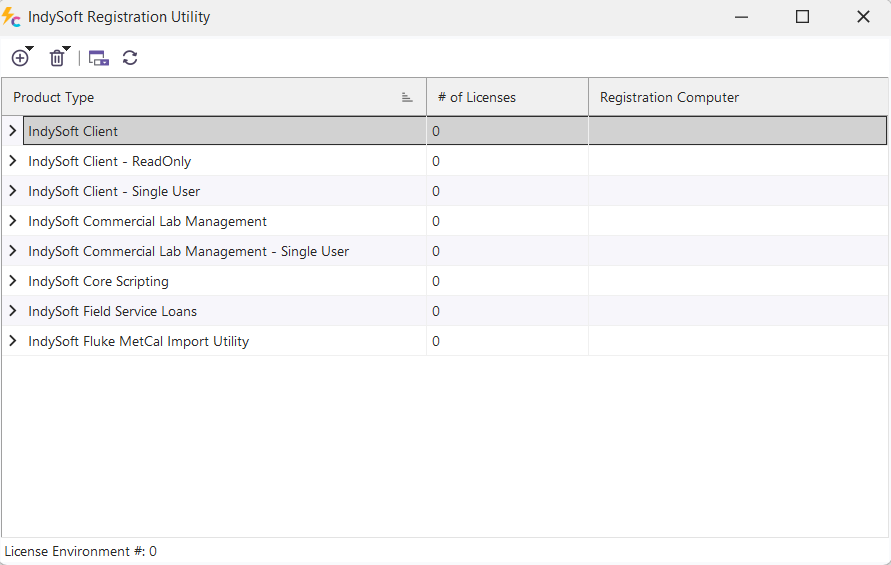
Registration Utility Main Screen
Registering over the Internet
The simplest way to register your software is over the Internet. Please note that some networks have a firewall that might block this capability -- in these cases, you will need to register manually over the phone with an IndySoft employee. To register over the internet, press the red plus button  and choose: Add License For IndySoft...[product type]. The following dialog will appear:
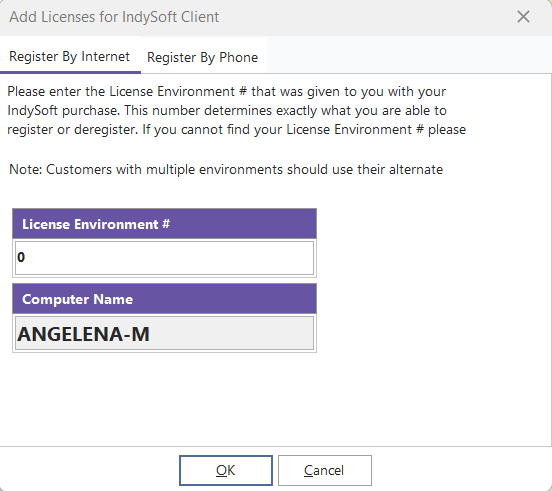
Add License Dialog (By Internet)
Choose 'By Internet' and enter your Customer Number (This number is provided by IndySoft). Enter the name of your workstation (this defaults to your computer name, but it can be any description that helps you to identify your registration computer later). Pressing 'OK' will register your license and remove the license from the IndySoft server. If there are any problems, you will need to contact IndySoft; otherwise, a message will be displayed specifying your registration was successful. You can transfer licenses without any interaction from IndySoft by de-registering the system over the internet later. After de-registration, you can perform the same procedure again on another workstation.
Registering by Phone
To register by phone, contact an IndySoft representative at 1-864-627-8858 and ask for technical support. You will be asked to supply your Code Entry Number.
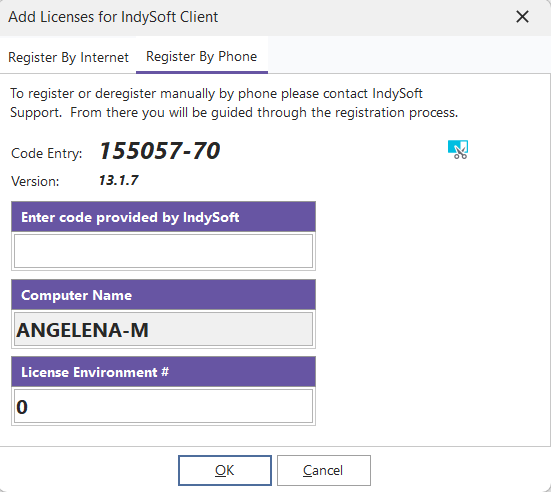
Add License Dialog (By Phone)
The IndySoft representative will then give you a registration code. Once this code is entered, press 'OK' to proceed. IndySoft will then provide you with an indication of whether the registration process was successful or unsuccessful. If you have any additional questions about the registration process, ask the IndySoft representative online with you. |