Event Script Trigger Actions - Exiting Event
Overview
When an event is completed the following actions take place. Where triggers exist within this process, they are noted in blue text.
Any flowchart step with an orange background is one where you can invoke AbortAction to abort execution.
Canceling Out of an Event
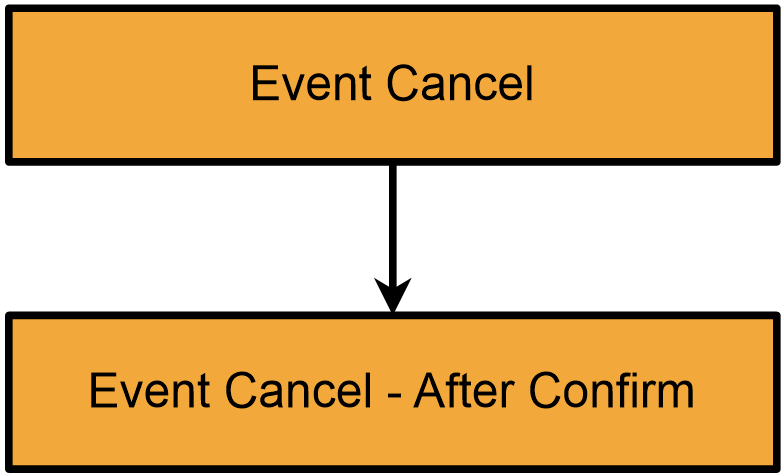
- Event Cancel
- The confirm cancel dialog is displayed
- Event Cancel - After Confirm
- The event closes
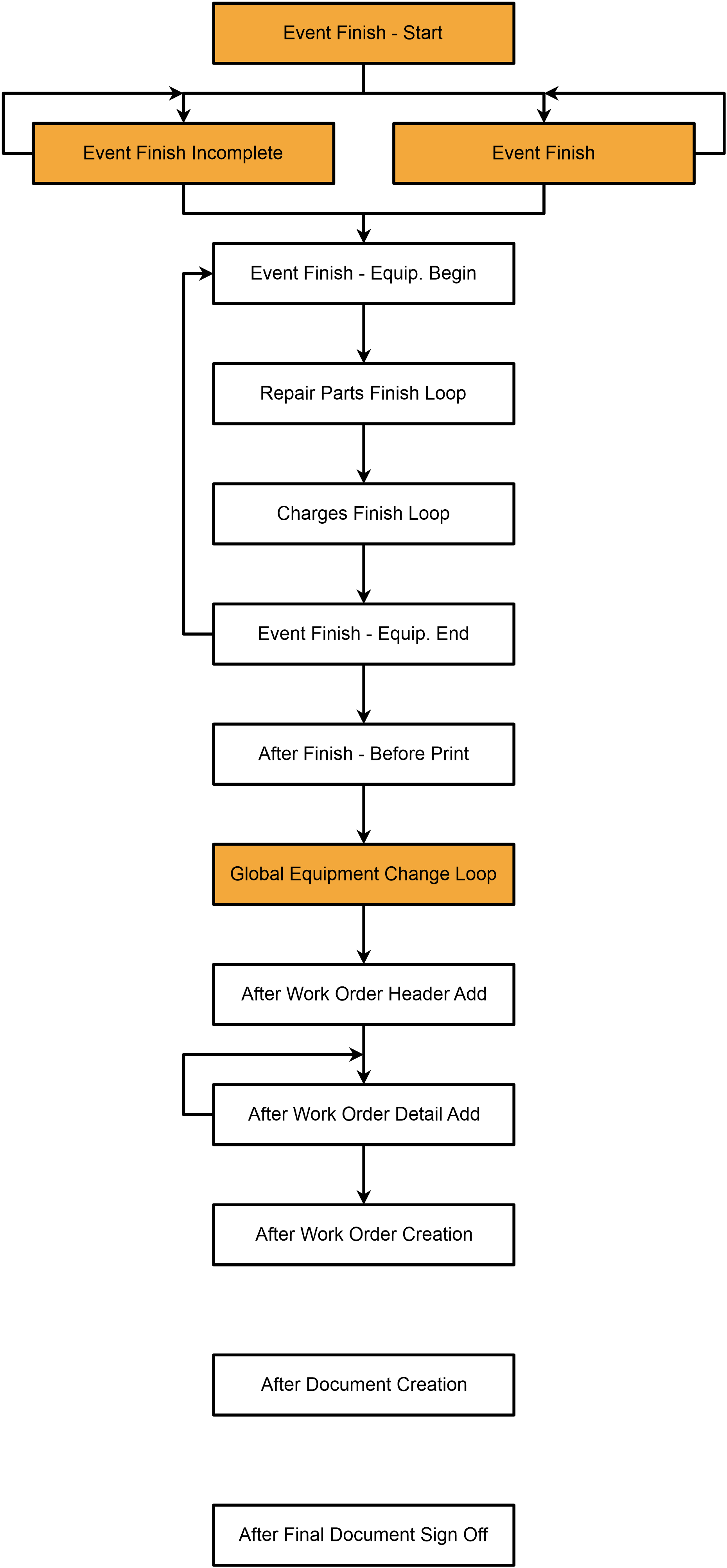
·
- Event Finish - Start
- sign offs are auto-prompted
- ·numerous validations of event data, based on Workflow Configuration Settings
- first loop through 'Choose Equipment' equipment begins
- ·if event is COMPLETE, then Event Finish
- ·if event is INCOMPLETE, then Event Finish Incomplete
- ·first loop through 'Choose Equipment' equipment ends
- second main loop through 'Choose Equipment' equipment begins
- ·event is saved to the database, new events number created per asset
- ·Event Finish - Equip. Begin
- ·detail information saved per equipment (saved to the event number specific to this asset, LookupFinalEventNum generated)
- ·Repair Parts Finish Loop(called once per service/repair part, in a loop)
- ·Charges Finish Loop(called once per charge, in a loop)
- ·print jobs created (per asset, if appropriate - but print jobs are not yet launched)
- ·Event Finish - Equip. End
- ·second main loop through 'Choose Equipment' equipment ends
- After Finish - Before Print
- ·Global Equipment Change Loop - Global Equipment Modification sql is executed, if appropriate
- Auto-Launch rules and Work Order/Estimate creation, if appropriate
- ·After Work Order Header Add
- ·After Work Order Detail Add(called once per asset as detail items are added, in a loop)
- ·After Work Order Creation
- ·non-work-order-related auto-launch events are initiated
Looking at the above it's important to note that some of the items are called only once, and others are called multiple times, once per item (tool or work order detail). Also, note that LookupFinalEventNum is only relevant in the second half of the second main loop through 'Choose Equipment' equipment.
After Document Creation is special: it fires after all documents are generated, and is executed by IndySoft Background Printing Utility, Webtier Tools, or the Print Server, not isdashboard. As a result, LookupPrintCompany, LookupPrintID, LookupPrintEventNum, and LookupPrintEventType are used instead of the usual variables. Since this trigger can only take place within the printing utility (not from within the actual event), note that event-related procedures and functions are not available for use. Only Common IndySoft Procedures/Functions can be used during this trigger action.
After Final Document Sign Off is also special: it fires after document signoffs in the Pending Work tab are completed. |