Event Script Trigger Actions
Understanding How Event Triggers Work
All custom script is executed on a particular Trigger Action. Trigger actions are points in event execution where IndySoft stops and executes your custom script code before returning control to the IndySoft application. To understand the trigger points, you must first understand where triggers fall in relation to the basic 'flow' of any given event. Figure 1.1 below illustrates the standard behaviour of a custom event. The chart is broken down in the following manner:
Start Event - These event triggers are related to actions that take place as an event is created, but before any data is actually utilized in the event
Adding Equipment - These event triggers are only related to the process of adding equipment to an event in the choose equipment step of a custom event.
User Actions in Event - These are special trigger actions which are only fired when users take action against certain user interfaces in the custom event window.
Exiting Event - These event triggers are directly related to the completion, or shutdown, of an event before it is added to IndySoft history
In the child sections section, event logic is divided among these major sections with encapsulated trigger actions noted in blue
Also, in the child sections, any flowchart step with an orange background is one where you can invoke AbortAction to abort execution.
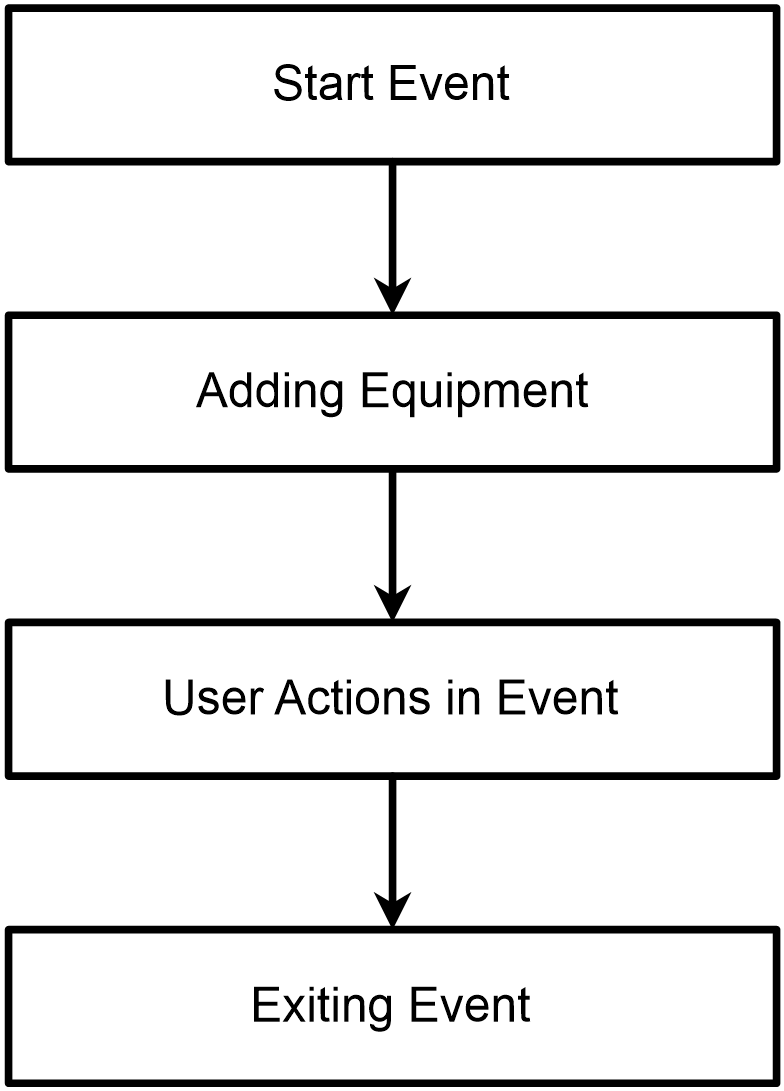
Event Model Overview |