Associating Equipment With Taxonomy Nodes
The Taxonomy ID must be exposed within the equipment interface to associate equipment with a Taxonomy Node.
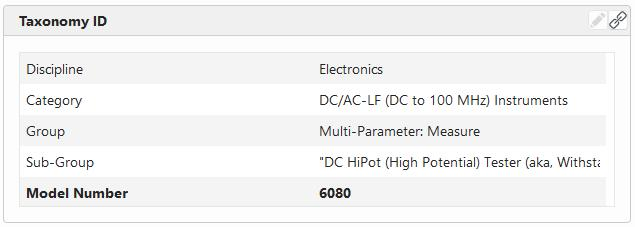
The left side shows the related "Node Type" upon taxonomy creation, and the right side shows the description of that node. Notice that the node that is an association is on the bottom and is **BOLD.**Clicking on the link button in the upper right-hand corner will open the Flattened View search screen so that the Taxonomy Node can be searched for and chosen.
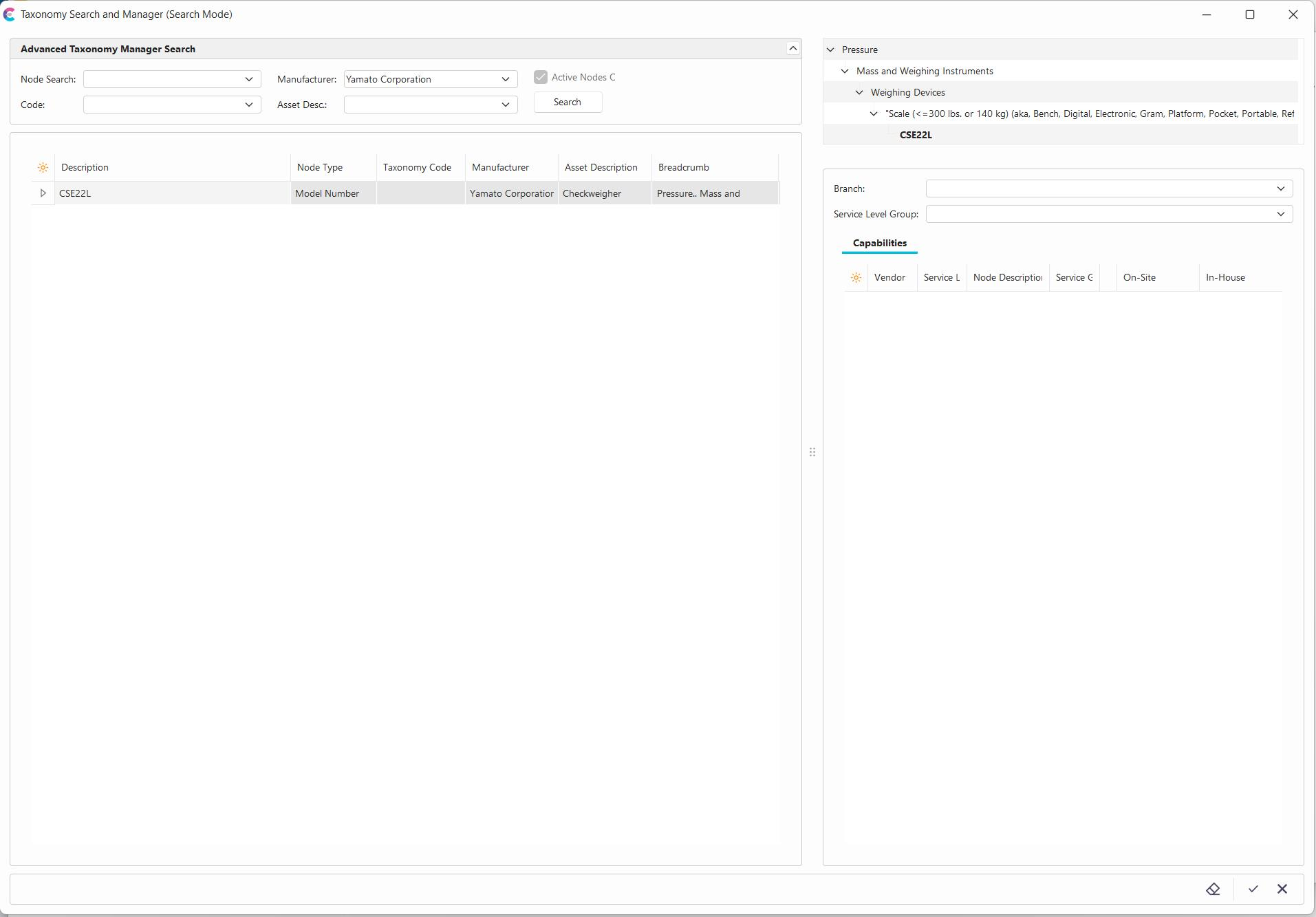
Users can use the "Node Search," which is a user-friendly description of related Manufacturers, Codes, and Asset Descriptions. Any item selected in the grid will be highlighted, and its lineage will be displayed above it in the tree in the upper right-hand corner.
Only Node Types that can be associated with equipment will be displayed to be selected. The "Node" search will look up items at or above selectable levels.
If Capabilities are stored per Service Level, Service Site, and Vendor, they will be shown on the right-hand side. Capabilities can either be stored directly at the node level or inherited.
Double-clicking on your desired node will associate it with the asset and update any related fields not directly linked to an equipment template. Options for how those fields get updated are in the Node Setup Interface.