Add/Edit...Employee...Employee Types
Employee Types describe the technical status of an employee when adding an employee to IndySoft. Example: Full-time or part-time.
Add/Edit Employee Types
To add to or manage the Employee Types, in the IndySoft header, click the Add/Edit dashboard option and select Employee...Employee Types from the drop-down menu.
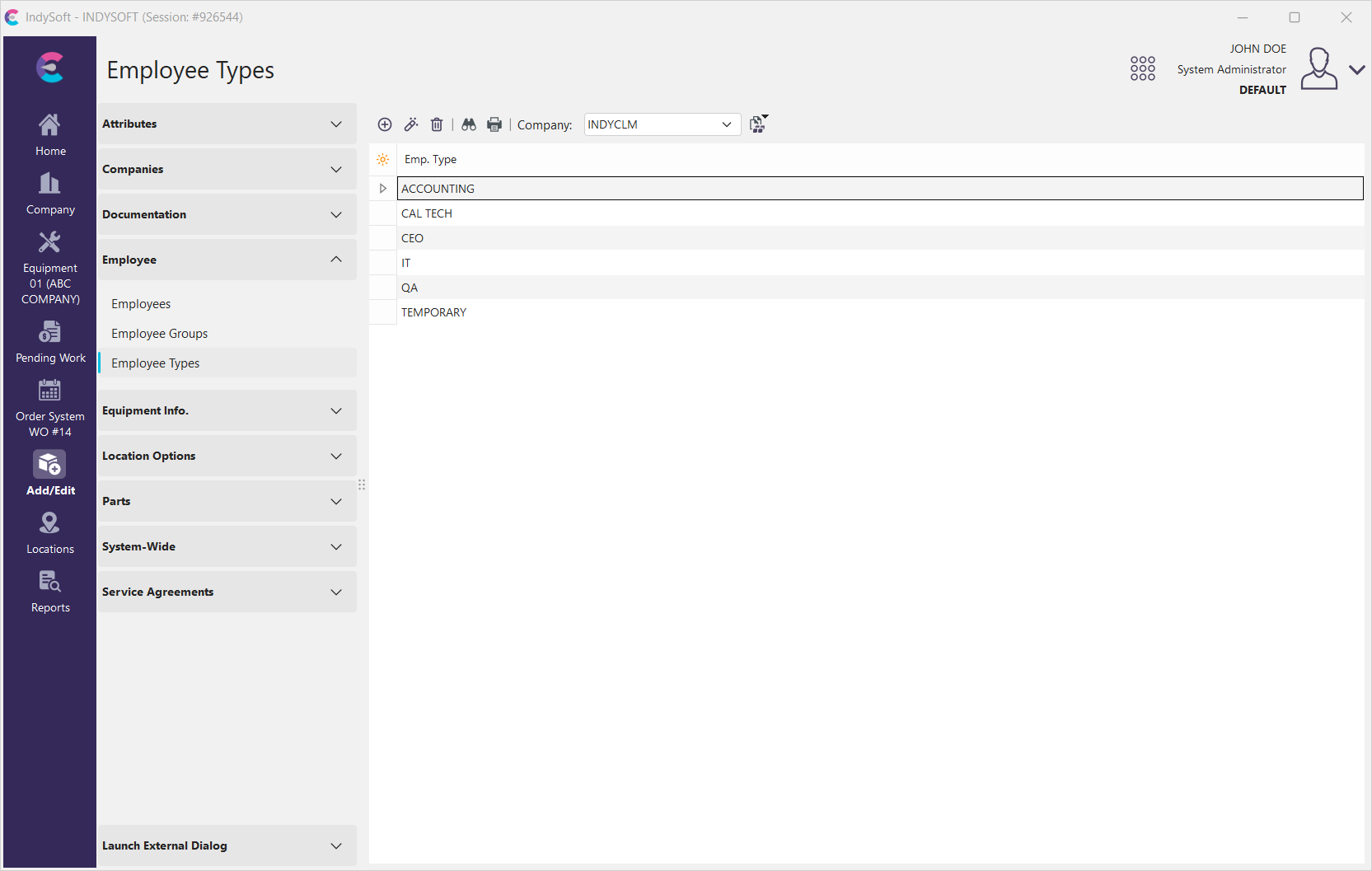
Add/Edit Employee Types
Be sure you're adding Employee Types to the right Company. Click  'New Item' to add a new Type or
  to 'View/Edit Item.'
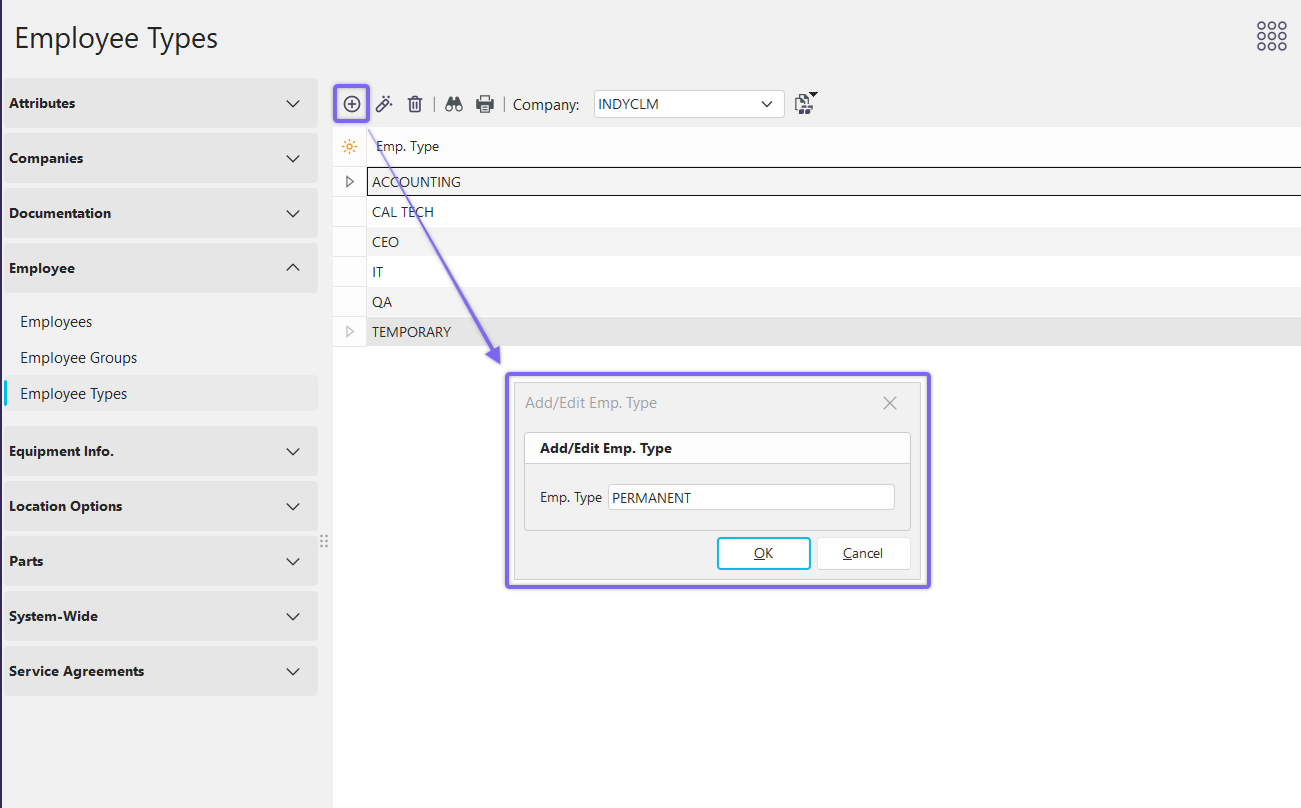
Add New Employee Type
Add the new employee type...click 'OK' to finish.
Using Employee Types
Employee Types are used in Add/Edit Employee.
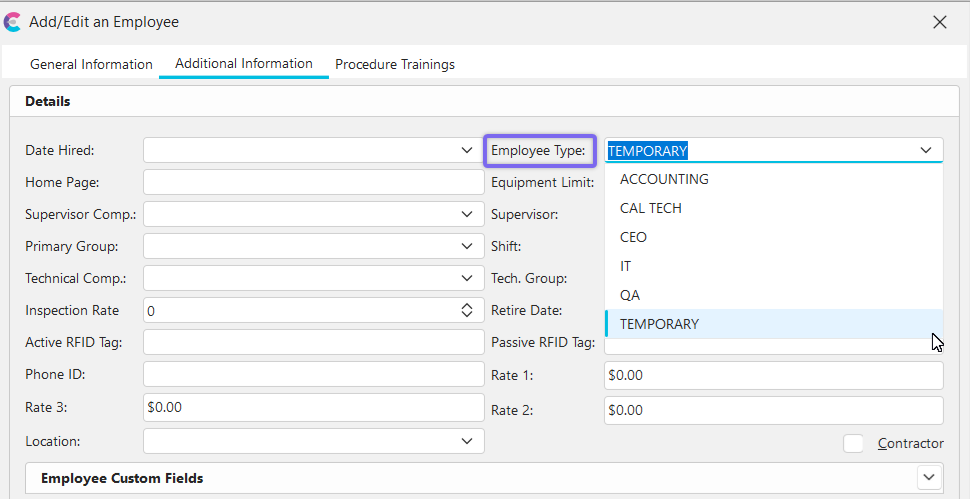
Add/Edit Employee with Employee Type Example
 Productivity Tip
The Add/Edit Employee Types dialog box can be filtered and customized in many ways. See General Interface for more information.
Buttons and Icons are detailed here.