Add/Edit...Parts...Service/Repair Parts Lists...User Defined 1-5
This feature allows the population of the User Defined 1-5 fields found in the Service/Repair Parts List.
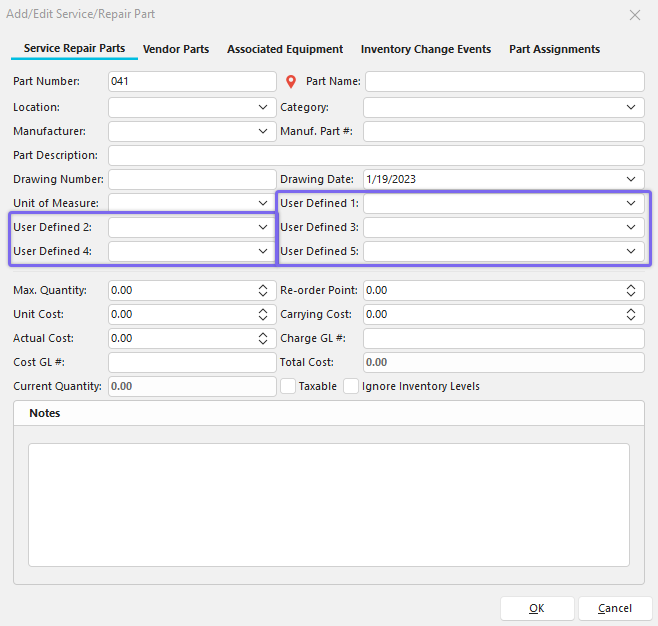
Add/Edit Parts - Service/Repair List - User Defined 1-5 Default View
Note **:**The User Defined labels can be customized by going to Preferences -> By Company--> Custom Captions 1.
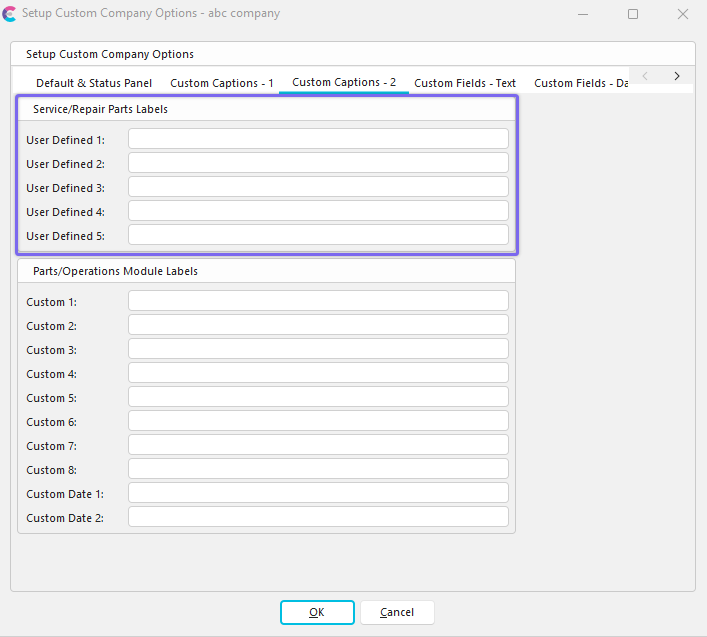
Company Preferences - Service/Repair Parts Labels
Add/Edit Service/Repair User Defined 1 - 5 Lists
To add to or manage the Service/Repair User Defined lists, click Add/Edit in Dashboard View and select Parts -> Service/Repair Parts List --> User Defined # from the drop-down menu.
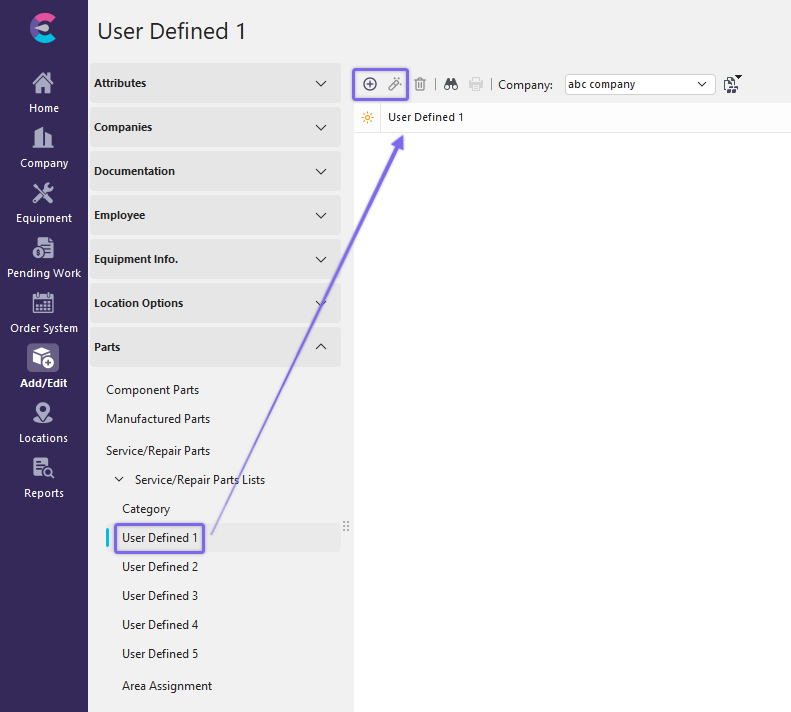
Add/Edit User Defined 1 Dialog
Be sure you're adding User Defined Item into the right Company. Click  'New Item' to add a new User Defined Item or
  to 'View/Edit Item.'

Add New User Defined Item
Enter the new User Defined item into the dialog box. Click OK and repeat as necessary.
Note: If you rename the User Defined labels, the dialog boxes will display the new field names instead of 'User Defined 1', etc. |