Display Template Statistics
This module can be launched from the main screen Home View through the 'Template Statistics' link (DISPLAYSTATS hyperlink). This small dialog allows for the quick review and modifications of statistics specific to IndySoft templates.
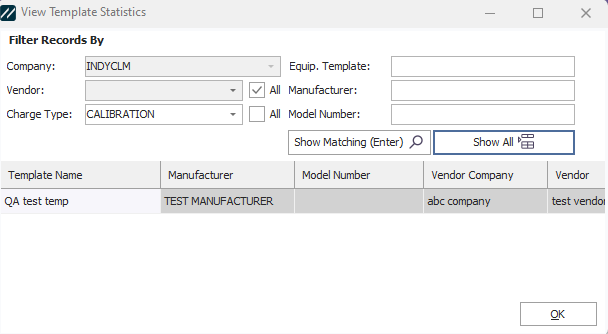
View Template Statistics Module
All fields can be seen in the results grid. To filter the statistics, select the Vendor and Charge Type from the drop downs on the left. The Vendors available are specific to the Company selected above. Next, type a partial or full 'Equip. Template' and Manufacturer/Model Number in the edit boxes on the right, press 'Show Matching' or Enter on your keyboard. Press ' Show All ' to show all matches for the selected Vendor+Charge. |