System Preferences - Overview
Certain settings are system-wide, so they are not specific to a particular login user or company - these are modified in the 'System Preferences' dialog. This dialog can be launched from the Home View's Preferences...System-Wide hyperlink:
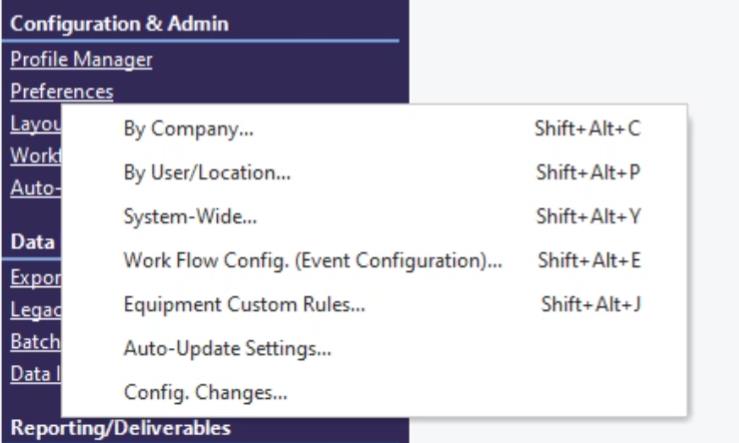 ../Storage/indysoft-help-publication/hm_clip3247.png
Launch System-Wide Preferences From Home View...Preferences
In version 13, systemwide preferences can also be launched from the Admin Panel:
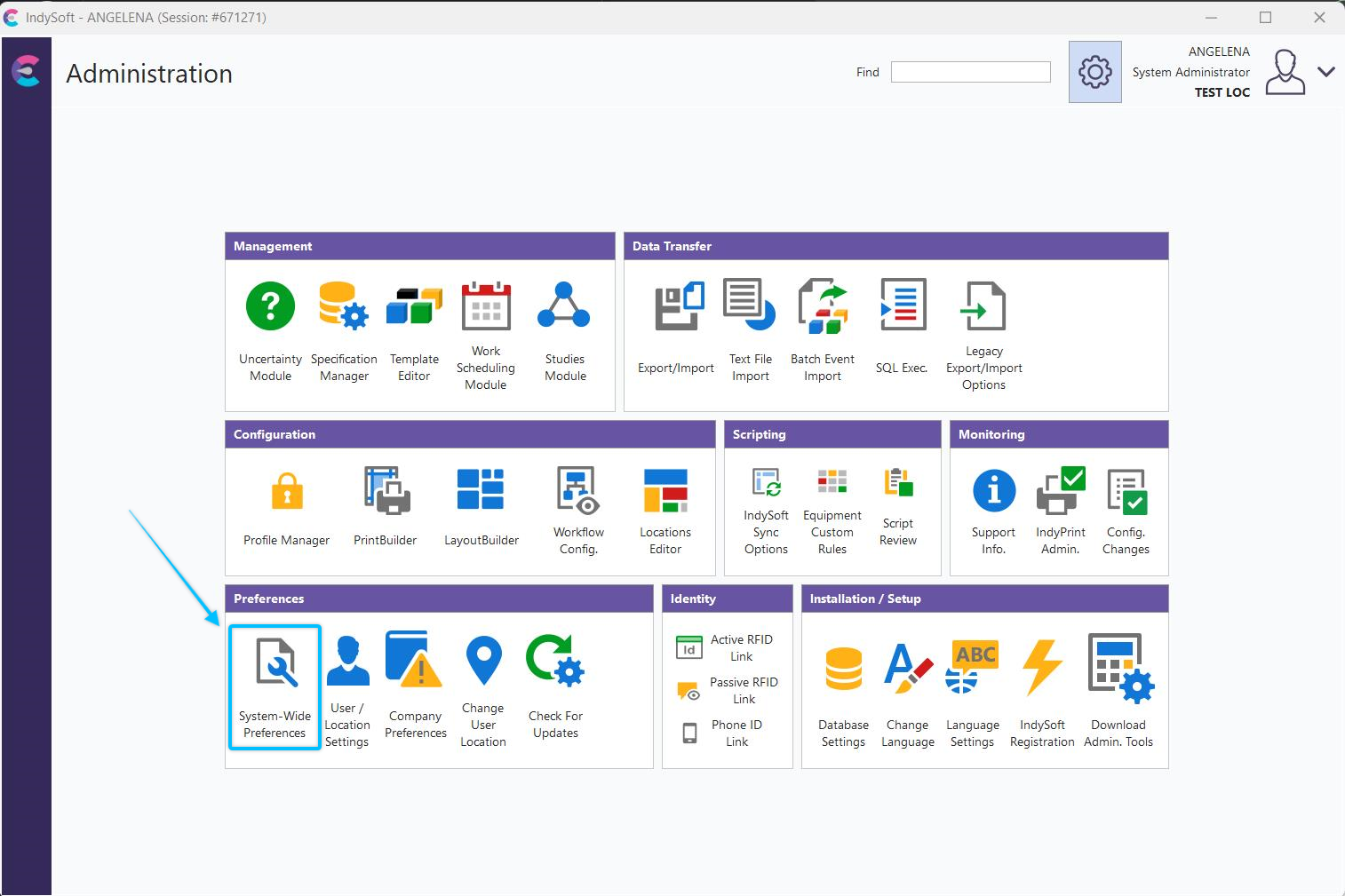
Launch System-Wide Preferences From Admin Panel
Settings are contained on tabs - see the corresponding sections below for more details:
1. System Preferences - General
2. System Preferences - User-Defined Labels
3. System Preferences - Due Date Settings
4. System Preferences - Auto-Scheduling
5. System Preferences - Tolerance Formulas
6. System Preferences - Equipment Groups
7. System Preferences - Variables
8. System Preferences - Extended Attributes |