Out Inventory Search
 Note: the topic below only applies to the Tool Management version of IndySoft.
Out Inventory searches must be first created through PrintBuilder and mapped for visibility on the main screen.
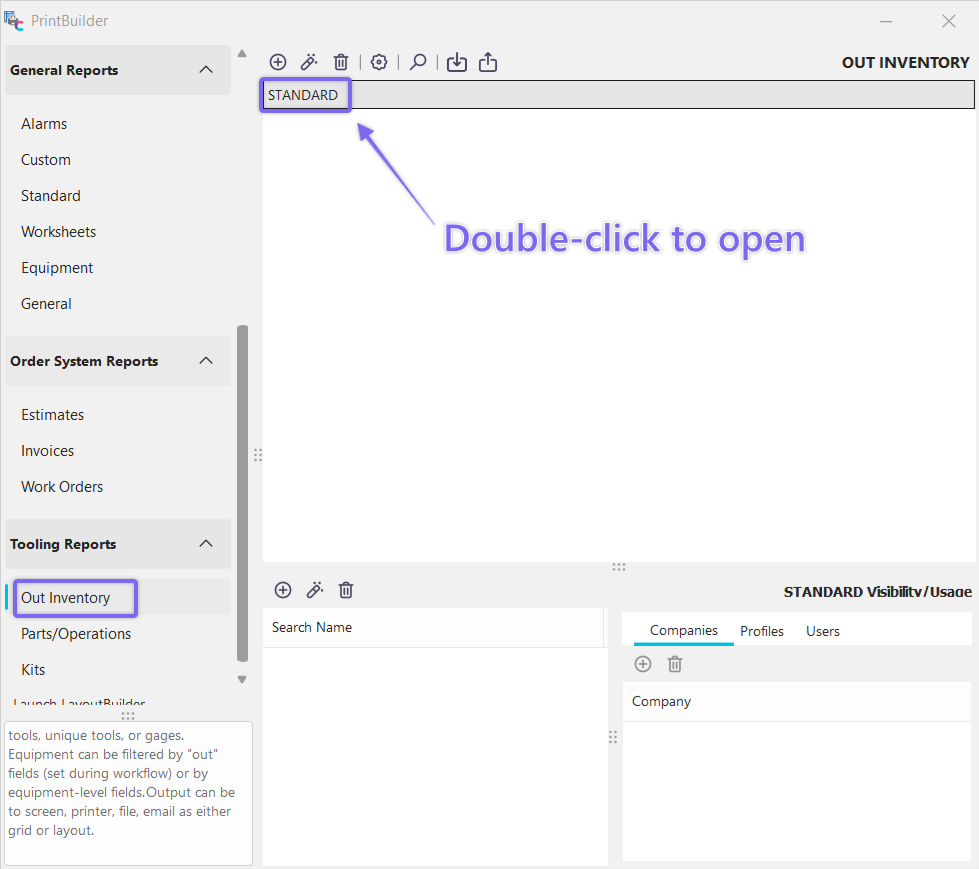
Navigate here to access the 'Out Inventory' search filter
Use the Tooling Reports...Out Inventory group in PrintBuilder. These searches are similar in interface to Equipment or General searches, but report upon the equipment currently checked 'out' - including unique tools, gages, and hand tools.
Equipment selected from the bottom grid can be located on the main screen.
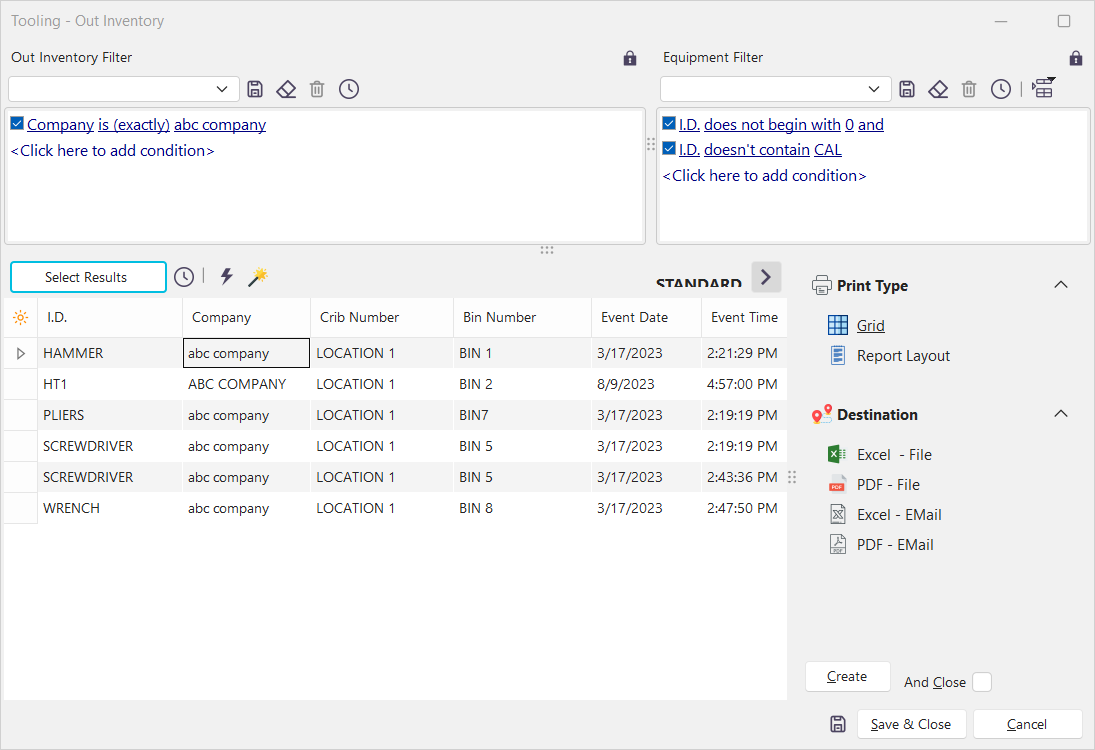
Out Inventory Search
Out Inventory searches include a filter box for 'out equipment' fields, like event date and event time, as well as a right-hand filter box for equipment-related fields (manufacturer, model number, etc.). Grid results can be quickly sent to a report from the options in the lower right. |