Q.A.
The Q.A. event is used with the Pending Work tab Document Sign-Offs function.
From the Pending Work tab, select the Document Sign-Offs button.
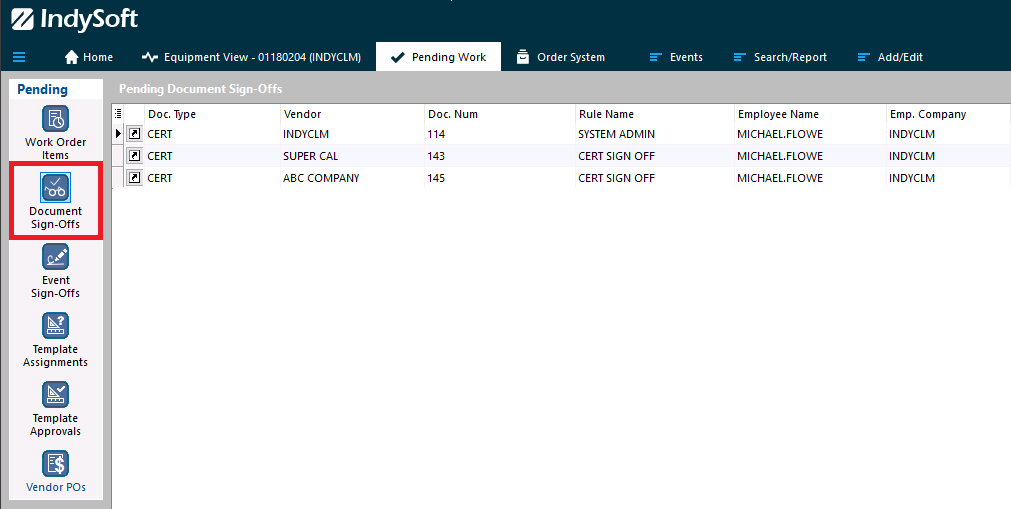
Multiple items can be loaded into the document sign-off window by selecting the "Batch Document Sign-Offs" button.

After launching the sign-off, the following screen will display to allow for the review of all document pages. Upon pass or fail of document review, a specified event can then be launched.
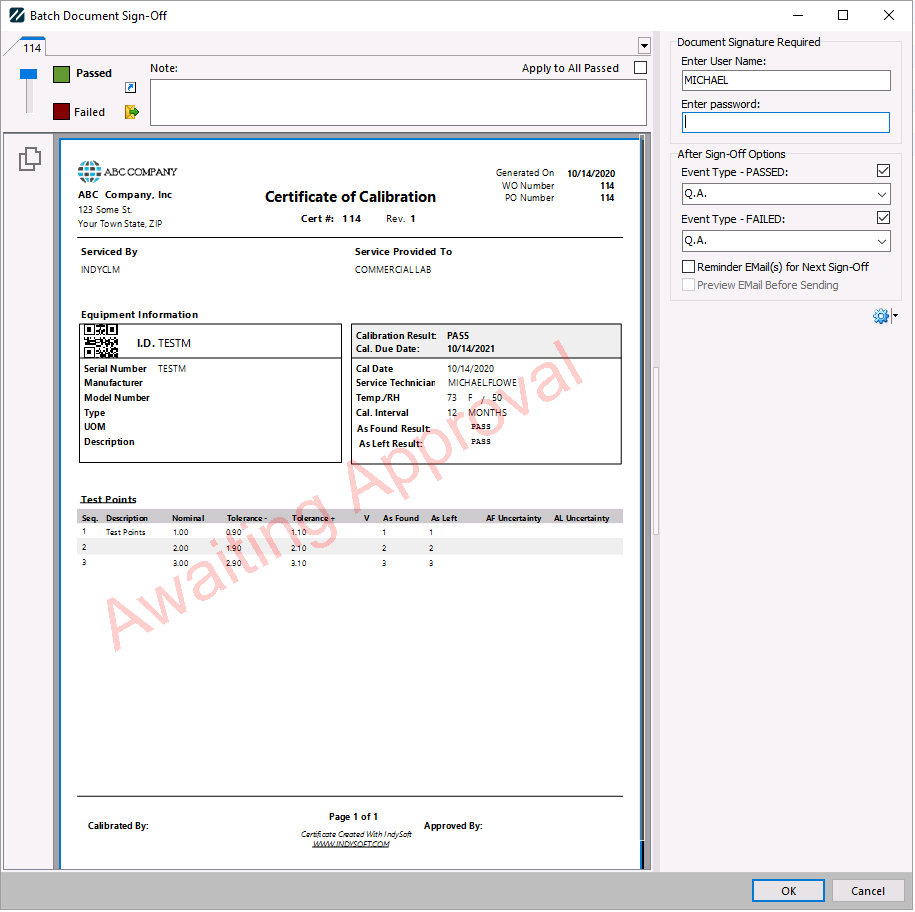
The Q.A. event will launch when finished with the document review.
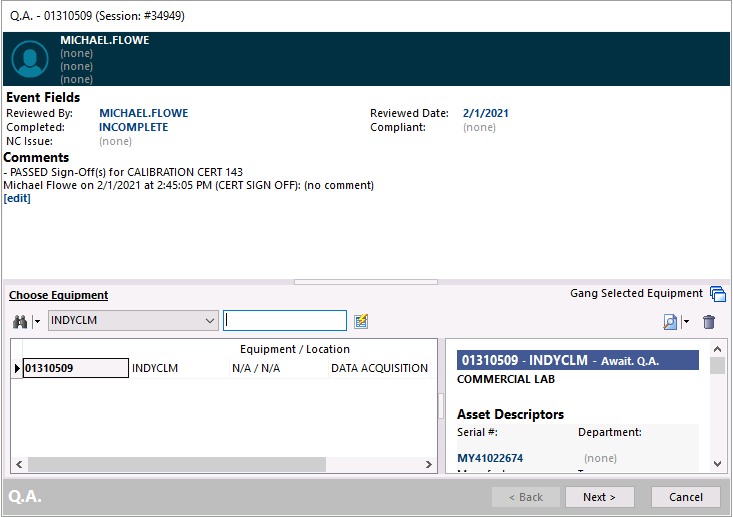
Compliant can be filled out for "Compliant" or "Non-Compliant" based on the condition of the Q.A. checked required. Setting "Compliant" will move the item through the workflow based on its delivery method. "Non-Compliant" will return the item to Await. Service.
The NC Issue can be used for any Non-Compliance for a preselected list of issues. |