View Company
The 'View Company Info.' dialog is available to allow users to quickly review Company details through a read-only dialog. Most of the information displayed in this dialog comes from the Add/Edit...Companies...Companies wizard. To launch the 'View Company Info.' dialog from the Dashboard interface, use the 'VIEWCOMPANY' hyperlink. You can add this into the left-hand panel or in a user created field within the equip view from the Equip. Links button:
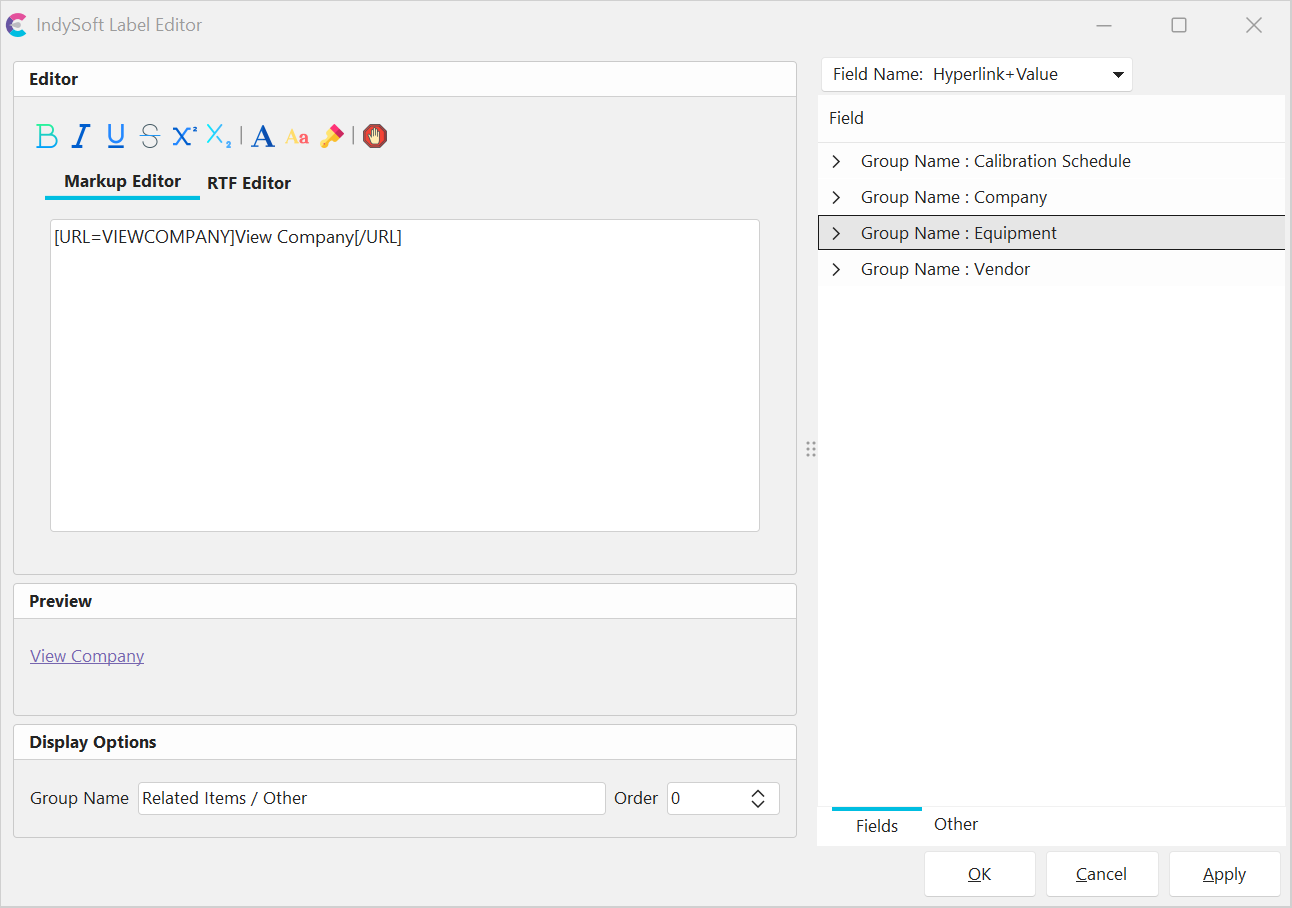
Label Editor - View Company Hyperlink
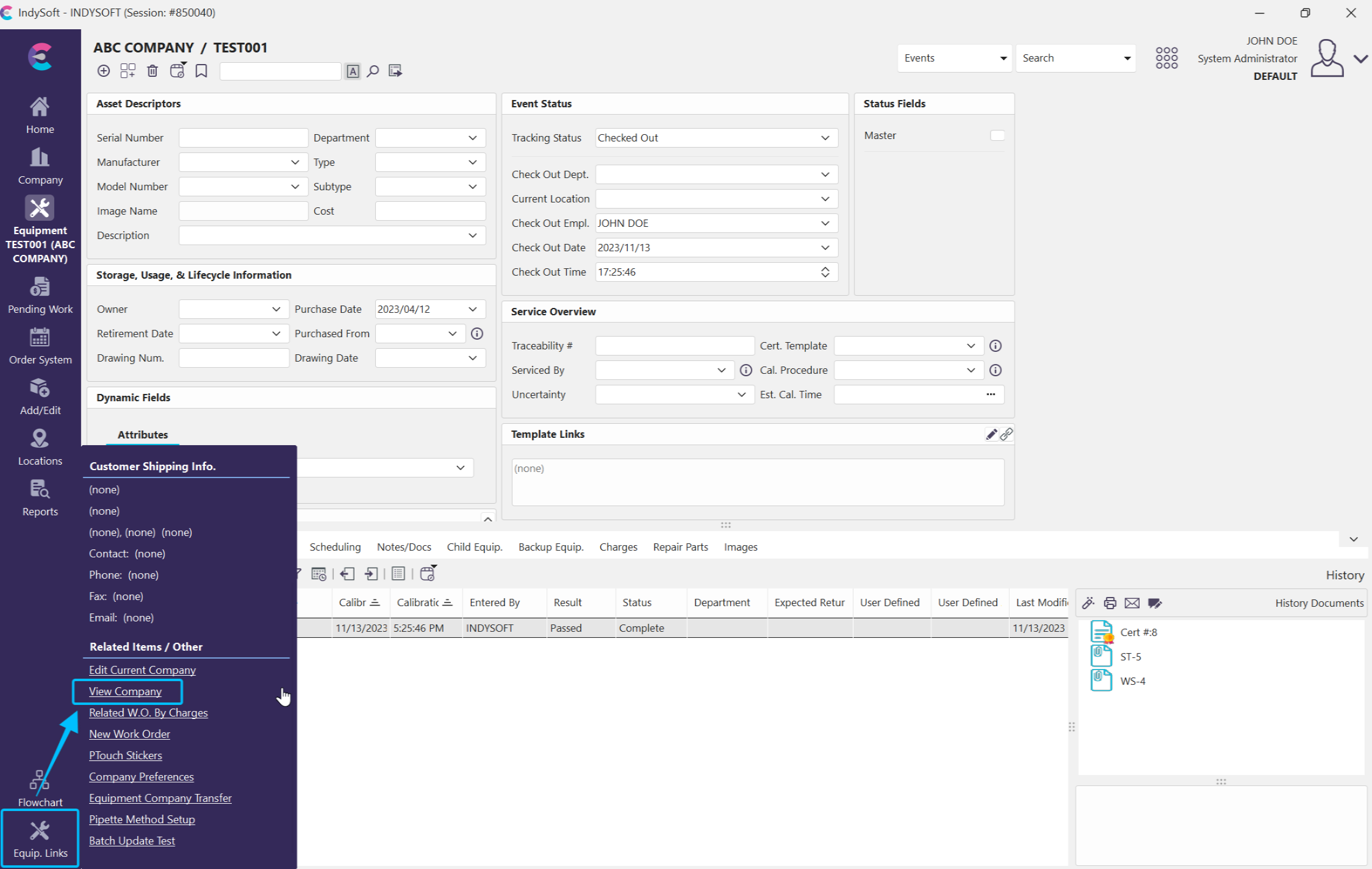
Left-Hand Panel in Equip. Links - View Company Hyperlink embedded in Equipment view
The 'View Company Info.' dialog has 6 main tabs, several of these tabs have sub-tabs:
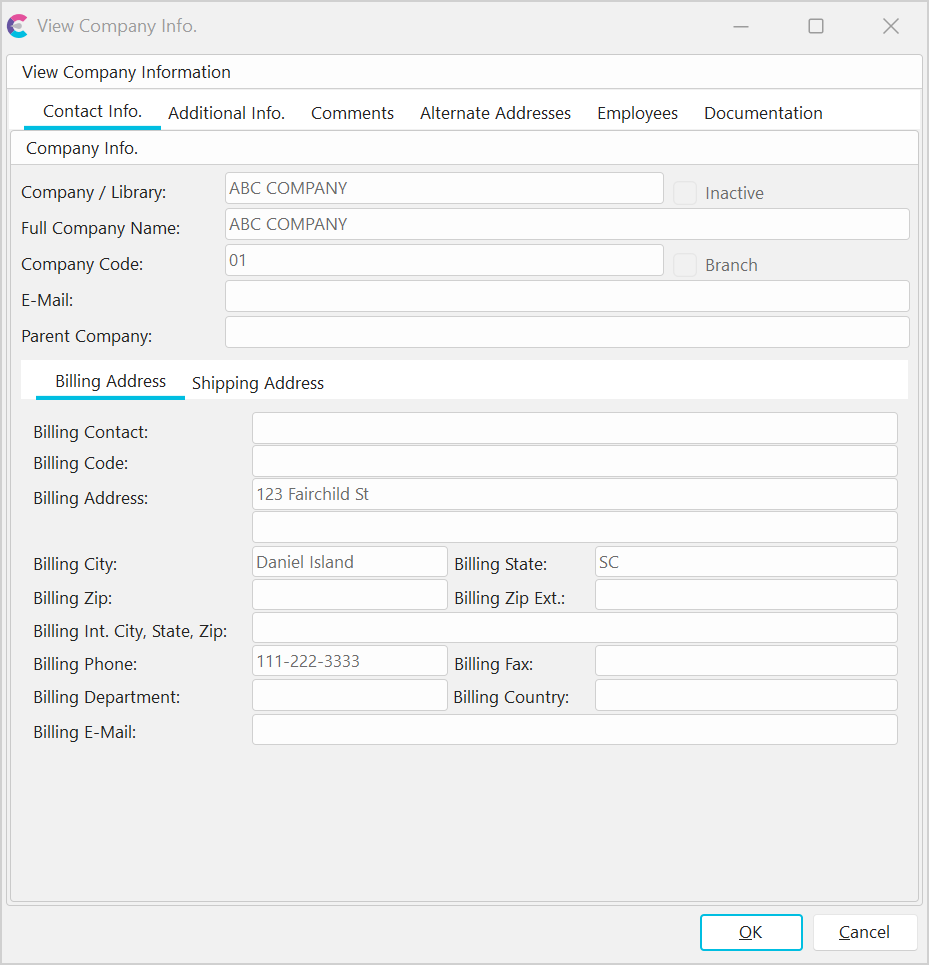
View Company Info. Dialog
·Contact Info. - displays details from the Add/Edit...Companies...Companies wizard 'Information' tab.
·Additional Info - displays details from the Add/Edit...Companies...Companies wizard 'Custom Info.' tab.
·Comments - displays details from the Add/Edit...Companies...Companies wizard 'Information' tab...Company Notes.
·Alternate Addresses - displays details from the Add/Edit...Companies...Companies wizard 'Information' tab...'Alternate Addresses' sub-tab.
·Employees - displays employee details from the Add/Edit...Employee...Employees wizard, but only displays employees that belong to the selected company.
·Documentation - displays details from the Add/Edit...Companies...Companies wizard 'Documentation' tab. |