Database Listing
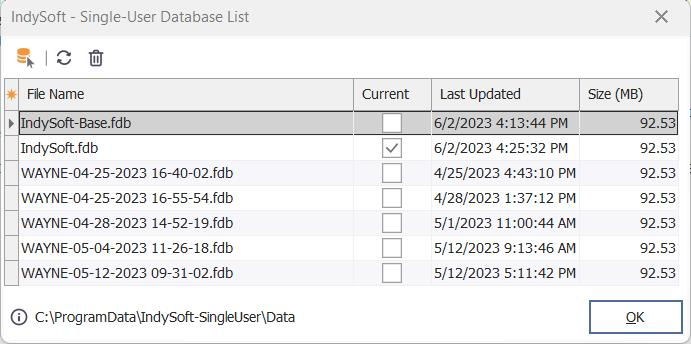
The Tech Sync process can quickly create Single-User databases, each cloned from the 'starter' database created each weekend on the server. These databases typically reside in the same directory, automatically named by the company or companies populated into the database. In addition, any original Single-User database used before a Create New Database operation might also exist in the same directory as a backup (with a -BACKUP extension). So, this dialog provides a quick review of all the databases currently residing in the same directory as the current Single-User database. The current database is flagged in the 'Current' column. Size in MB and Last Updated date/time are given for each.
Database Listing
Three buttons are available above the Database Listing grid:
· Make Selected Database the Current Database: This option is only available for non-current databases. This option modifies the Single-User Database Settings to point to the selected database. The current database connection is automatically changed, so no re-login is required. Note that no other IndySoft applications can be open when performing this operation - an alert will be given if any such IndySoft programs are currently running.
· Reload: Forces a reload of the database list.
· Delete: Permanently removes the selected database. Please be careful with this operation!! This is available to make it easy to clean up older databases you know are no longer needed and take up unnecessary space - but please delete them carefully.
The name of the current database(s) directory is listed at the bottom of the dialog. Press  to navigate to this directory in Windows Explorer. |