Setup Global Preferences
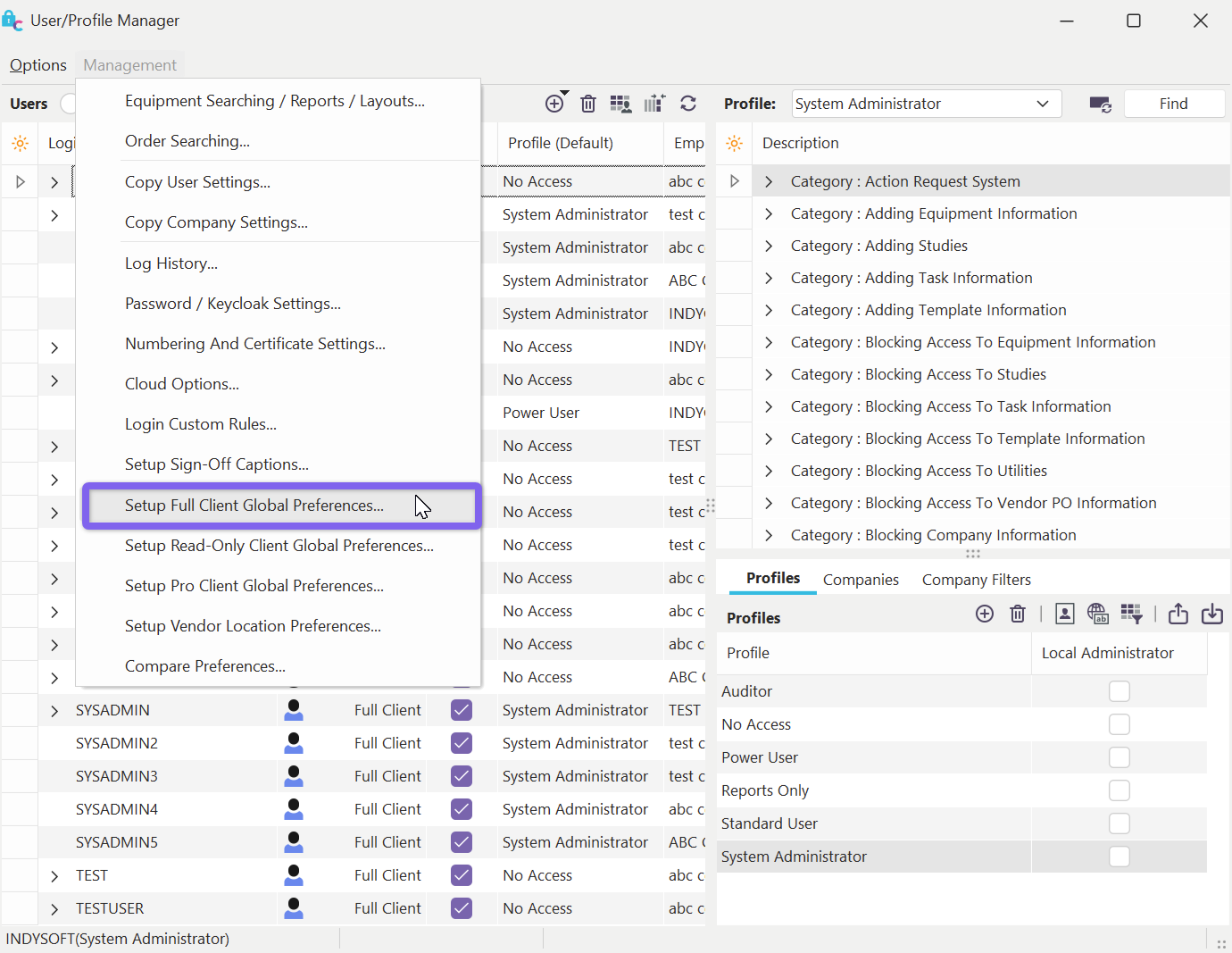
Profile Manager - Setup Global Preferences
This dialog can modify User/Location Settings, which should be standardized across all user names and locations. This dialog is very similar to User/Location Settings - but note that each preference has a 'System-Wide' toggle on the right side of the screen - directly to the right of the preference:
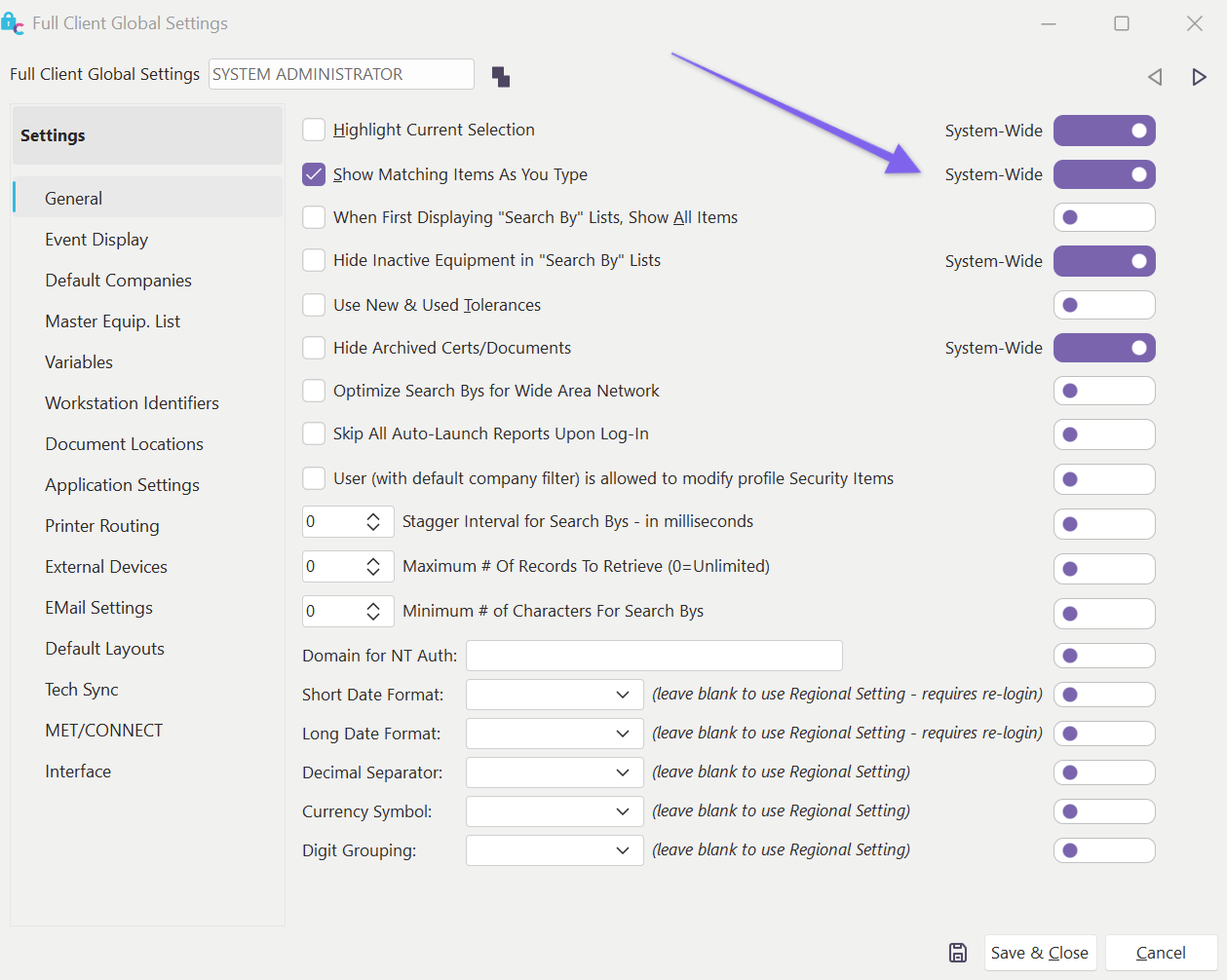
Global Preferences - Profile Manager
If a preference is toggled as 'System-Wide,' then it will NOT be possible for a user to modify this preference for their user name and/or location through User/Location Settings. Also - the value for this preference, as specified in this Global Preferences dialog, will be enforced for all users/locations. For example, if you would like 100% of all users and locations to use SMTP-based email, use this Global Preferences dialog in Profile Manager to set SMTP and turn on 'System-Wide' for this preference.
When a preference is set as System-Wide, a user will see this noted in their User/Location Settings dialog, as shown below:
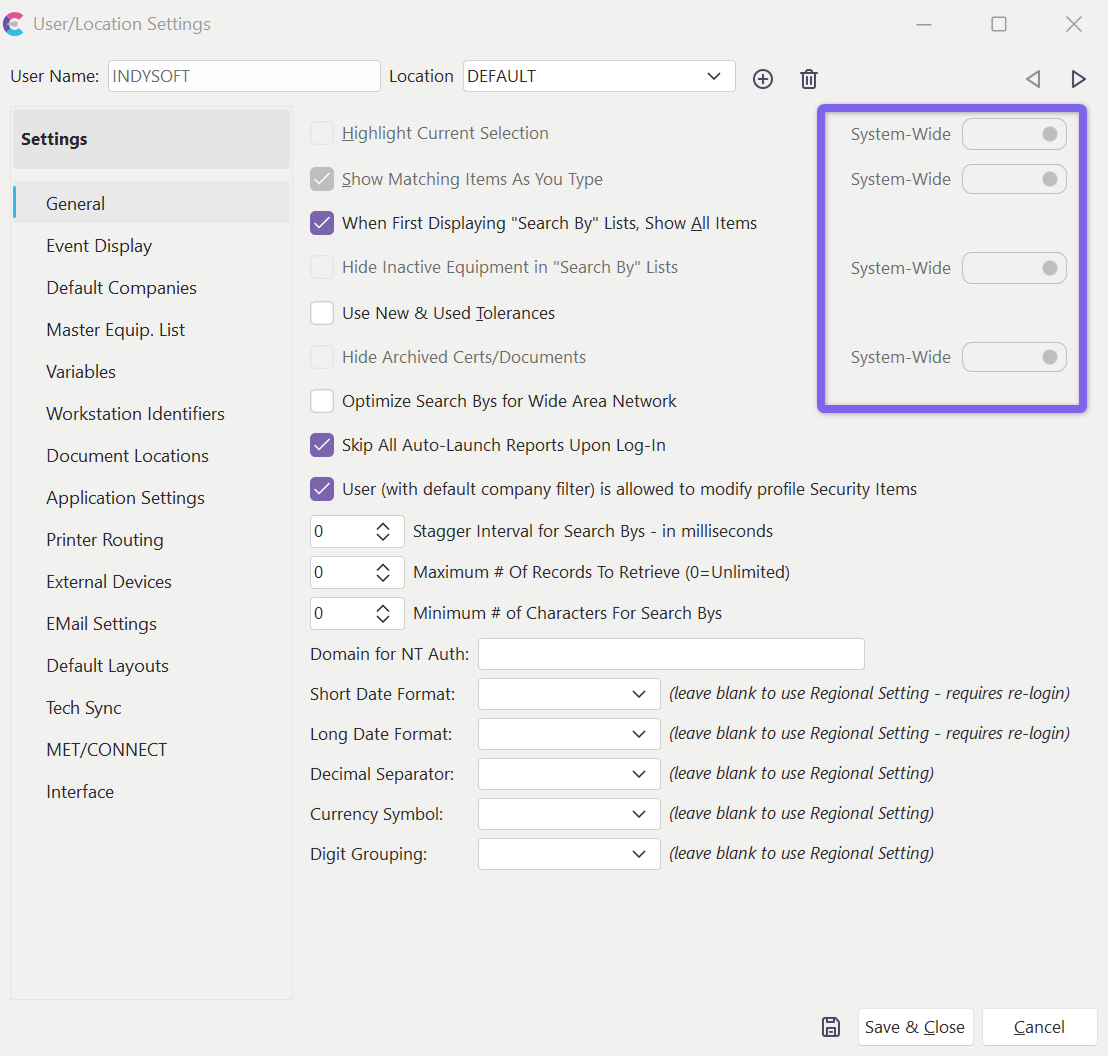
User/Location Settings - System-Wide Overrides
Note **:**These settings enforced System-Wide are also disabled from the user's User/Location Settings dialog - because they cannot be modified on a user/location level. |