Equipment Where Used Search
 Note: the topic below only applies to the Tool Management version of IndySoft.
The Equipment Where Used search is accessible in a few different ways. The first and most straightforward way is in the 'Search' dropdown on the IndySoft main dashboard. You can also use the keyboard shortcut: Alt+E
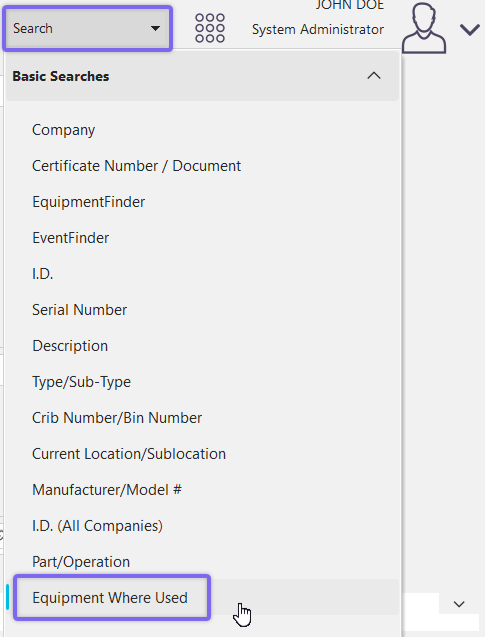
Locating 'Equipment Where Used' Dialog
It is also available from the Part/Operations module of IndySoft, located in your system's file explorer under: C:\Program Files\IndySoft\partops.exe
You can open this module from the Admin Panel options. See below for navigation instructions:
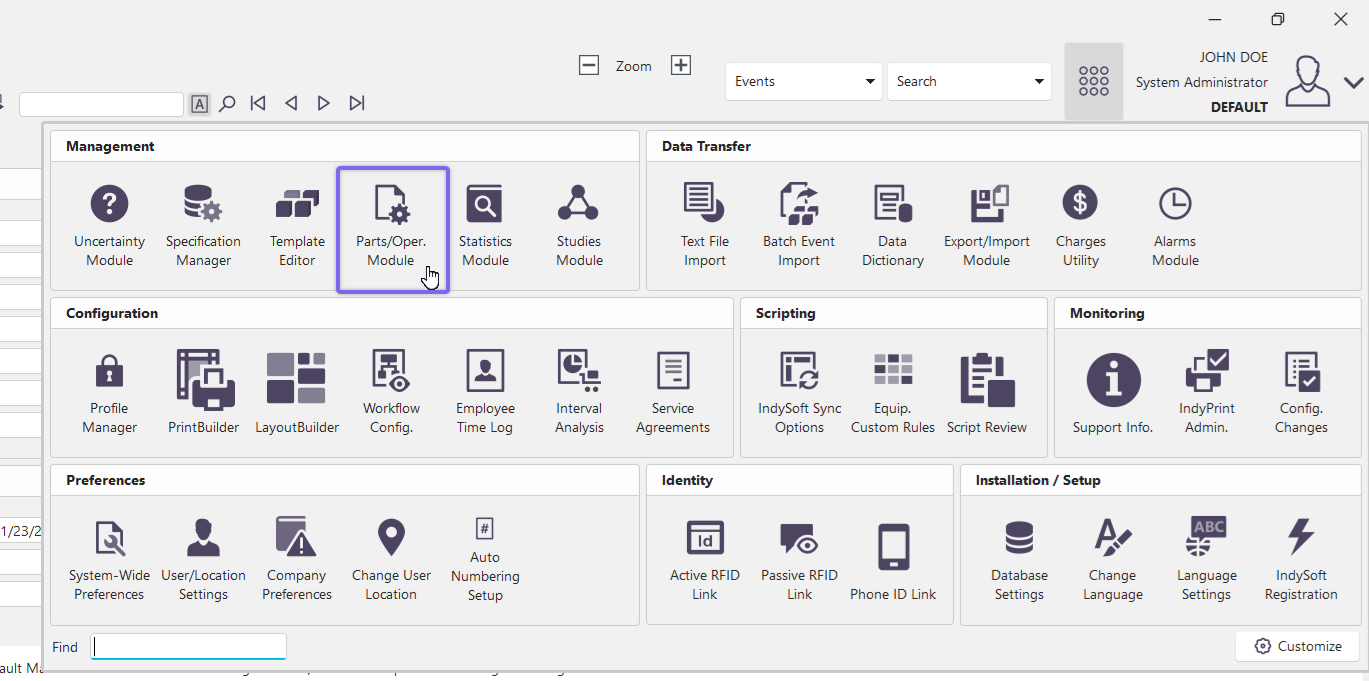
Locating the 'partops.exe' module
Once you open the part/ops module of IndySoft, the module home view will appear in a new window. To perform an 'equipment where used' search, navigate along the top bar and click 'Search by' then 'Equipment Where Used...'
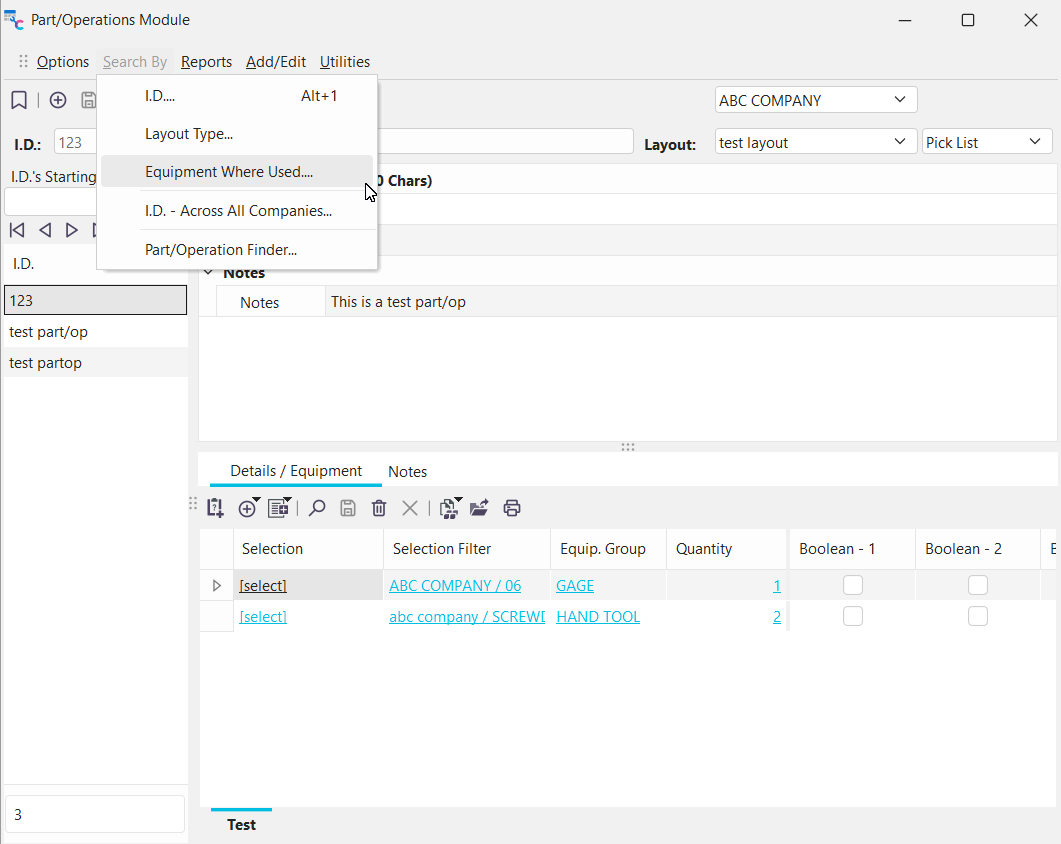
Navigate to Part/Op search by 'Equipment Where Used.'
This will open the 'Equipment Where Used' dialog for part/ops, featured below:
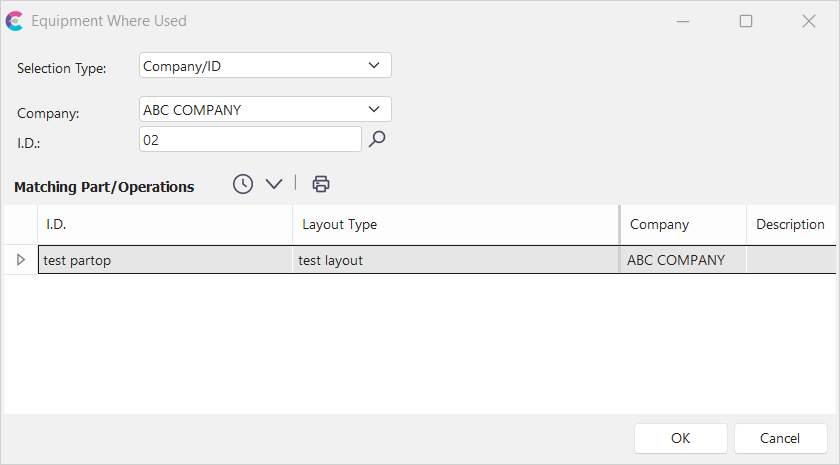
Equipment Where Used Dialog
Use this dialog to first select a combination of search criteria as specified from the Details tab in the Parts/Operations module, then find all the parts/operations that currently use this group of equipment (or a single piece of equipment). Once a part/operation has been selected, matching equipment can be found in a follow-up search.
|