Security Items Related to Uncertainty
After the IndySoft Uncertainty Module is installed, you will notice in Profile Manager a new security category named 'Uncertainty Module'. Within this security category, there are seven new security items:
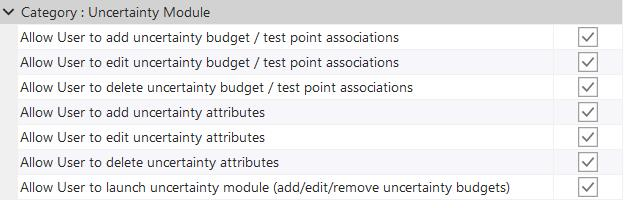
·Allow User to add uncertainty budget / test point associations: Whether this profile can budget associations for equipment on the IndySoft main screen.
·Allow User to edit uncertainty budget / test point associations: Whether this profile can edit existing budget associations for equipment on the IndySoft main screen.
·Allow User to delete uncertainty budget / test point associations: Whether this profile can delete existing budget associations for equipment on the IndySoft main screen.
·Allow User to add uncertainty attributes: Whether a profile can add uncertainty attributes for equipment on the IndySoft main screen.
·Allow User to edit uncertainty attributes: Whether a profile can edit uncertainty attributes for equipment on the IndySoft main screen.
·Allow User to delete uncertainty attributes: Whether a profile can delete uncertainty attributes for equipment on the IndySoft main screen.
·Allow User to launch uncertainty module (add/edit/remove uncertainty budgets): Whether a profile has access to the IndySoft uncertainty module. Note: The uncertainty module can be launched independently of IndySoft through uncertainty.exe. In this case, a login screen will appear as in IndySoft. Suppose this security item is not checked for the currently selected company in the uncertainty module. In that case, the main functionality of the uncertainty module will be hidden, with only the company pulldown available. The user can either exit the uncertainty module and log in as a user with higher access or select an alternative company, which could potentially link to a higher security profile. |