Add/Edit...Parts...Component Parts
Component Parts are selected per equipment from the 'Components Parts' tab/dialog on the Equipment View main screen. For instance, the list of parts can be helpful when performing a repair event.
Add/Edit Component Parts List
To add to or manage the Component Parts list, in the IndySoft header, click Add/Edit and select Parts...Component Parts from the drop-down menu.
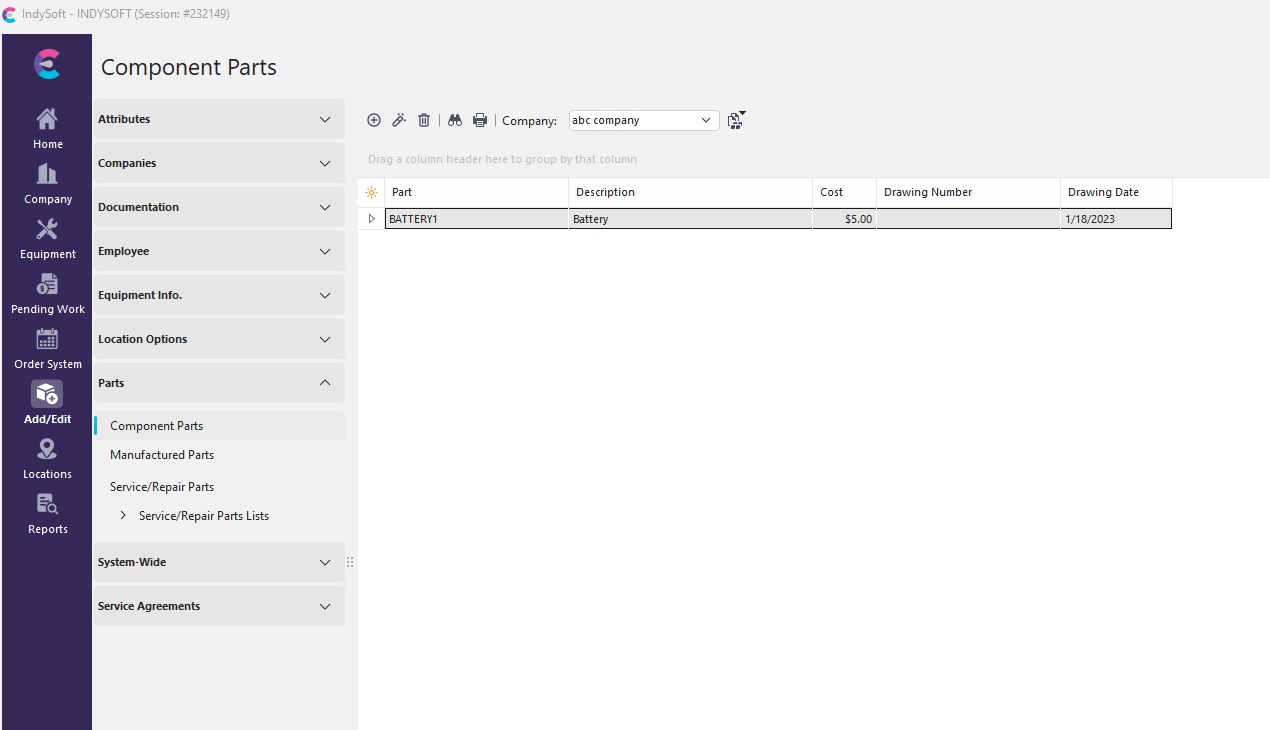
Add/Edit Component Parts
Be sure you're adding Vendors to the right Company. Click  'New Item' to add a new Vendor or
  to 'View/Edit Item.'

Add Component Part Dialog
Part Number
This is often stamped on the part itself. This number is necessary to understand the evolution of the components.
Part Description
Description of the part. Limit 40 characters
Drawing Number
Physical drawing of the part and how it fits into the whole, from the smallest part to the highest assembly. Limit 31 characters
Drawing Date
The date the drawing was made. This helps keep parts current.
Part Cost
Cost of the part. Price can be increased/decreased using the up/down arrows.
Using Component Parts List
Click the Component Parts tab in Equipment View or the Details box. Select a new Component Part or View/Edit. When a window prompts you to select a Component Part, you can choose from the parts you added in the previous steps from this drop-down menu:
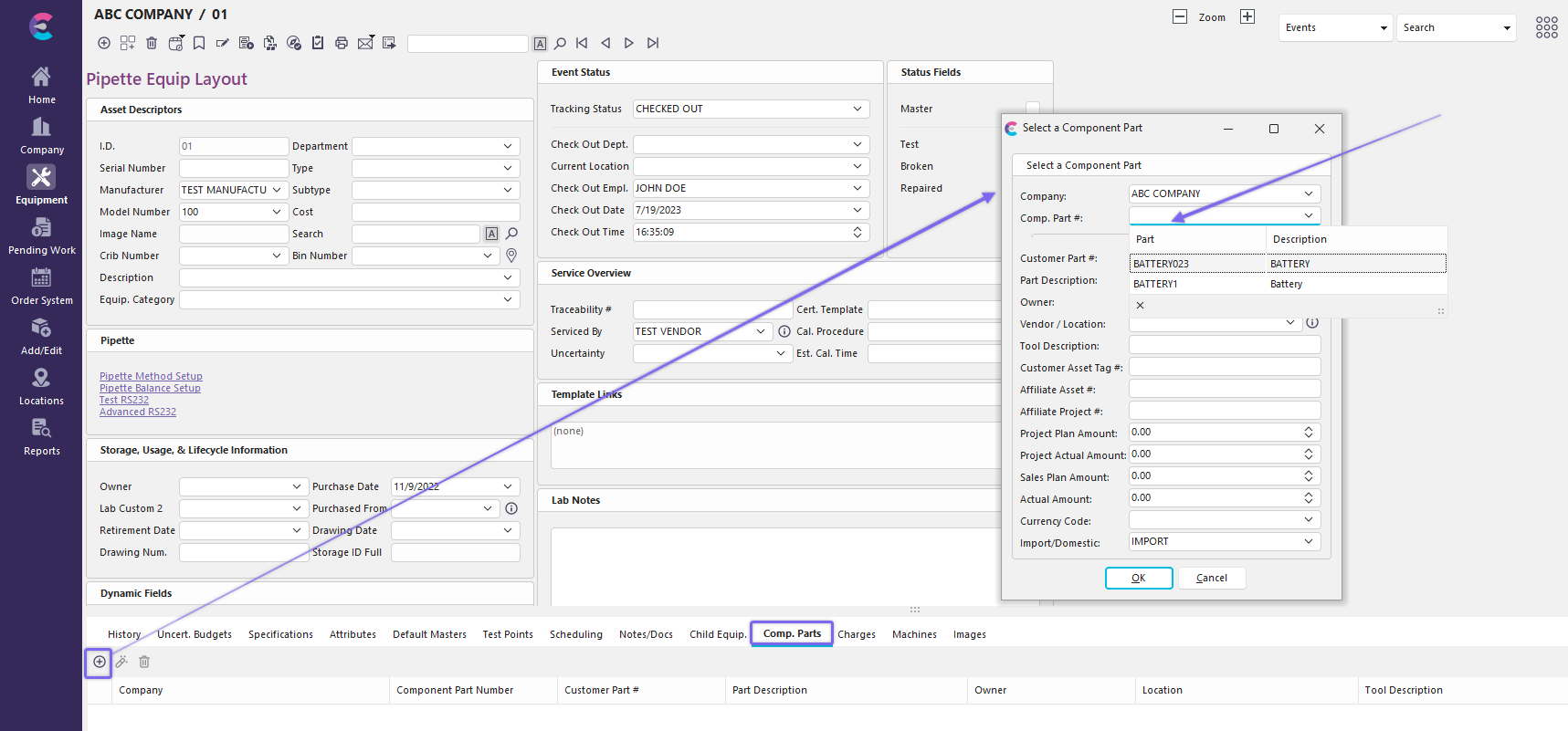
Add/Edit Component Parts - Equipment View |