Introduction
© 2025 by IndySoft, all rights reserved
IndySoft continues to deliver innovative solutions and cutting-edge functionality for quality-driven industries. Our flagship platform provides extensive control over equipment management, calibration processes, and compliance requirements.
With recent product updates, several product types and licensing structures have evolved to simplify deployments and reflect how customers use IndySoft today.
Product Types
IndySoft offers several product types and add-on modules, designed to be flexible and scalable. Tool Management (Tooling) and Preventive Maintenance are no longer separate licenses but are features that can be enabled via User/Location Settings within the main IndySoft applications.
Below are the primary product types currently available:
-
IndySoft Client
The core client application for accessing and managing calibration, assets, and business processes. -
IndySoft Client - ReadOnly
A limited-access client that allows users to view data without making changes. -
IndySoft Client - Single User
A standalone installation of the IndySoft Client for single-user environments. (See note on Field Service below for important details about the installer used for Single User deployments.) -
IndySoft Commercial Lab Management
Designed for commercial calibration labs. Includes workflow tools, estimates, invoicing, and all core calibration functions. -
IndySoft Commercial Lab Management - Single User
A standalone installation of the commercial lab management system for single-user environments. -
IndySoft Concurrent Licensing (Beta)
More information coming soon. -
IndySoft Core Scripting
Enables advanced custom scripting capabilities for the environment without the need for code entry from IndySoft Support. -
IndySoft Field Service Loans
Enables remote field service workstations to borrow licenses from the multi-user license pool for temporary offline use. -
IndySoft Fluke MetCal Import Utility
Provides import tools for integrating Fluke MetCal calibration data into IndySoft. -
IndySoft Pro (Beta)
More information coming soon.
>
> 📝 **Note:**If upgrading from versions released before 2013, you’ll notice that the "InSite" branding has been retired. Product names now follow the format: **IndySoft [Function or Edition]**e.g. "IndySoft Commercial Lab Management"
>
> Tool Management and Preventive Maintenance functionality can now be enabled directly within either Calibration Management or Commercial Lab Management products, within User/Location Settings - Application Settings. No separate licenses are required for these features.
>
>
>
>
Field Service/Single User Installations
As of recent releases, there’s an important relationship between Single User installations and the Field Service installer that all users should be aware of:
The Field Service installer (Calibrations.comFieldServiceInstaller.exe) is now used for all Single User deployments, regardless of whether the customer owns a Field Service Loan license.
There is a designated Field Service Server installer (Calibrations.comFieldServiceServerInstaller.exe) for the TechSync Server which includes the required .exe's
If you are deploying IndySoft for a single-user environment:
Without Field Service Loan Licenses
You still use the Field Service installer to deploy a local Firebird database and run a Single User installation.
No loan licensing is involved; it functions as a traditional Single User system - a Single User license is registered on the initial blank Firebird database.
With Field Service Loan Licenses
The same Field Service installer is used, but your workstation can also borrow licenses from your organization’s multi-user license pool. This enables technicians to work offline and synchronize data back to the central database when reconnected. No Single User license registration is required.
In other words, both traditional Single User customers and Field Service users are deployed using the Field Service installer. Details on setting up Field Service workstations, license loans, and invitations can be found in the IndySoft Field Service documentation.
Tiers / Databases
IndySoft can be deployed in multiple configurations to support different connectivity and performance needs. Product functionality is consistent across all tiers and database options.
Available deployment schemes include:
-
2-Tier MSSQL
-
2-Tier Oracle
-
2-Tier Firebird
-
3-Tier MSSQL
-
3-Tier Oracle
-
3-Tier Firebird
-
Single-User (2-Tier) Firebird
-
2-Tier deployments connect clients directly to the database. 2-Tier clients are best for LAN scenarios or extremely high bandwidth.
-
3-Tier deployments use the an application server, the IndySoft API Server, which manages all database communication and business logic between the workstation and database, making it ideal for WAN environments or lower-bandwidth scenarios.
-
Single-User installations host the database locally and are ideal for mobile users or small installations. Data is generally exchanged with multi-user installations using TechSync functionality.
Product Licensing and Combined Editions
All core client product licensing is concurrent, managing the number of simultaneous users. For example, if you have 30 licenses for Commercial Lab Management, then any 30 users can login at one time but the 31st user will be blocked (until someone logs out and frees a license). Single-user installs are licensed per workstation and only allow for 1 user to be logged in at a time.
IndySoft allows flexible mix-and-match licensing. For example:
-
Users can have combinations of core client licenses (Calibration Management and/or Commercial Lab Management) with Read Only licenses, as well as MetCal Import licenses if applicable.
-
Core Scripting and Field Service Loan licenses only require 1 license to enable the functionality
-
Example: When 1 license in added for Field Service Loans, the functionality is enabled and all core client licenses can be loaned out to Field Service users.
-
- As of version 9.2.3, IndySoft has also introduced a concept called License Pooling which allows admins to set up licensing schemes to give priority and ensure availability to certain user groups or individuals.
>
> 💡 Tip: Check your license entitlements to verify which features are available to you. Contact IndySoft Support for help upgrading licenses or enabling new functionality.
>
IndySoft Help & Manual Versions
IndySoft documentation is now entirely web-based and available through docs.indysoft.com.
Key Benefits:
-
Access the latest documentation directly in your browser without installing help files.
-
Search topics easily across all product areas.
-
Export or print any topic to PDF directly from the online help portal for offline use or distribution.
IndySoft Help & Manual Conventions
Expanding/Collapsing Sections are often used - shown in gray headers like the example below. Single-clicking on the header while collapsed (+ symbol will be visible) will expand the hidden text. Single-clicking on the header while expanded (- will be visible) will hide the section contents.
[+] Show More
[-] Hide
Put here the text for your expandable block. You can also edit the text for the "Show More" and "Hide" elements.
|Tabbed Content - in some places, you will be tabbed content to allow for more information to be accessible in a small amount of screen space. It will look as follows:
| Tab 1 | Tab 1 Content
| Tab 2 | Tab 2 Content |
Screenshots in the help can be toggled to a larger size and back to the thumbnail view. Simply click on the screenshot to expand it in the browser. For example:
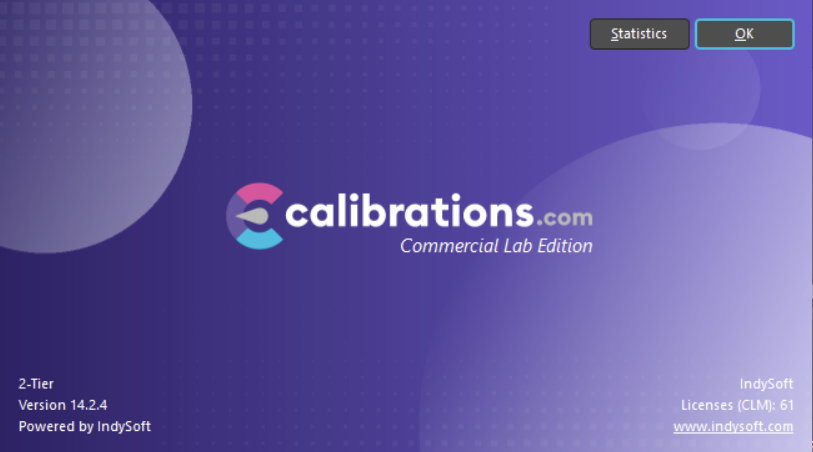
Click the image above to expand/collapse
Note: When viewing the help in pdf format, all sections and screenshot toggles are automatically expanded to view all information.
⭐ Productivity Tip: Keep a look out for "Productivity Tips" throughout the documentation. These highlight shortcuts and best practices that can save valuable time during daily use.
 Productivity Tip
This is an example of a Productivity Tip. You might be tempted to skip over a box like this - but then you would miss a great idea that would save you minutes or hours each day. Why would you do that?Introduction