Add/Edit...System-Wide...Scheduling...Schedule Types
The Schedule Types list, by default, is already populated with the six most common schedule types. The option exists to add schedule types such as OOT - Out of Tolerance, etc. The Schedule Type list is used when Scheduling events.
Add/Edit Schedule Types
To add to or manage the Schedule Type list, in the IndySoft left-hand panel, click Add/Edit, then select System-Wide...Scheduling...Schedule Type from the drop-down menu.
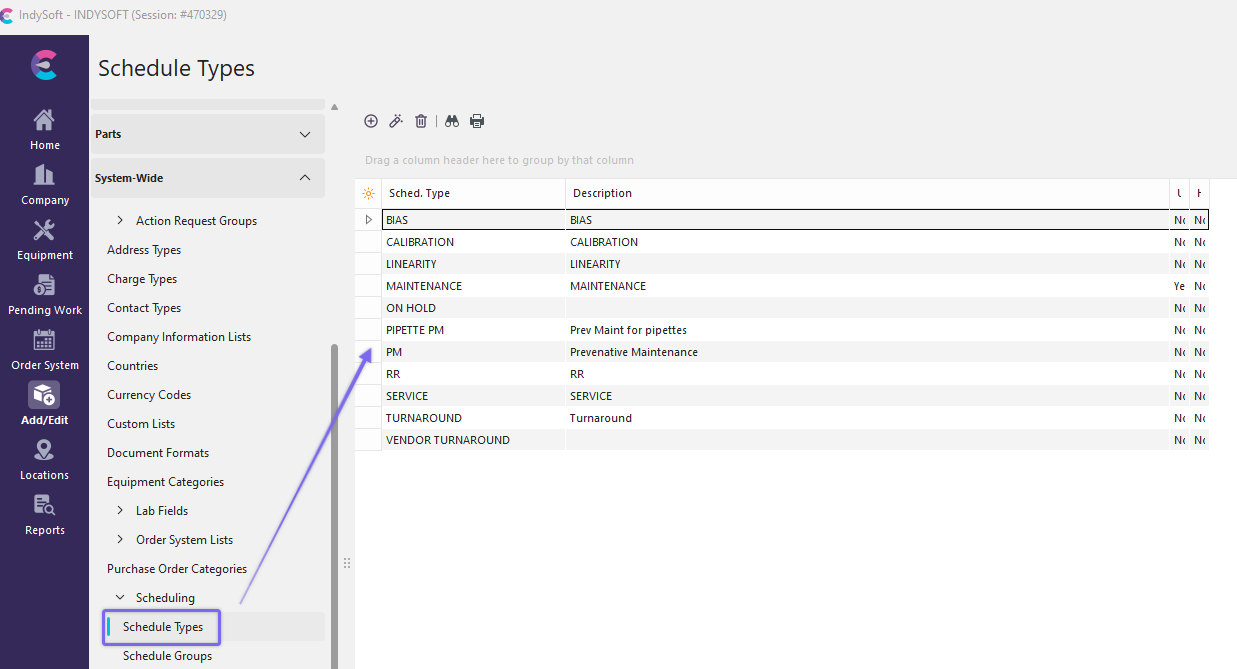
Add/Edit Schedule Types
Click  'New Item' to add a new Item or
  to 'View/Edit Item.'
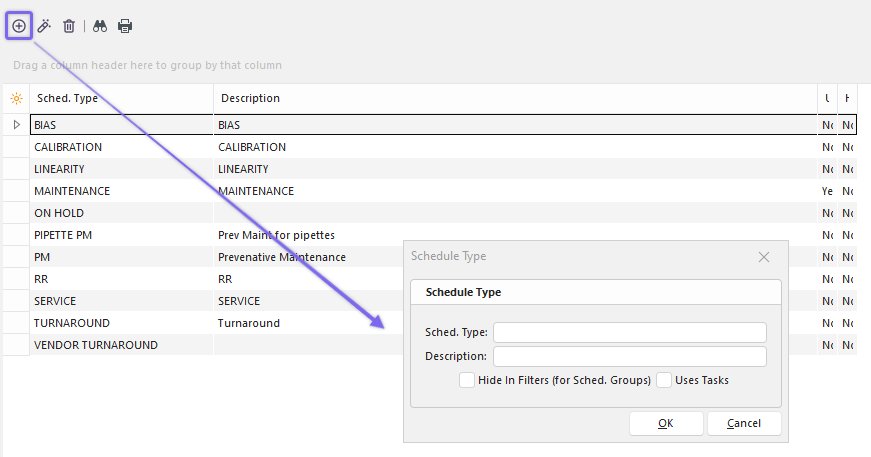
Add New Schedule Type
Fill in the new Schedule Type and Description. Check the box to hide these Schedule Types in search filters. Click 'OK' when finished and repeat as necessary. |