Equip. Company Transfer
All equipment in the IndySoft database belongs to a company, and multiple companies can be tracked in the IndySoft database. On occasion you might need to move an asset from one company to another - this is the purpose of the Equipment Company Transfer dialog. This option is available in the Dashboard Interface on the Equipment View layouts through the 'EQUIPCOMPANYTRANSFER' hyperlink (applicable to old layouts and user created fields only). You can also add a button to the equipment view header  :
:
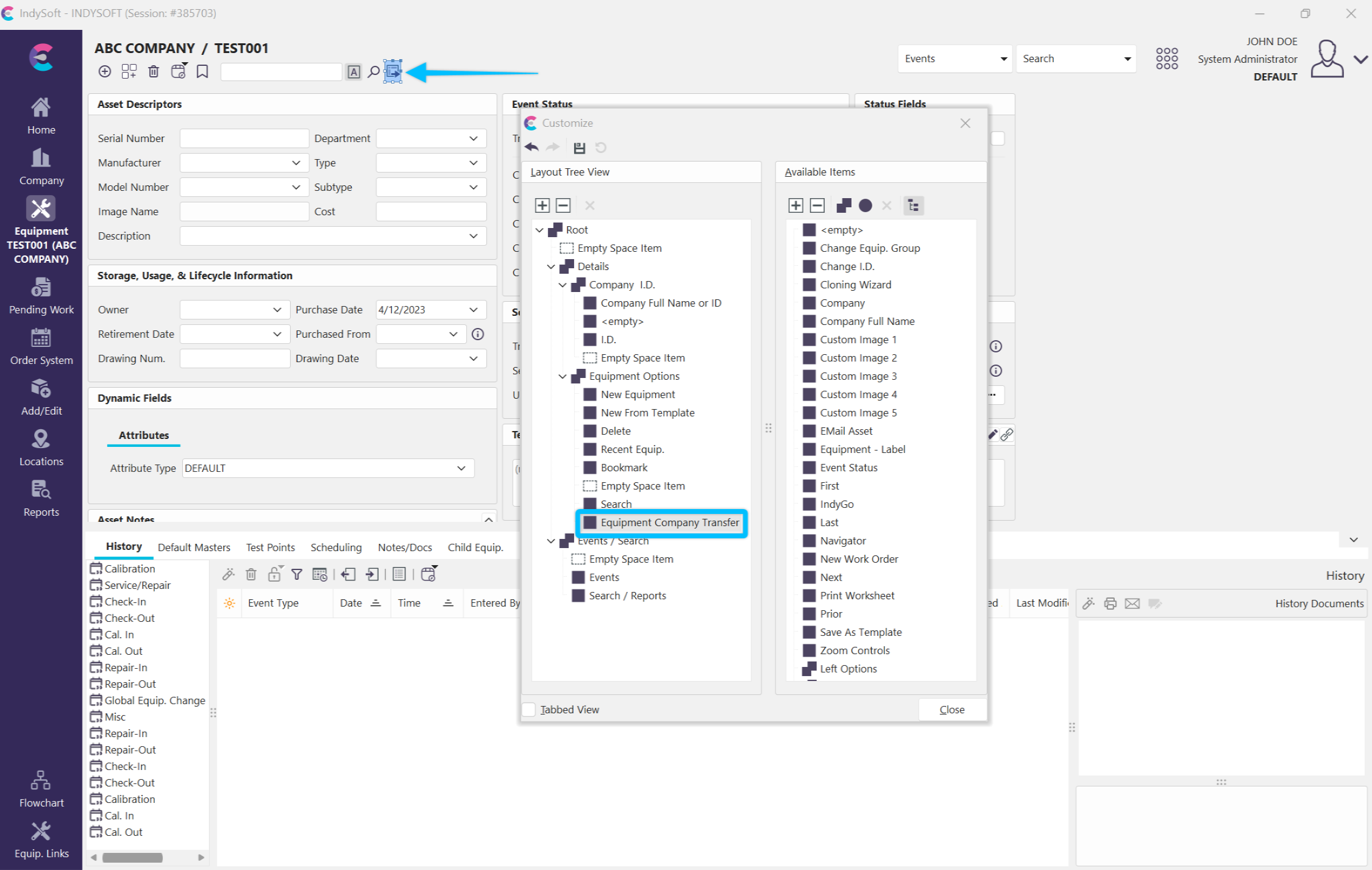
Example - Equipment Company Transfer Hyperlink in Equipment View Header
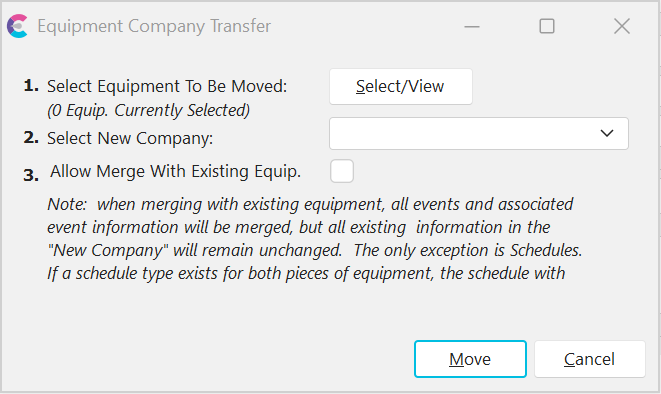
Equipment Company Transfer Dialog
There are 3 steps/options in the process - see the matching sections below for more details:
1.Select Equipment To Be Moved
2.Select New Company
3.Allow Merge With Existing Equip.
Select Equipment To Be Moved
First, select the equipment that you would like to move from one company to another. Pressing the 'Select/View' button will popup the familiar EquipmentFinder interface. Use this dialog to select the equipment then press 'Add' to proceed. You can press the 'Select/View' button multiple times to review the selected equipment before pressing the 'Move' button. Note: after selecting equipment you will see a note of the # of assets currently selected to the left of the 'Select/View' button.
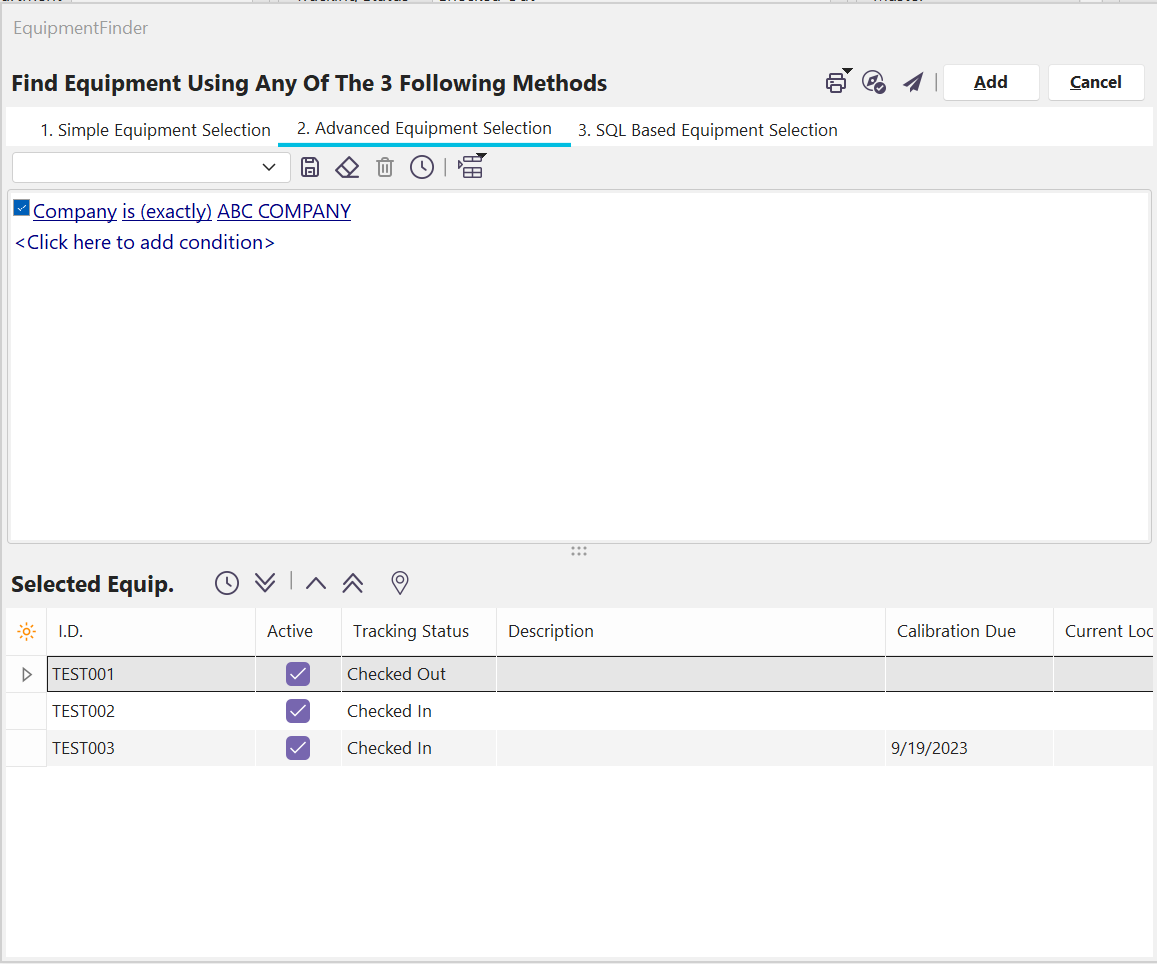
Equipment Company Transfer - Select Equip to Transfer (EquipmentFinder)
Select New Company
Next, select the company where you would like the selected equipment to be moved. Only one destination company can be selected for each operation. A destination company must be selected before moving assets.
Allow Merge With Existing Equip.
Finally, confirm whether you would like to merge the equipment with any assets that already match based on 'I.D.'. As the onscreen text notes, when merging with existing equipment, all events and associated event information will be merged, but all existing information in the 'New Company' will remain unchanged. The only exception is Schedules. If a schedule type exists for both pieces of equipment, the schedule with the later due date will take precedence. |