Service Agreements - Setting Up Default Charges
Setting Up Default Charges - System-wide or Branch level
Exposed in the Add/Edit List is now a section called Service Agreements. Here, you can define Service Agreements/Requests custom field lists as well as non-equipment related default charges for Service Agreements, Requests, Work Orders, Invoices, and Estimates.
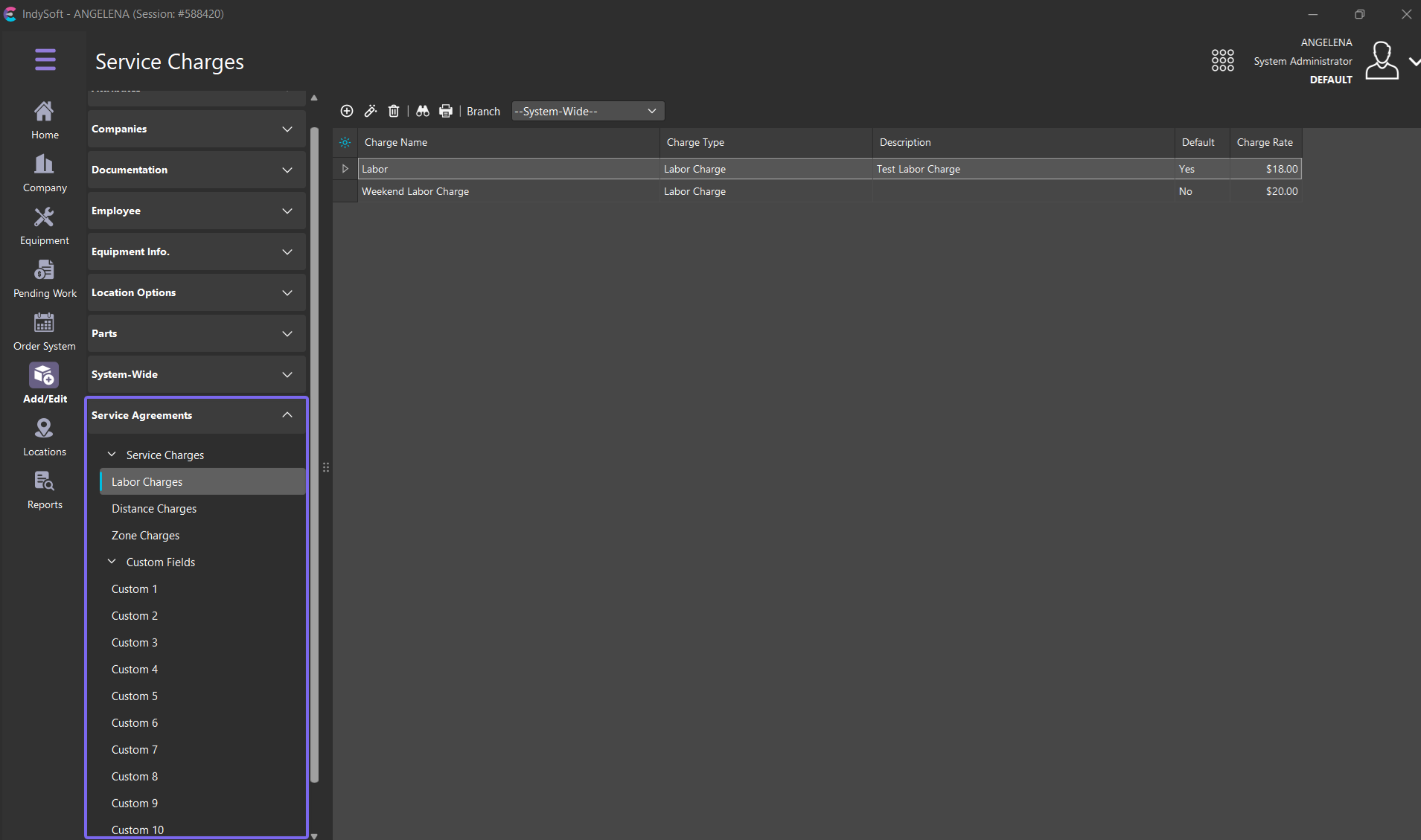
Service Charges have 3 categories: Labor Charges, Distance Charges, and Zone Charges. Each of these uses the same table structure behind the scenes but has unique properties. These properties can be seen when adding to the list as well as when adding these unique options to a work order or estimate.
Unique to these add/edit list options is that they are either system-wide or they are Branch dependent. If the customer/user wants to set up default charges at a system-wide level, then they can add them under the "--System-Wide–" Branch. Otherwise, if branches have unique charges, those can be set per branch and default to Agreements, requests, work orders, estimates, and invoices. If no branch is specified, then the system-wide option will be employed (if applicable)
A good example of this would be if you have a branch in New Jersey and a Branch in Rural Ohio. Your zone descriptions and charges may be different based on traffic, tolls, gas prices, etc…
Unique to Labor and Distance charges, the user can have "Default" charges which can flow down to Service Requests/Agreements upon creation OR if no request or agreement is in place, the default charges will flow directly down to the Order System so as to present a standard labor or distance charge option. Zone charges do not have default values as they are inherently different based on the defined zone travel distance.
Custom Fields can be aliased from within service agreements. Please note that these fields port to commensurate work orders and estimate custom fields by default. Aliasing them in a similar manner may be advantageous, but not required. These custom fields have corresponding System-Wide lists which can be used to populate the drop-downs for agreements.