Edit Filters To Be Used For Global Edit
Edit Filters To Be Used For Global Edit
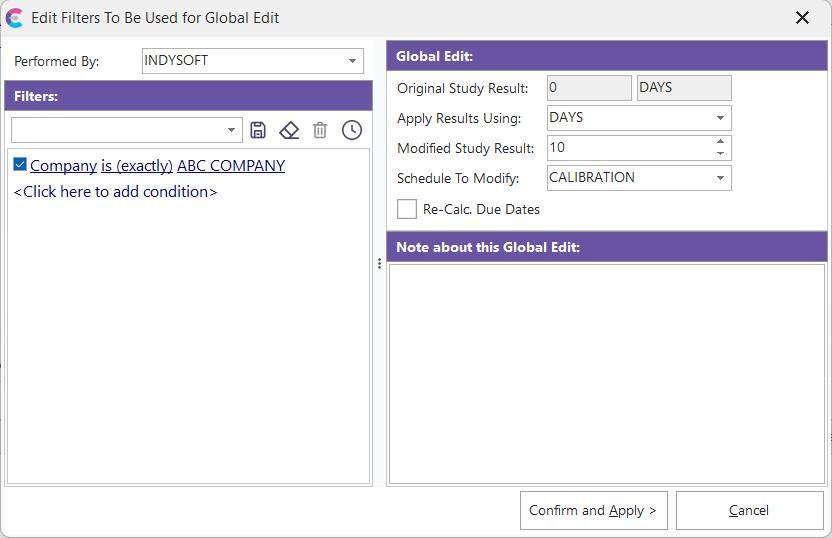
This dialog allows the users to set up the options for a global edit of calibration intervals resulting from trend analysis. First, select the group of equipment whose calibration interval will be edited. The same filter used in the trend analysis is defaulted into this dialog for convenience. Next, select global edit options:
Original Study Result: This option is read-only. This is the suggested interval from the trend analysis, taken from the Test Interval Result of the Maximum Likelihood Estimate.
Apply Results Using: The interval used in the global schedule edit. The interval used in the trend analysis is defaulted into this edit box.
Modified Study Result: The frequency used in the global schedule edit. The 'Original Study Result,' rounded as an integer, is defaulted into this edit box.
Schedule To Modify: The global schedule edit will modify the schedule type. 'CALIBRATION' is the default value.
After entering an optional note describing this global edit, press 'Confirm and Apply' to commit the new schedule interval to the appropriate IndySoft equipment. |