P-Touch Stickers
On-Demand P-Touch Stickers
You can also easily locate your P-Touch sticker templates from the IndySoft WebTier Tools right-click options.
](/de/Storage/indysoft-web-tier-tools-publication/indysoft-help/2385561d-5e49-405e-a840-07478d6d6535.png)
IndySoft WTT - Locate P-Touch Sticker Printing
Clicking on 'P-Touch Stickers' will launch the P-Touch Sticker Setup wizard, as shown below:

On-Demand P-Touch Stickers
Icons:
 Add New Sticker Layout: prompts 'Add New Calibration Sticker Layout' dialog, shown below (Note: your dialog steps may look slightly different depending on certain option selections)
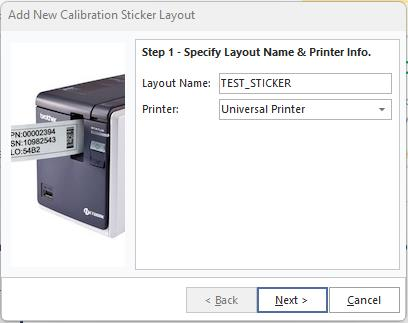
Add New Cal. Sticker Layout - Step 1
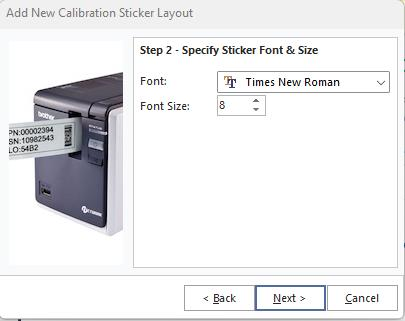
Add New Cal. Sticker Layout - Step 2
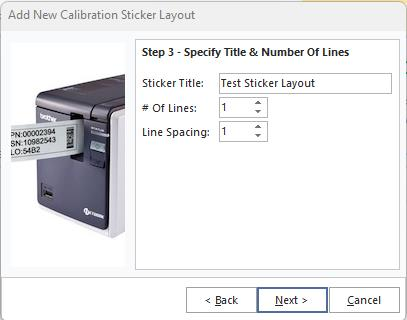
Add New Cal. Sticker Layout - Step 3
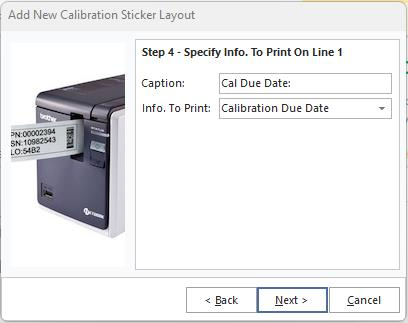
Add New Cal. Sticker Layout - Step 4
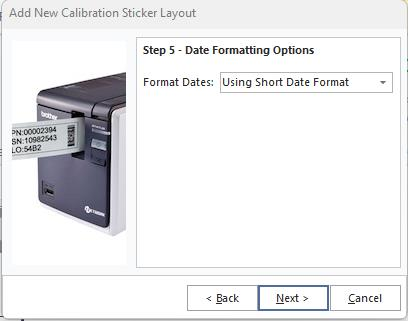
Add New Cal. Sticker Layout - Step 5
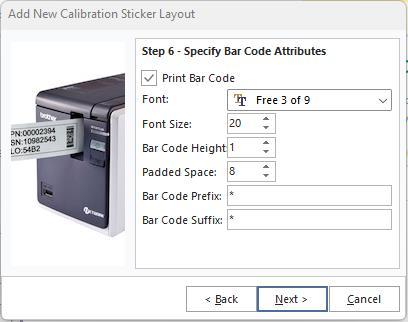
Add New Cal. Sticker Layout - Step 6
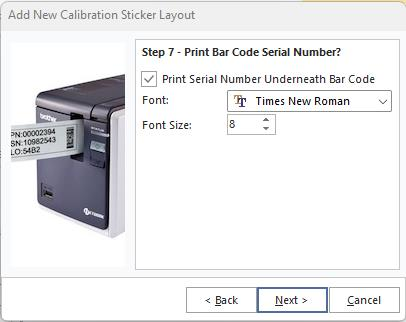
Add New Cal. Sticker Layout - Step 7
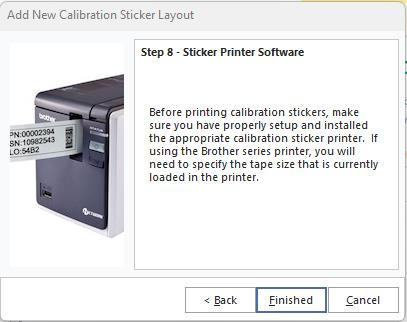
Add New Cal. Sticker Layout - Step 8
 Delete New Sticker Layout: deletes the currently selected sticker layout in the drop-down
 Edit Sticker Layout: prompts dialog similar to 'Add New' called 'Edit Calibration Sticker Layout'
 Print: print options for the currently selected sticker