Buttons and Icons
Toolbar Icons
 New Item (Insert)
Press this button to add a new add/edit to the current list. A popup dialog will appear with appropriate detail fields for the current list. When you have entered the new record, press the 'OK' button to commit the records to the database or press the 'Cancel' button to exit the operation.
 View Item(s) (Return)
Press this button to edit the currently selected item. It is possible with the add/edit grid to select multiple records at once. When multiple records are selected, and the 'View Item' button is pressed, the key field (s) will be grayed out in the popup dialog since the detail item settings in the popup dialog will need to be applied to more than one record (the key field(s) must stay unique).
 Delete Item(s) (Delete)
Use this option to delete a record from the add/edit list quickly. You can select multiple items in the grid (highlight a record, then highlight a second row while pressing the Shift key on your computer keyboard).
 Find Item (Ctrl+F)
This popup dialog allows for the entry of a set of search characters. When 'OK' is pressed, the characters entered in the 'Search By These Characters...' dialog will be used to perform an incremental search within the current grid result set. The closest possible item will be selected.
 Print Grid (Ctrl+P)
This option will pop up in the IndySoft Print Preview Window. See Print Grid (Preview) for more details.
 Copying lists from Company to Company
This option will allow you to copy lists from company to company. You can merge these lists with other companies or replace the lists of another company. Pressing the button will make the following menu item appear.
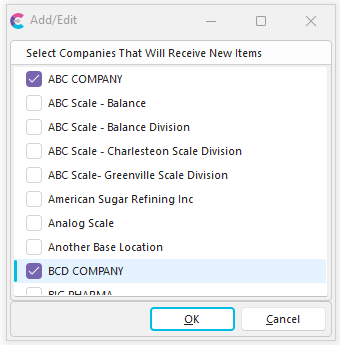
Merge or Replace Selection
Merging - This option will combine a list with an existing one. This is useful when you don't want to destroy a created list. Instead, this will append the current list to the one already built.
Replacing - This option will either replace an existing list (or create a new one when one doesn't exist). |