Grid Customization
Customizing the Grid Screen
You can minimize the number of headers seen on the main grid by right-clicking anywhere in that grid. Then click 'Customize Fields'.
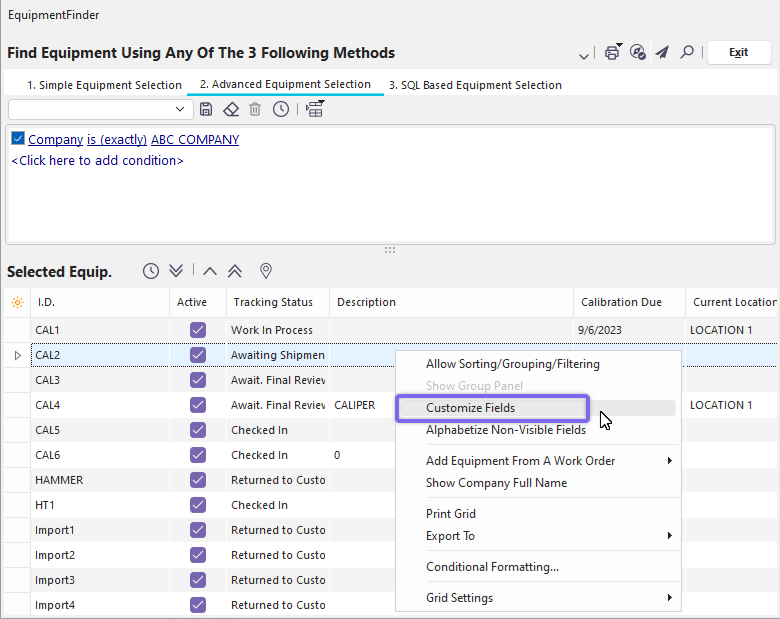
Grid Customization - Customize Fields
A pop-up box will dock on the bottom right of the screen.
Click and hold the Header Field you wish to remove from view and move it inside the 'Customize' box and release the click.
This will not affect the information, it will just remove it from the present screen.
You can similarly click and drag the headers right back into the grid if you so desire.
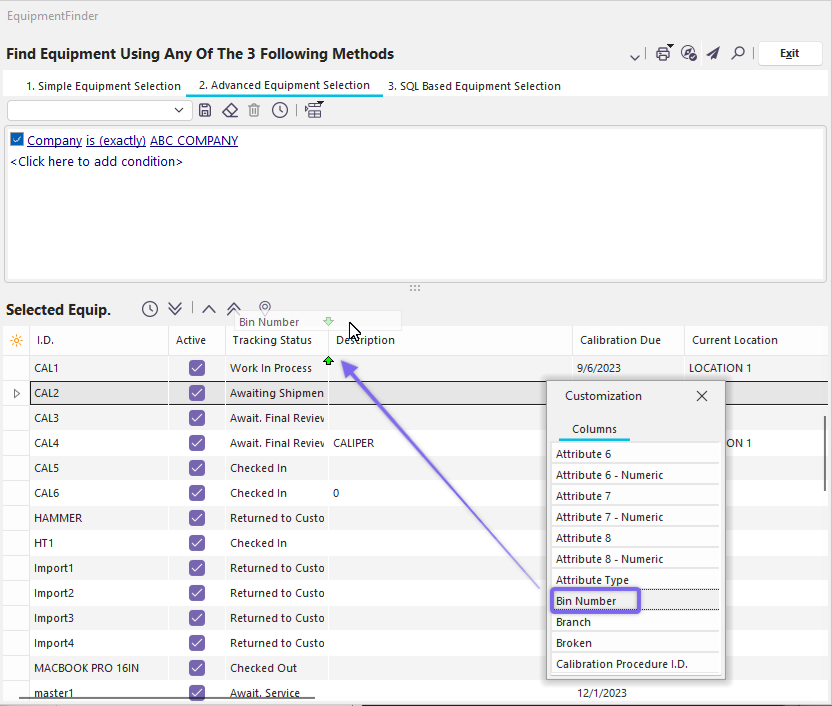
Moving the headers in and out of view using the 'Customize' box
Moving the Header Left & Right
Each header is also able to be maneuvered left or right by dragging it to the desired position. In the example below, we are moving the column field 'Bin Number' over in between 'Description' and 'Calibration Due' (see small green indicator arrows):
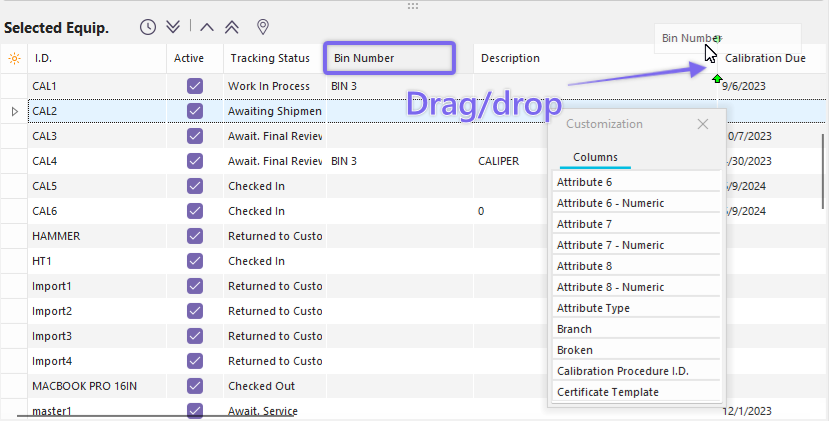
Grid Customization - Moving Headers
Conditional Formatting
 Note: This feature is specific IndySoft version 12.1.0 and on.
If you are using version 12.1.0 and on, you will see a new option in most IndySoft grids called 'Conditional Formatting'. This feature allows you to conditionally format certain columns in the grid. Right-click inside the grid to see the new option:
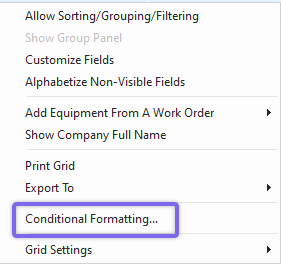
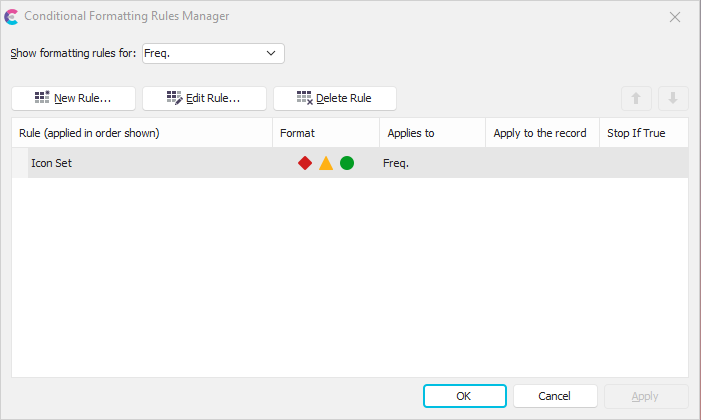
The Conditional Formatting dialog looks as shown below:
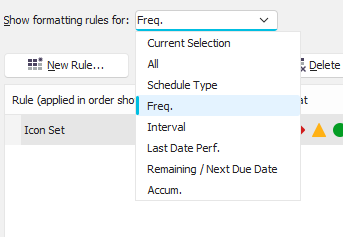
You have the option to filter these rules using the 'Show formatting rules for: ' dropdown:
Use the 'New Rule...' button to create a new formatting rule in this grid:
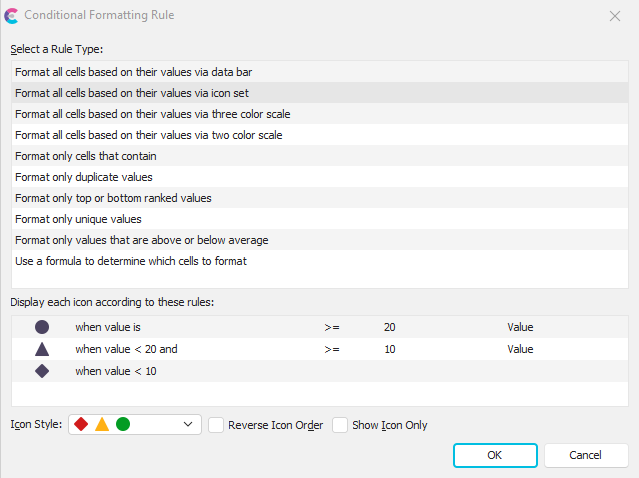
There are many different formatting options that IndySoft offers for users to explore. In the example above, we are using the rule type to format cells via an icon set. Under the Icon Style dropdown, we offer multiple different icon sets for the user to choose from. We then define the rule values directly below. The result is as shown:
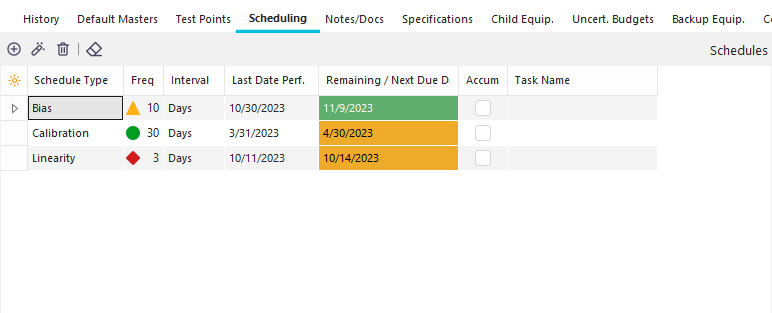
As you can see, the formatting rule that we created is now shown in the grid. This feature enables users to further customize grids in IndySoft to their needs and helps to better visually display and represent data. |