Child Equip.
The Child Equipment dialog/tab is used to associate equipment with other equipment in a parent/child relationship:
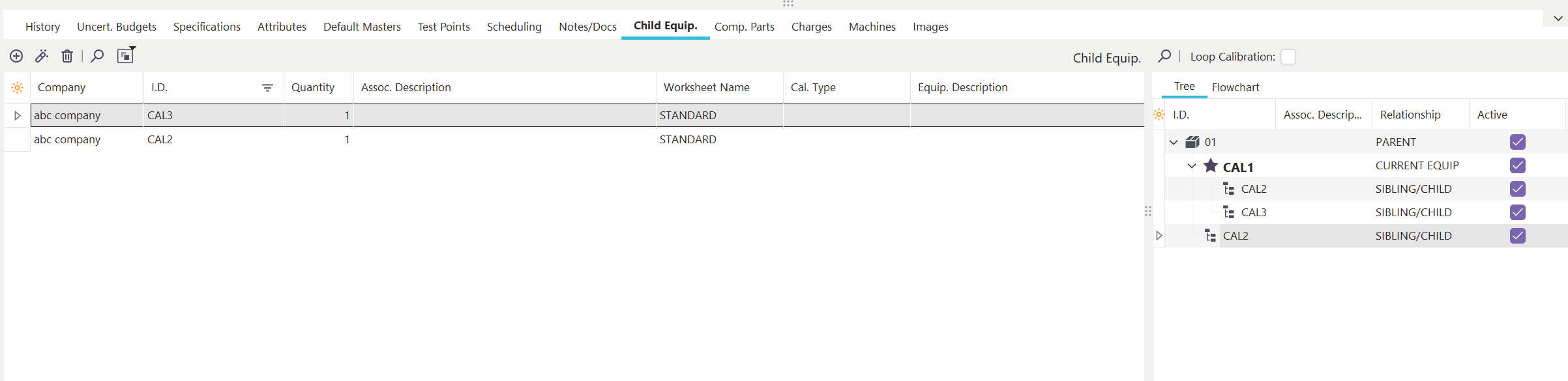
Child Equipment Dialog/Tab
Each asset in the grid represents a child asset to the current asset on the main screen. To the right of the grid, you will see an outline tree that duplicates the listing of child assets by I.D. Number, but also displays any grandchildren, great-grandchildren, etc.
Child Equipment Header Bar
Use the header bar above the Child Equipment grid to add/edit/delete child assets quickly:
 Add New Child Equip.
Use this button to add a new Child Equipment record. The following dialog will be shown:
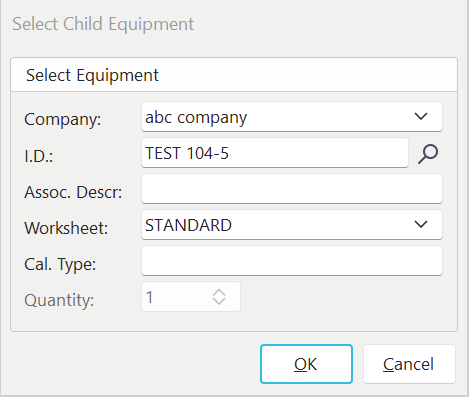
Select Child Equipment
 Edit Child Equip.
Use this option to edit the selected Child Equipment record. The same dialog, as shown above, will be recalled. Company, SN, and Quantity cannot be edited.
 Delete Child Equip.
Use this option to delete the selected Child Equipment record.
 Go to Selected Child Equip.
Use this option to quickly navigate to the selected Child Equipment record.
 Go to Parent Equip
If a child equip is in view, use this option to navigate to the selected Parent Equipment record quickly. It will also list the number of parents associated in the highlighted label and pull those into the dropdown:

Right-Hand Panel
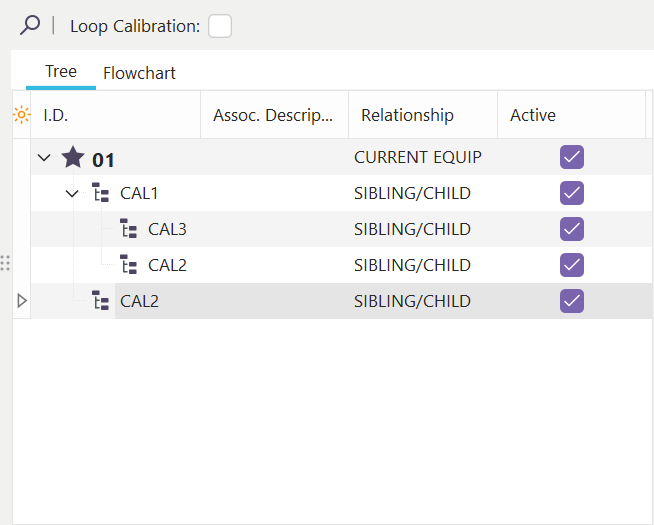
 Go to Selected Equip.
Use this option to navigate to the Equipment record selected in the grid quickly.
 Loop Calibration
Use this Checkbox to enable loop calibration for these assets. See Loop Calibration for more details.
Equipment Tabs - Child Equip.