Add/Edit...Locations...Bin Number
Bin Numbers are selected from the Equipment View Tab...Additional Info...Bin Number field. Bins are keyed according to Company and Crib Number. Bin Number generally represents the 2nd part of a 2-part key for Storage Location (Crib/Bin). When a piece of equipment is out on the floor or has been moved as a result of an event, generally, the 'Location' and 'Sub-Location' fields are used to track the equipment until it is eventually returned to its storage Crib and Bin.
Note: In newer versions, the 'Location' field takes the place of Crib Number, and 'Sub-Location' takes the place of Bin Number.
In v13, new equip field layouts, Crib Number, and Bin Number would need to be added to the layout with a User Created field to be visible.
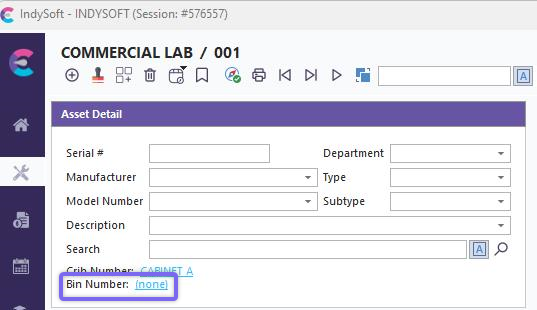
Equipment View - Additional Info. - Bin Number
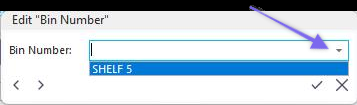
Edit Equipment Field - Bin Number
In the Additional Info. field, clicking the  will open the Edit Equipment Field dialog. You can type a new Bin Number, start typing one already populated, and the text will display, or select a Bin Number from the drop-down list. Click the
  to accept or the
  to cancel. Clicking
  will move you forward or back in the Additional Info. fields. You can also edit/delete the text in this field.
Note: Remember, the drop-down list will only be populated if you have entered the Bin Number previously in the field or from the master list, which is explained next.
Auto Numbering can be selected in Equipment View by clicking the  icon next to Sub-Location (Bin Number) in Dashboard.
Adding Bin Numbers
To add to or manage the Bin Number list, in the IndySoft header, click Add/Edit, then select Locations...Bins from the drop-down menu.
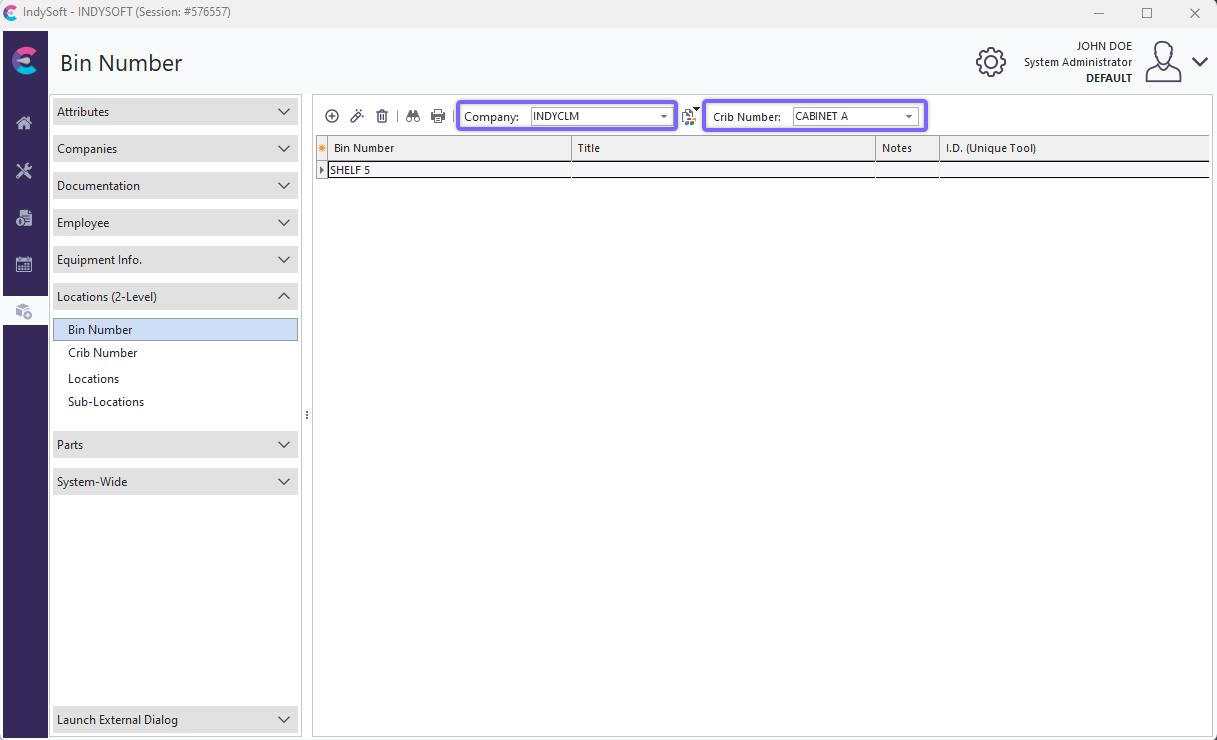
Add/Edit Bin Number Dialog
Be sure you're adding Bin Numbers into the right 'Company' AND 'Crib Number.' Click  'New Item' to add a new Crib or
  to 'View/Edit Item.' (Sort by clicking the header above the column).
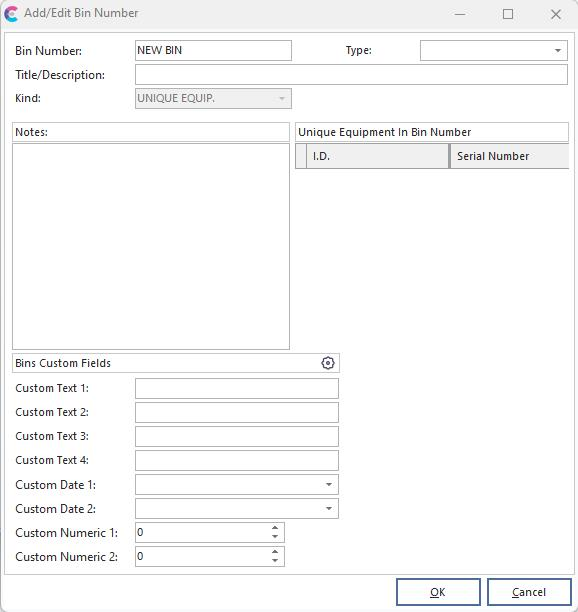
Add/Edit Bin Number
Bin Number
The unique field used to distinguish Bin Numbers
Title
A long, non-unique description of the Bin
Notes
Holds any miscellaneous information about the selected Bin
Note: The 'Kind' and 'Unique Equipment In Bin Number' fields are for users with the IndySoft Tool Management module installed.
 Productivity Tip
The Add/Edit Bin Numbers dialog box can be filtered and customized differently. See General Interface for more information.
Buttons and Icons are detailed here.