Add/Edit...Locations...Locations
When a piece of equipment is out on the floor or has been moved as a result of an event, generally, the 'Location' and 'Sub-Location' fields are used to track the equipment until it is eventually returned to its storage Crib and Bin.
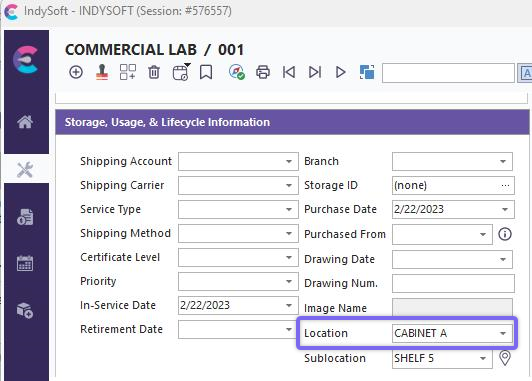
Equip View - Location field
Add/Edit Locations
To add to or manage the Locations list, in the IndySoft left-hand panel, click the Add/Edit option and select Locations...Locations from the drop-down menu.
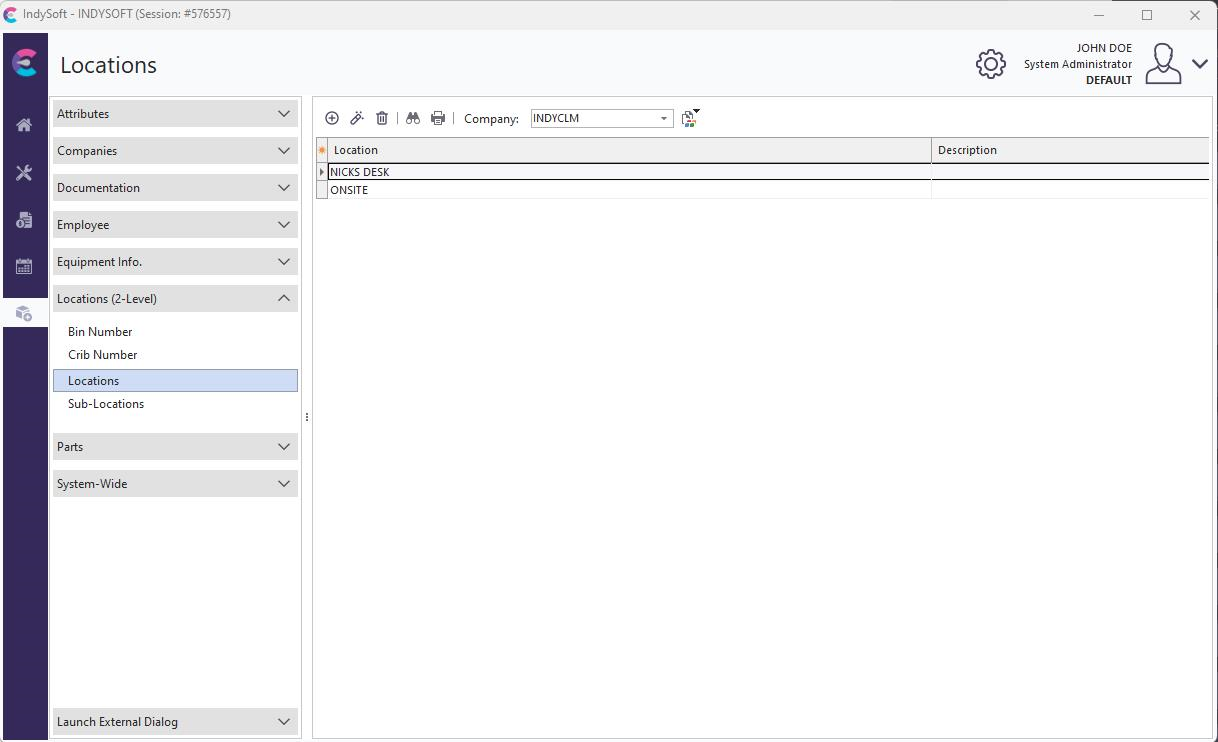
Add/Edit Locations Dialog
Be sure you're adding Locations into the right 'Company.' Click  'New Item' to add a new Location or
  to 'View/Edit Item.' (Sort by clicking the header above the column).
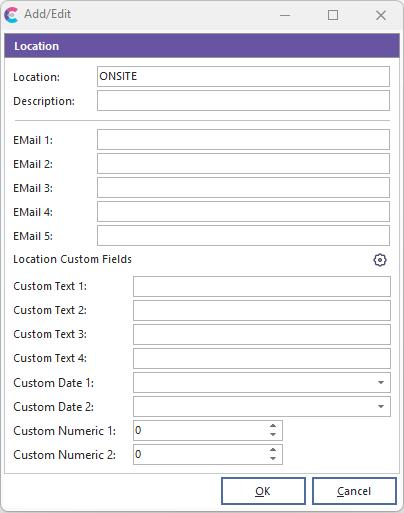
Add New Location
Add a new Location and Description of that Location. This step also allows for the entry of up to 5 email addresses associated with this Location. These email addresses can be recalled from EMail Distribution Rules per Report Rule in the Event (Workflow) Configuration Module. Similarly, these email addresses can be recalled from the EMail Distribution Rules for Certificate in the Event (Workflow) Configuration Module. Thirdly, these email addresses can be recalled from the IndySoft Alarm System when alarms are generated by equipment grouping.
 Productivity Tip
The Add/Edit Location dialog box can be filtered and customized differently. See General Interface for more information.
Buttons and Icons are detailed here.