Add/Edit...System-Wide...Currency Codes
Currency codes can be populated with countries' currencies such as USD, Pounds, etc... The Currency Code list populates information into the Component Parts dialog. Exchange rates and dates are for information purposes only.

Components Parts Dialog - Currency Code
Add/Edit Currency Codes
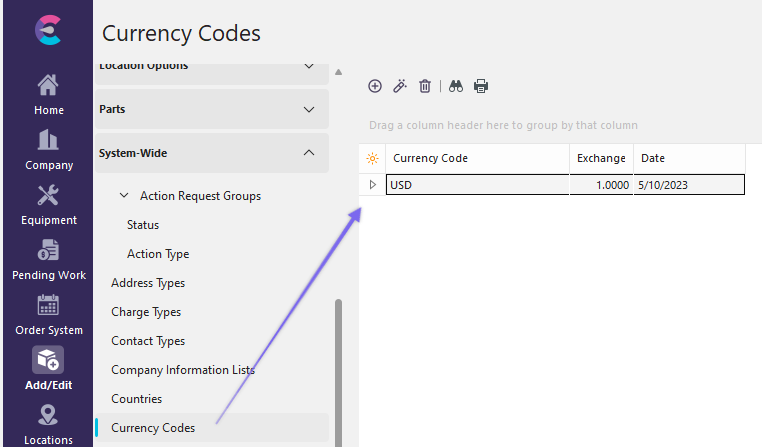
To add to or manage the Currency Codes list, in the IndySoft header, click Add/Edit and select System-Wide...Currency Codes from the drop-down menu.
 ../Storage/indysoft-help-publication/hm_clip3135.png
System-Wide Currency Codes List
Click  'New Item' to add a new Item or
  to 'View/Edit Item.'
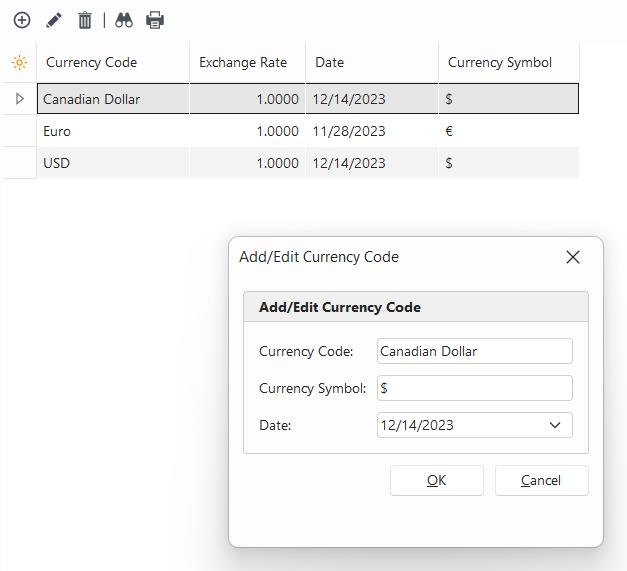
Add/Edit Currency Codes
Currency Codes
Enter the country's currency code, such as USD, Pounds, etc...
Exchange Rate
This field is for informational purposes and is slated for deprecation in 15.0.
Currency Symbol
This is the related symbol for the unique currency code.
Date
Enter the date manually or click the arrow for a calendar.
Click 'OK' and repeat as necessary. |