EquipmentFinder - SQL Based Equipment Selection
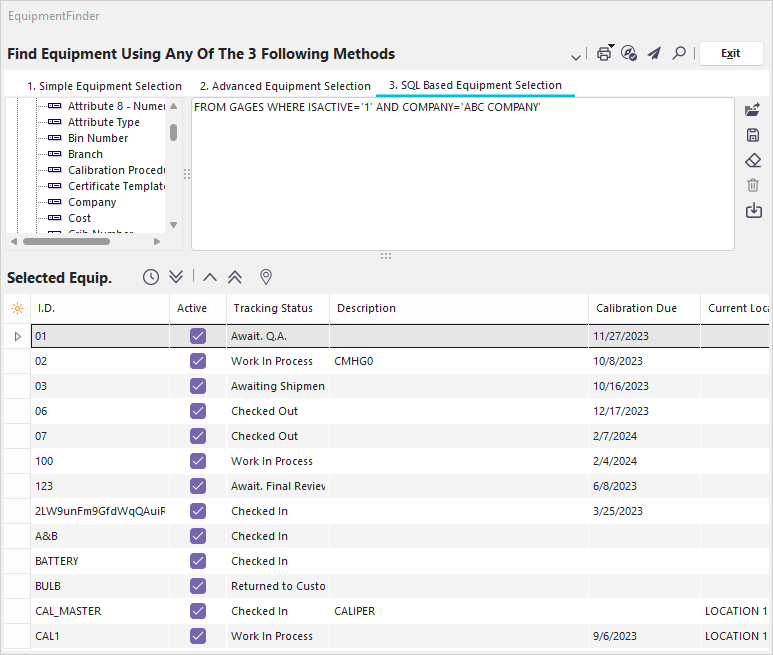
EquipmentFinder SQL Based Equipment Selection Dialog
Finding Equipment with SQL Equipment Selection
The EquipmentFinder utility is very useful for finding a particular piece of equipment with a complex SQL statement. You can load, save, clear, and delete previous SQL statements using the buttons on the right-hand side of the screen. You can also auto-create an SQL statement from the current selection in the Advanced Equipment Selection tab.
When specifying the SQL statement, you don't include the SELECT portion, just the FROM and the remainder of the statement. However, you must always reference the GAGES table in your statement. To assist in building a valid SQL statement, you can drag-drop Equipment Fields and Operators from the left window into the SQL window. You must customize the search expression to reflect your desired search criteria. This is not a fully functional SQL interface; it allows you to tweak searches in the Advanced Equipment Selection screen if they give you the desired results.
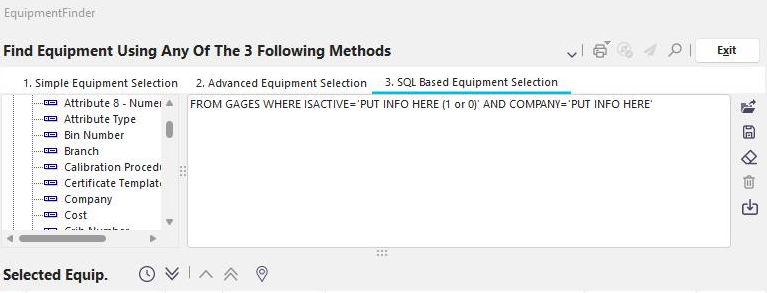
SQL Based Equipment Selection Example
Move Equipment To/From Selected Equipment 
Once your selection is built, you can use the blue buttons to move it to the Selected Equipment Grid. Press ' Test Advanced Equipment Selection ' to check how much equipment matches the current search. To place all the equipment that matches the current search into the Selected Equip. section and remove whatever was there, press 'Start Processing of Advanced Equipment Selection.' To remove one item from the selected equip. section, highlight it and press 'Remove Equipment.' Press ' Remove All Equipment ' to remove all equipment from the Selected Equip section. |