Profile Manager - Custom Profiles
Company-Specific Profiles
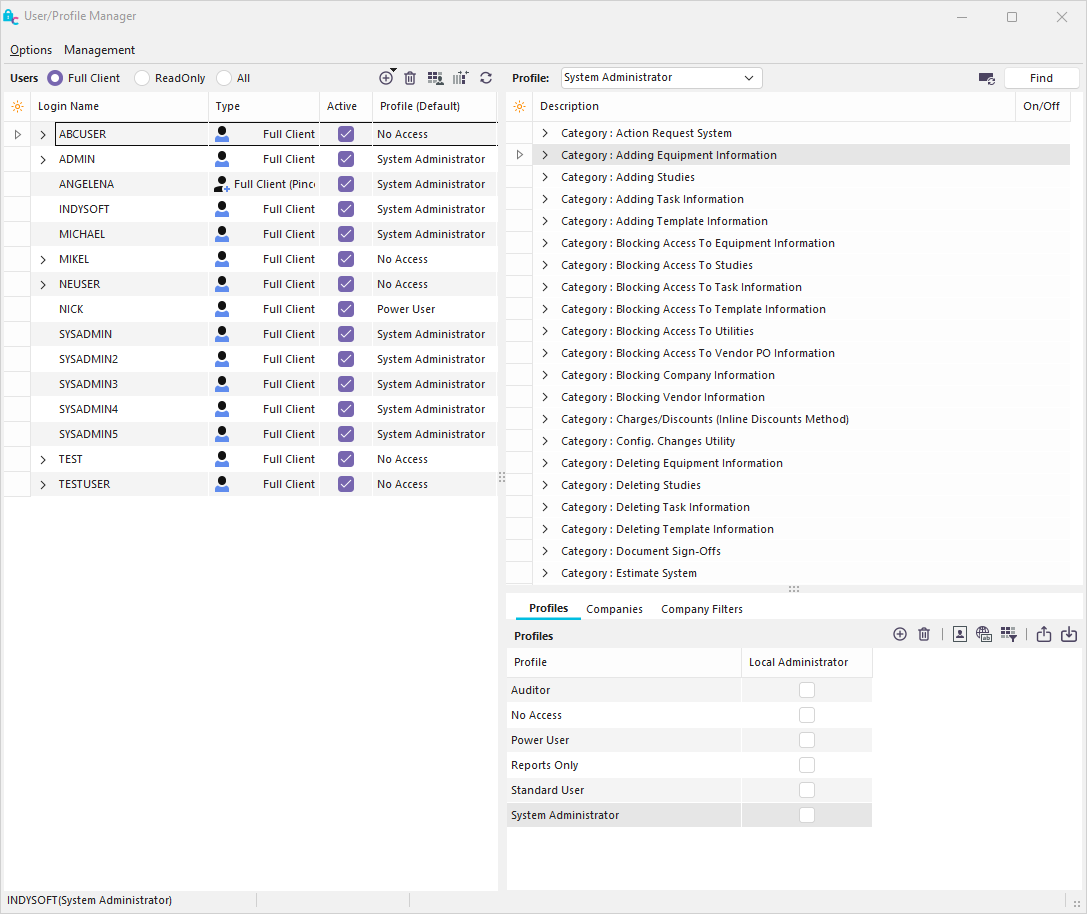
Profile Manager - Overview
Each user must have a default profile. For instance, in the above example, the user 'INDYSOFT' has a default 'System Administrator' profile. The security items assigned to 'System Administrator' will constrain this user's use of IndySoft. This profile can be overridden on a per-company basis. For instance, suppose we wanted ABCUSER to be limited to 'Reports Only' for the 'ABC COMPANY.' To do this, drag 'ABC COMPANY' onto 'ABCUSER,' click 'ABCUSER' to expand the tree, and then drag 'Reports Only' onto 'ABC COMPANY.'
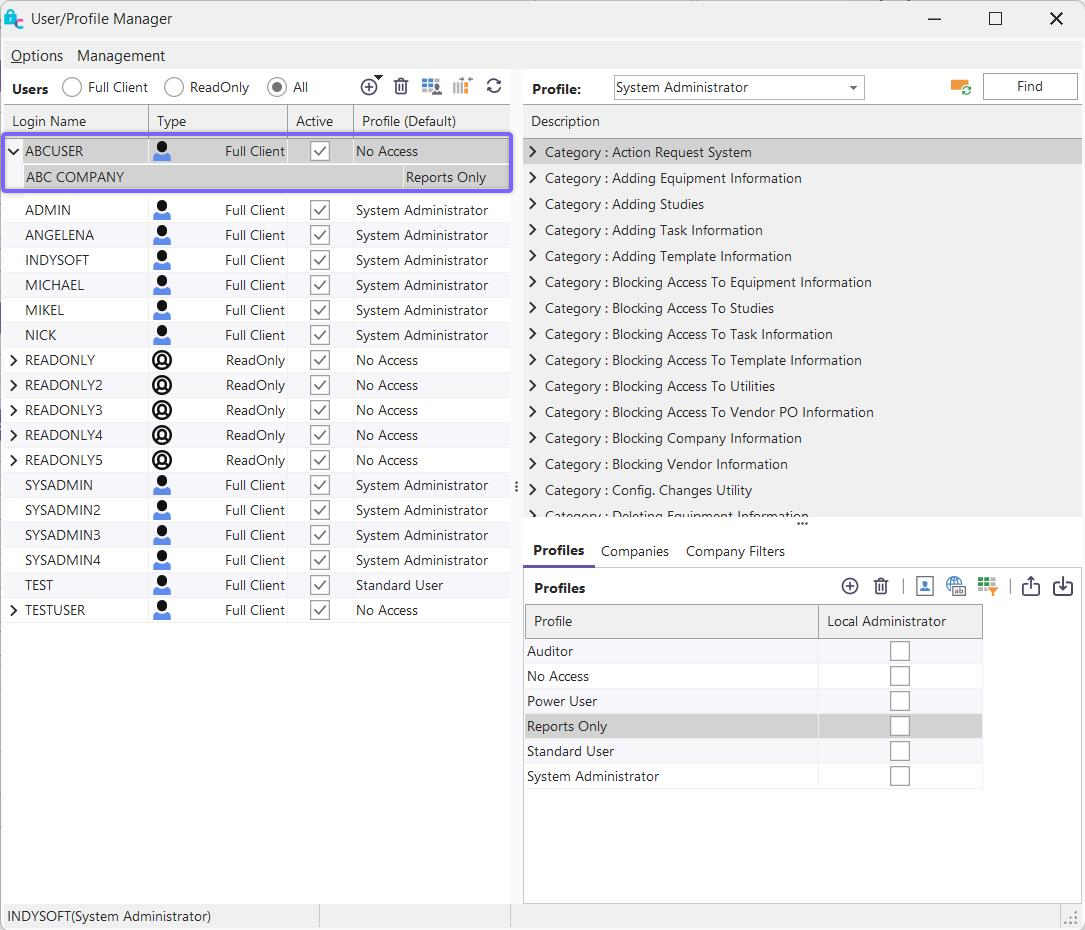
ABCUSER has the 'Reports Only' profile at 'ABC COMPANY.'
To remove this particular Company profile from 'ABCUSER,' right mouse clicks on the 'ABC COMPANY' belonging to the 'ABCUSER' username, and choose 'Remove Company Based Profile From Selected User.'
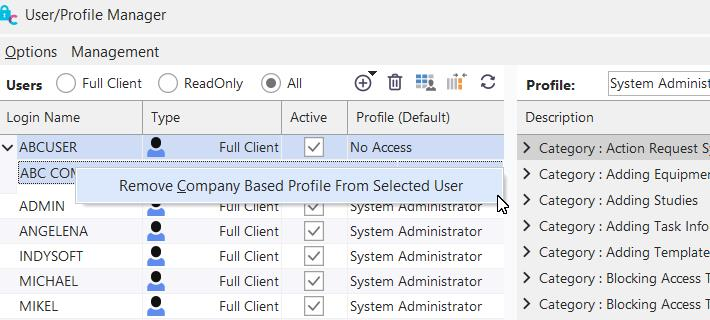
Remove Company Based Profile |