Related W.O. By Sched. Work
The Related W.O. By Sched. Work dialog can be used for quickly locating all Work Orders related to the current equipment. To launch this option from the Dashboard interface Equipment View use the 'RELATEDWORKORDERS-BYSCHEDWORK' hyperlink. You can add this into the left-hand panel or in a user created field within the equip view:
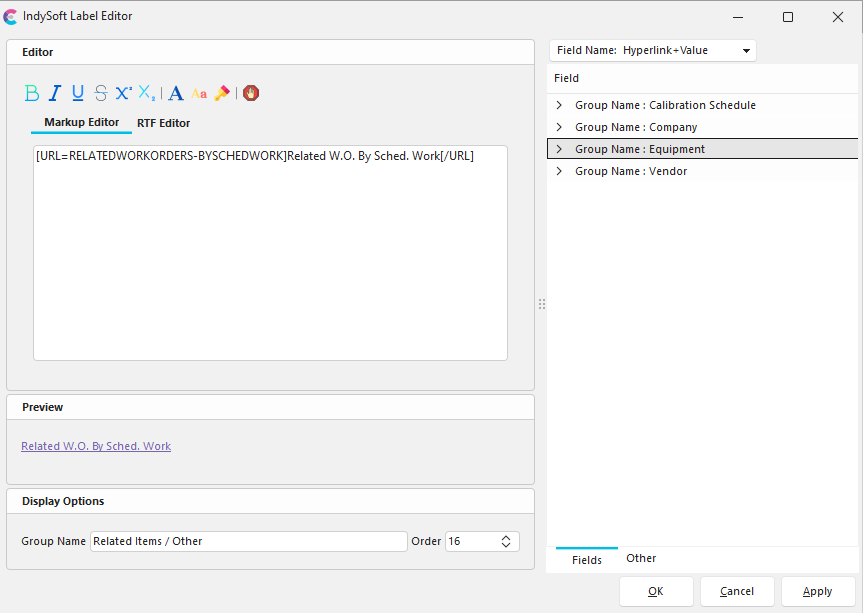
Label Editor - Related Work Orders by Scheduled Work
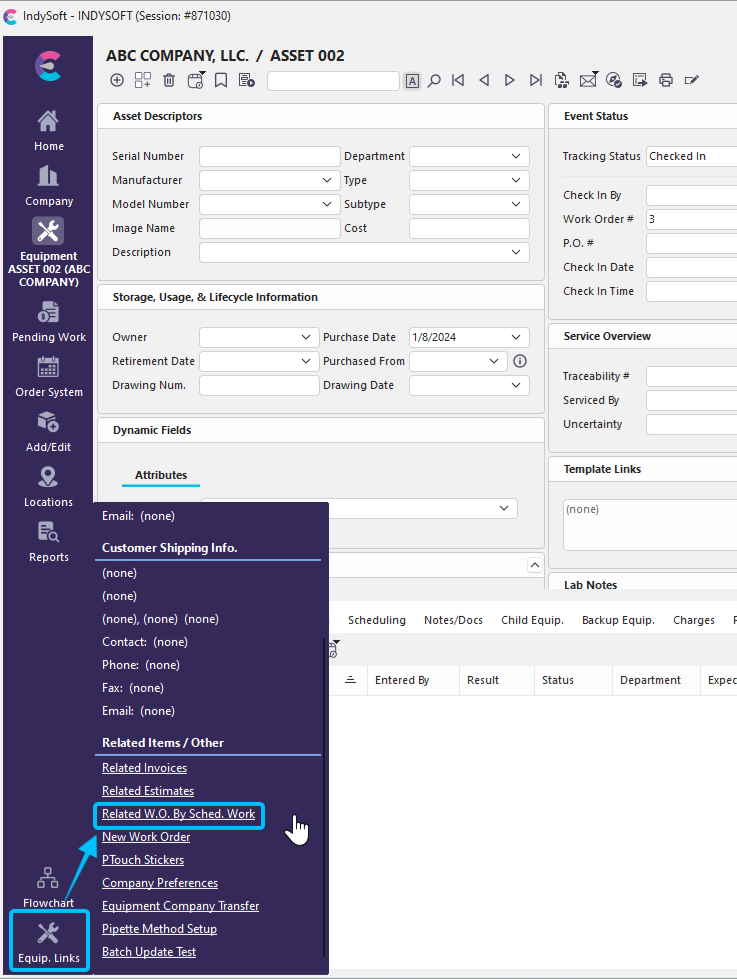
Left-Hand Panel - Equipment View Options for Related WO by Scheduled Work
The 'Search For Work Orders By Equipment' dialog displays all work order scheduled work items that are linked to the current asset:
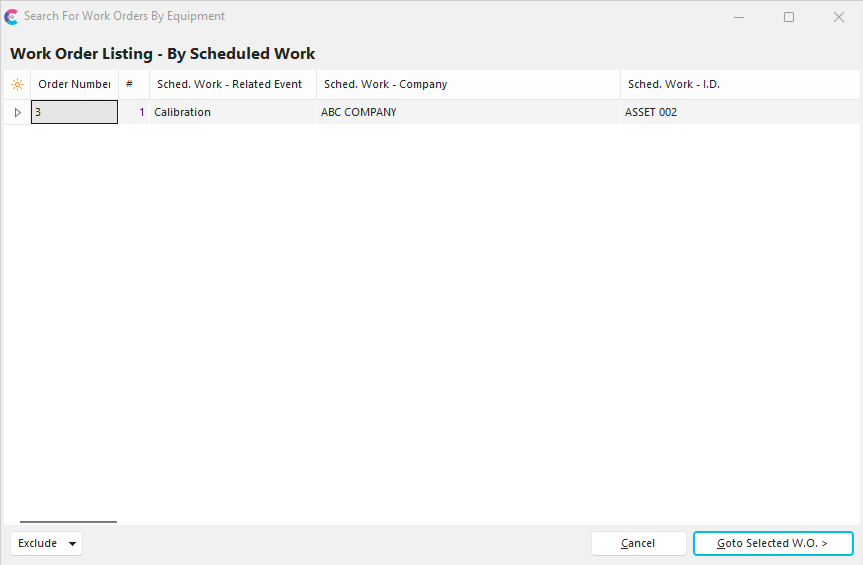
Search for Work Orders By Equipment
Note that the  button on the bottom of the dialog can be used to filter the grid results to hide 'Incomplete', 'Complete', 'Skipped', or 'Backordered' work orders. Once the appropriate work order has been selected, press the 'Goto Selected W.O.' button and you will be immediately taken to the Order System, the Work Orders View will be chosen, and the selected Work Order will be selected.
There are several options available via right-mouse click in the grid:
·Show Group Panel
·Customize Fields
·Save Grid to an Excel File
·Print Grid |