Export/Import Profiles
Security profiles can be exported from one IndySoft database and imported into another IndySoft database. Note: the fastest method for performing this operation is now found in the Export/Import Module. This operation is still retained in Profile Manager for backward compatibility and to allow the import of profiles exported from past versions.
To export one or more profiles, right-mouse click from within the Profiles section and select 'Export Profile':
Export Profile
The dialog below will appear. Select one or more profiles for export:
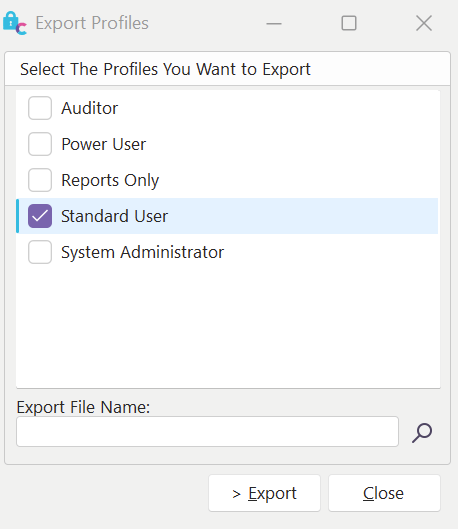
Export Profiles dialog
Next, select the export file name by pressing the  Choose Export File Name button—press 'Export' when you are ready to proceed. The file created will have an IPP extension. Use the parallel 'Import Profile' option to import the profile into another IndySoft database. If the profile being imported already exists, you will be prompted before import. |