Workflow Configuration - Messages
Configuration Wizard - Messages (Step 11 of 22)
Messages are good for displaying important information before you use a certain type of equipment.
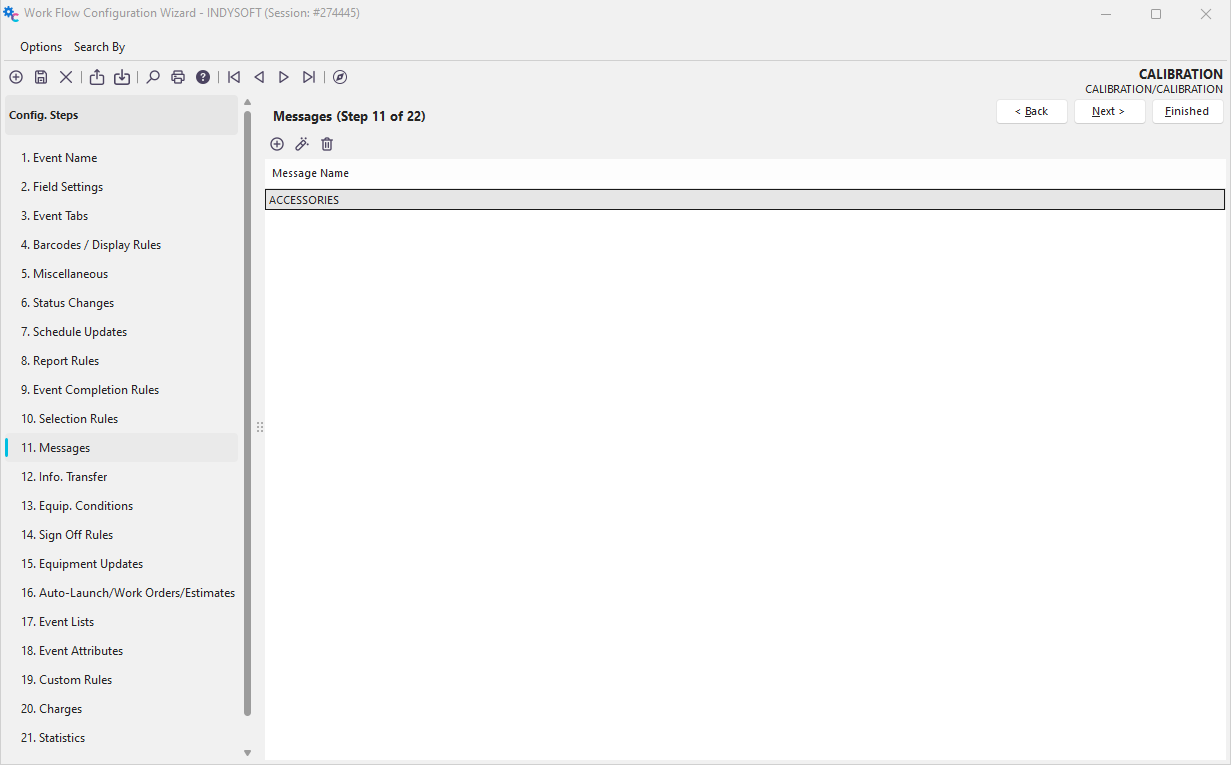
Configuration Wizard - Step 11 of 22 - Messages
 Click the 'Add Equipment Message' button to add a new rule or
  to view/edit.
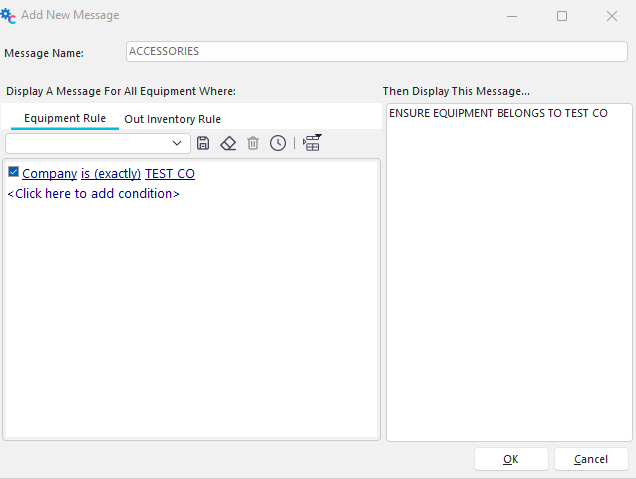
Add/Edit Message
Message Name
This field is a unique name for the message. This name must be unique for each Event Type you set up.
Then Display This Message...
This message will be displayed if a piece of equipment matches the equipment rule.
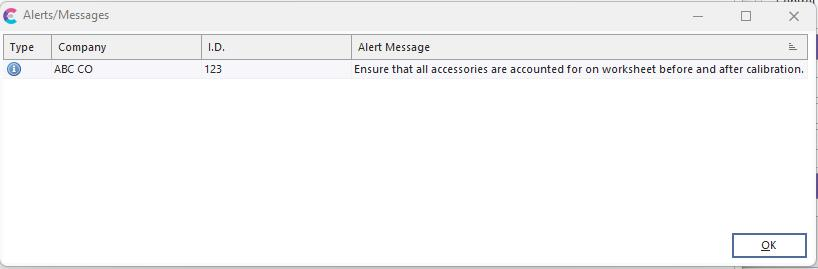
Message Example
Equipment Rule
Use this dialog to pick the type of equipment that you want to display a message for.
Out Inventory Rule
This rule only applies to users of the Tool Management module. It is similar to the Equipment Rules and helpful for dealing with Check-In and Check-Out events.
 Productivity Tip
After creating the rule described above and clicking 'Finish,' a refresh of IndySoft, right-clicking in the header, and selecting 'Reload all Settings, is suggested before using that rule in an event.